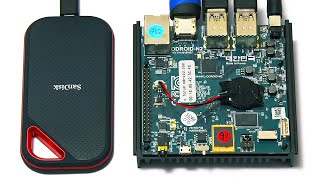
Video Editing - Raspberry Pi 4 vs Odroid N2 & Jetson Nano
Comparative analysis of Kdenlive video editing performance on Raspberry Pi 4, Jetson Nano, and Odroid N2 ARM single-board computers, with tips for optimization and surprising render speed test results.
Sunset Magic - Gradients for Affinity Photo
Learn techniques to enhance sunset photos using Affinity Photo, including color adjustments, gradient application, and emotional fine-tuning for stunning, evocative results.
Creating Videos with React
Explore video creation with React using Remotion, covering concepts, use cases, and rendering at scale. Learn innovative techniques for dynamic video content.

DaVinci Resolve 18 - The Best Free Video Editor
Comprehensive review and demonstration of DaVinci Resolve 18, highlighting its features, improvements, and tips for efficient editing on lower-end hardware, including the new Blackmagic Proxy Generator.
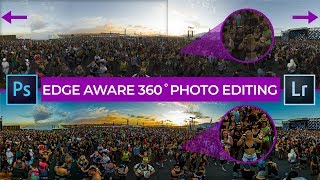
Professional 360 Photo Editing in Photoshop & Lightroom 2020 - Edge Aware Seamless Workflow
Master edge-aware 360 photo editing in Photoshop and Lightroom. Learn seamless workflows, RAW editing techniques, and advanced color grading for professional-looking virtual tours that stand out.
Edit VR Video with Oculus Rift S in Premiere Pro and After Effects - The Correct and Fun Way
Learn to edit VR video in Premiere Pro and After Effects using Oculus Rift S. Master immersive editing techniques, avoid common mistakes, and create stunning VR content efficiently.
Premiere Pro Immersive Workflow for VR180 and VR360 - The In-Depth Tutorial
Explore Adobe Premiere Pro CC 2019's new VR features: improved performance, VR180 workflow, enhanced color grading, VR projection tools, and direct export options for immersive content creators.

How to Create, Edit & Publish VR180 Video for Facebook & YouTube - QooCam Tutorial
Learn to create, edit, and publish VR180 videos for Facebook and YouTube using Kandao QooCam. Covers footage transfer, photo/video workflows, stabilization, output settings, and platform-specific upload processes.
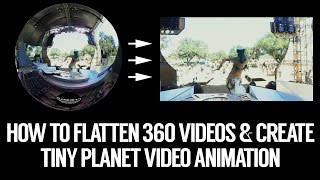
Flatten Gear - Keymission 360 Video into Standard Video and Add Tiny Planet Animation with Insta360 Studio
Learn to edit and convert 360 videos into standard format using Insta360 Studio. Master techniques like flattening, tiny planet animation, and logo insertion to create engaging promotional content for social media.
How to Edit, Render, Upload Nikon Keymission 360 Videos - 360 VR Video Post-Production With Premiere
Learn to shoot, edit, and upload Nikon Keymission 360 videos with expert tips on settings, post-production in Premiere, and advanced techniques for high-quality 360/VR content creation.
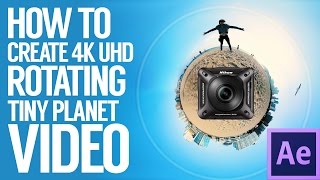
How to Create 4K UHD Rotating Tiny Planet Video with Nikon Keymission 360 - Gear 360 - Ricoh Theta
Create stunning 4K UHD rotating tiny planet videos using 360 cameras. Learn techniques for brightness adjustment, color correction, and adding rotation to make your tiny planet videos stand out on YouTube.
Complement Your Media Editing Pipeline with Jetpack Media3
Explore Jetpack Media3's Transformer APIs for enhanced media editing in Android apps. Learn implementation strategies and see code examples for seamless integration.

How to Create YouTube Intros Using ClipChamp in Windows 11
Master creating professional YouTube intros using Windows 11's free ClipChamp editor - from basic editing and text animations to motion graphics, stock videos, and transitions for engaging channel openings.

Best Free Video Editing Software for PC - Clipchamp, CapCut, and DaVinci Resolve
Discover three powerful free video editing solutions - from beginner-friendly Clipchamp to professional-grade DaVinci Resolve, with detailed comparisons and practical guidance for choosing the right tool.

Top 12 CapCut Video Editing Tips and Tricks for Beginners
Master essential CapCut video editing techniques, from AI-powered enhancements and audio improvements to professional transitions and performance optimization, all designed to streamline your editing workflow.

How to Create AI Videos Using ChatGPT and Invideo
Master the art of AI video creation using ChatGPT and invideo to generate professional content through text prompts, automated scripting, and AI-powered editing - all without traditional filming or manual editing.
10 Essential CapCut Video Editing Tips and Techniques
Master 10 essential CapCut editing techniques, from placing text behind subjects to creating AI news reporters, optimizing performance, and enhancing your video production workflow with professional effects and time-saving features.

Invideo AI Video Generator Tutorial - Create Professional AI Videos
Master the art of AI video creation with Invideo AI - from crafting prompts and cloning voices to editing and exporting professional content in multiple languages, all through an intuitive interface.
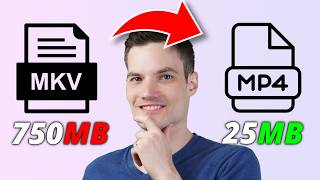
How to Convert and Compress Video Using Wondershare Uniconverter
Master video file conversion and compression techniques using Uniconverter, featuring AI enhancements, batch processing, and support for 1000+ formats while maintaining high quality output.

5 Essential AI Features in Filmora Video Editor - Tips and Tricks
Master five game-changing AI features in Filmora video editor, from text-to-video generation to voice cloning, helping you create professional content faster and more efficiently.
DaVinci Resolve AI Tools - Complete Guide to Neural Engine Features
Master the latest AI-powered features in DaVinci Resolve, from automatic face enhancement and object removal to smart reframing and voice isolation, enabling faster and more professional video editing workflows.