
How to Create a Cinematic Mood and Atmosphere in Photoshop
Learn advanced Photoshop techniques to create cinematic atmospheres using selections, blending, flares, dust, curves, gradient maps, and color grading for stunning visual effects.

How to Use Photoshop Camera RAW
Learn to master Adobe Camera RAW in Photoshop 2021. Edit various photo types, explore new features like Color Grading, and apply techniques applicable to Lightroom for stunning image transformations.

Ascension Photoshop Composite Tutorial
Learn to create a stunning astronaut in space composite using Photoshop. Master gradient maps, advanced brushes, blending modes, and color grading techniques in this hands-on tutorial.

How to Create Atmosphere in Photoshop
Learn to enhance images with mood and drama using Photoshop techniques for fog, dust, rain, and color grading. Master atmosphere creation to elevate your photo editing skills.
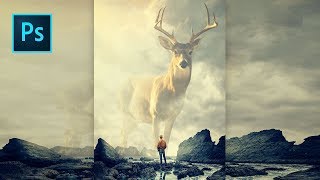
Majestic Spirit Animal Photoshop Tutorial
Learn to create a majestic spirit animal composite in Photoshop using advanced techniques like guide layouts, quick selections, layer blending, and color grading. Perfect for enhancing compositing skills.
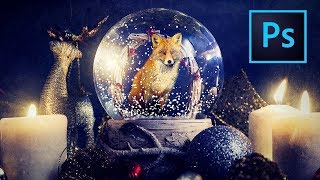
Snow Globe Photoshop Tutorial
Learn to create a captivating snow globe scene in Photoshop, mastering techniques like object placement, snow effects, masking, texturing, and color grading for stunning digital art.
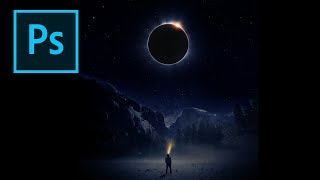
Creating an Eclipse Composite in Photoshop
Learn to create a stunning eclipse composite using Photoshop techniques like noise gradient, Gaussian blur, and color correction for realistic flares and hotspots.
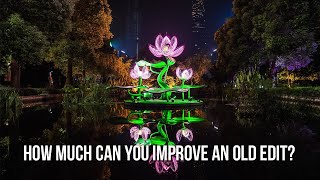
Improving Old Edits
Enhance old edits by blending exposures, cleaning artifacts, reducing haze, and refining details. Learn techniques to improve highlights, colors, and overall image quality.
Mind-Blowing Deepfake Tutorial - Turn Anyone into Your Favorite Movie Star! PC & Google Colab
Learn to create high-quality deepfake videos using open-source AI models and tools. Covers installation, face swapping, quality enhancement, and video reconstruction techniques for educational purposes.
How to Use Overlays in Photoshop - Enhancing Images with Blending Modes and Effects
Learn to enhance photos using Photoshop overlays, blending modes, and color grading. Transform ordinary images into stunning visuals with easy-to-follow techniques and free tools.
Make Your Photos Pop Using Color Grading in Photoshop
Discover powerful color grading techniques in Photoshop to enhance your photos. Learn about gradient maps, blending modes, and masking to create stunning visual effects and improve image colors.
Three Essential Photoshop Tips for Efficient Retouching
Discover time-saving Photoshop techniques: Selective Color for effortless color correction, Auto Align Layers for precise alignment, and Masking Properties to streamline your retouching workflow.
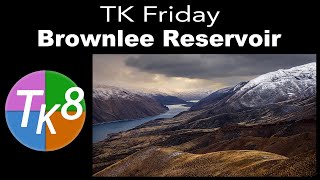
TK Friday: Full Edit of Brownlee Reservoir - Image Processing Tutorial
Comprehensive Photoshop editing tutorial using TK8 Plugin, featuring advanced techniques for color grading, masking, and contrast enhancement on a landscape image.
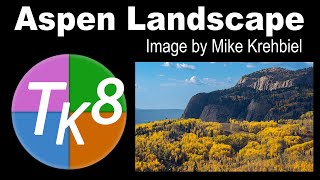
Aspen Landscape Editing Tutorial with TK8 Plugin
Comprehensive Photoshop tutorial for editing an Aspen landscape using TK8 Plugin. Learn advanced techniques like sky selection, color masking, and luminosity adjustments to enhance your landscape photography skills.
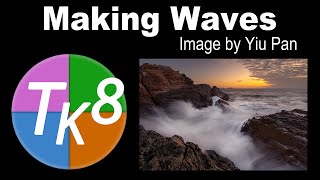
Full Edit Tutorial: Dramatic Wave Image Processing
Full edit tutorial of a dramatic wave image using TK8 plugin, covering color grading, blending modes, adjustments, and advanced techniques for enhancing contrast and details.
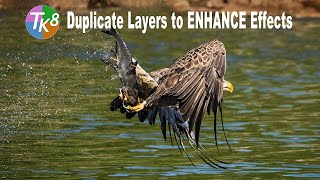
Duplicate Layers to Enhance Effects in Photoshop - TK8 Tutorial
Enhance photo effects by duplicating layers in Photoshop. Learn techniques to strengthen and refine your edits using TK8 plugin for more impactful images.
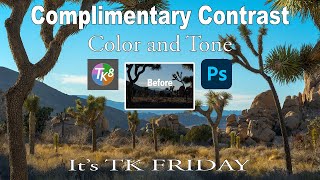
Complimentary Contrast in Color and Tone - TK Friday Tutorial
Learn to enhance photos using Lightroom and Photoshop with the TK8 plugin. Master techniques for color grading, contrast adjustment, and hand painting to create stunning images.
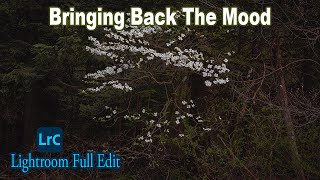
Lightroom Classic Full Edit - Bringing Back the Mood
Comprehensive Lightroom Classic tutorial for enhancing mood in photos. Covers advanced techniques like masking, local adjustments, and linear profiles to recreate original scene ambiance.

New Tips and Techniques for TK8 Plugin in Photoshop - Linear Profiles and Image Editing
New tips and techniques for photo editing using TK8 plugin, including color grading, chromatic aberration correction, and object selection. Includes practice image and linear profile downloads.
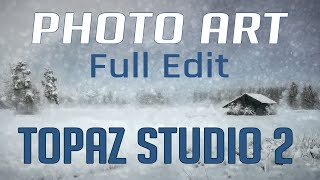
Topaz Studio 2 and Photoshop Tutorial - Creating a Winter Cabin Digital Painting
Transform a winter cabin photo using Topaz Studio 2 and Photoshop. Learn color correction, filters, vignettes, and digital painting techniques to create a stunning winter scene.

Doodly Tutorial: Creating Explainer Videos for Beginners
Step-by-step guide to creating engaging explainer videos using Doodly software. Learn to add scenes, props, voiceovers, and music, perfect for beginners looking to develop marketable video creation skills.