Self Portraits and Visual Storytelling - Editing Techniques in Lightroom and Photoshop - Part 1
Learn advanced self-portrait techniques and visual storytelling with photographer Idara Ekpoh. Master Lightroom Classic and Photoshop for stunning edits, including skin retouching, color grading, and creative effects.
Video Editing for YouTube with Adobe Premiere Pro and Fresco - Part 2
Learn advanced YouTube video editing techniques with illustrator Fabiola Lara, covering project organization, color correction, graphics creation in Fresco, audio editing, and multilingual captioning for engaging content.
Premiere Pro Basics: Your First Edit Masterclass - Part 1
Learn Premiere Pro basics: importing, assembling sequences, using timeline tools, and exporting. Perfect for beginners starting their editing journey with step-by-step guidance on essential features and techniques.
Getting Started with Adobe Fonts in Any App, Anywhere
Comprehensive guide to using Adobe Fonts across various Creative Cloud apps, including tips for customization and integration with Adobe Stock templates.
Photo Editing Techniques in Adobe Lightroom and Photoshop - Live Demonstration
Learn photo editing techniques with Adobe expert Terry White as he enhances user-submitted images live using Lightroom and Photoshop, demonstrating professional tips to elevate your photography skills.
Photo Retouching and Compositing Techniques - Part 2
Learn advanced Photoshop techniques for portrait retouching and compositing with Aaron Nace. Master color correction, blemish removal, background adjustments, and create stunning double exposure designs.
Photo Retouching and Compositing Techniques - Part 1
Learn advanced Photoshop techniques for portrait retouching, compositing, and creating dynamic effects with expert Aaron Nace. Master skills like hair extraction, light flares, and animating particles for stunning visual designs.
Compositing in Adobe Photoshop - Part 2
Master advanced compositing techniques in Photoshop with Aaron Nace. Learn to cut subjects, scale elements, use filters, add color, create effects, and more for stunning digital compositions.

Timesaving Tricks to Master Selections in Photoshop
Discover timesaving tricks for mastering Photoshop selections. Learn to automate, enhance efficiency, and apply techniques for sky replacement, compositing, and color grading with expert Unmesh Dinda.
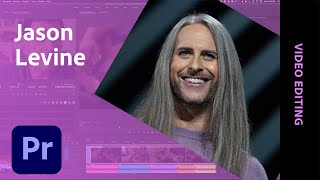
Creating a Documentary Trailer in Adobe Premiere Pro - Part 1
Learn to create a compelling documentary trailer with Adobe expert Jason Levine. Master timeline building, audio synchronization, motion graphics integration, and sound finalization for YouTube in this comprehensive video editing tutorial.
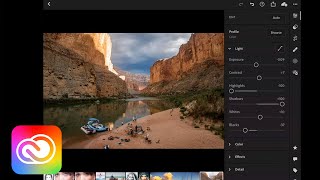
Transforming Your Photos on Mobile Devices - Adobe Creative Cloud
Discover mobile photo editing techniques using Lightroom and Photoshop on iPad. Learn to enhance composition, color, and exposure, make selective edits, and master retouching and compositing on-the-go.
Content-Aware Fill in After Effects - Demonstration and Tutorial
Peter McKinnon and Andrew Kramer explore Content-Aware Fill in After Effects, showcasing its power through creative demonstrations and discussing its potential impact on video editing workflows.

Simplifying Motion Graphics for Editorial - FOX Sports NASCAR Workflow
Learn how FOX Sports streamlined NASCAR graphics using Motion Graphics templates in Adobe Premiere Pro, featuring insights on workflow optimization and the role of After Effects Expressions.
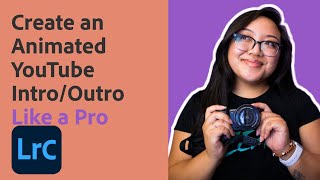
Create an Animated YouTube Intro and Outro - Like a Pro
Learn to create professional animated YouTube intros and outros using Adobe Spark. Master on-brand assets, animation tools, and design techniques to elevate your video content with expert guidance.
Video Editing 101 - Creating YouTube Intro Graphics
Learn to create custom animated YouTube intro and outro graphics using Adobe tools, with step-by-step guidance on design, animation, and motion graphics templates.
Insta360 App - Pro Tips on Shoot and Edit with Trending Audio to Stand Out on TikTok and Instagram Reels
Aprenda técnicas avançadas para criar conteúdo viral em 360° para TikTok e Instagram Reels usando o app Insta360, desde configurações de câmera até edição com áudio em tendência.
Edit Canon R5C and R5 VR180 with DaVinci Resolve 18 - 3D 8K 60fps RAW LT Clog3 Workflow
Learn to edit, color, and publish 8K 60fps VR180 footage from Canon R5C using DaVinci Resolve 18. Master RAW workflow, 3D calibration, and stereo conversion with free plugins and sample files for an optimized VR180 production pipeline.
Edit, Reframe, Color Grade 360° Video Like a Pro with Mistika Boutique
Learn to edit, reframe, and color grade 360° videos professionally using Mistika Boutique's free Educational Edition. Master advanced techniques like object removal, stabilization, and VR headset preview for high-quality immersive content.
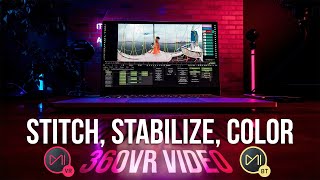
Stitch, Stabilize & Color Insta360 Titan & Pro 2 with Mistika Boutique - Mistika VR
Learn advanced techniques for stitching, stabilizing, and color grading 360° footage from Insta360 cameras using Mistika software, enhancing your VR filmmaking skills with professional tools and workflows.
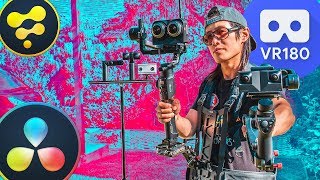
Create the Best VR180 for VR Headsets Using DaVinci Resolve Fusion - Complete Guide
Comprehensive guide to creating professional VR180 videos using DaVinci Resolve and Fusion, covering filming, editing, 3D graphics, and publishing for VR headsets and platforms.
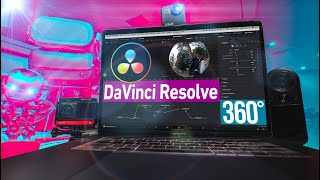
Edit 360° Video with DaVinci Resolve - Tripod Removal, PanoMap, Spherical Stabilizer
Learn advanced 360° video editing techniques in DaVinci Resolve, including tripod removal, PanoMap usage, and spherical stabilization. Master immersive video post-production for stunning results.