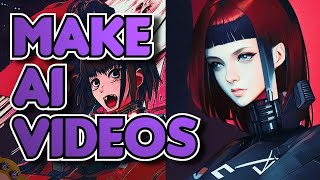
Be an AI Generated Film Director with Deforum
Learn to create AI-generated videos using AUTOMATIC1111 WebUI and Deforum Extension. Explore settings, installation, examples, testing methods, and advanced techniques for unique video production.
Transform Your Video Editing Skills with the Ultimate DaVinci Resolve Guide for Beginners
Comprehensive guide for beginners to master DaVinci Resolve's free version. Learn essential editing techniques, from basic navigation to advanced features, for creating professional-quality videos.
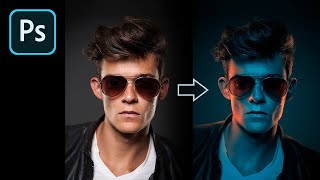
How to Fake Color-Gel Lighting in Photoshop
Learn to simulate multi-colored lighting in Photoshop using Gradient Maps. Master controlling brightness and color of light sources, creating dramatic highlights, and adding shine for stunning photo effects.
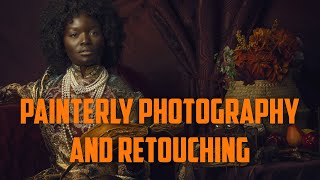
Painterly Photography and Retouching in Photoshop
Learn techniques for creating painterly photographs, from setting up photo shoots to retouching in Photoshop. Master cropping, smoothing, masking, and color correction to achieve a unique artistic style.
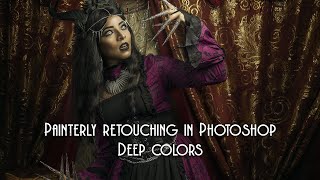
Painterly Retouching in Photoshop with Deep Colors
Learn advanced Photoshop techniques for creating deep-colored painterly images, including retouching, masking, oil painting effects, and color correction. Enhance your digital art skills with professional tips.
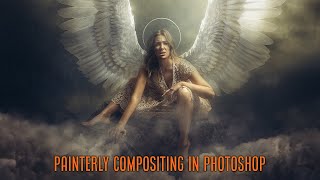
Painterly Retouching and Compositing in Photoshop - Create Painterly Effect
Learn to create stunning painterly effects in Photoshop through step-by-step retouching and compositing techniques. Master tools like healing brush, masking, and color correction to achieve a Renaissance-style look.
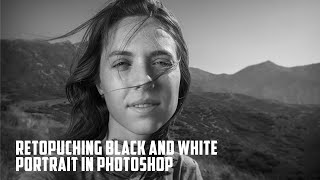
Retouching Black and White Portrait in Photoshop
Learn advanced techniques for creating and retouching stunning black and white portraits in Photoshop, from initial processing to final touches, enhancing your photo editing skills.
How to Do Character Turnaround in After Effects - Workflow Part 1
Learn to create character turnarounds in After Effects with step-by-step guidance on shapes, keyframes, controllers, and expressions for efficient 2D animation workflows.

21 Tips for Creating Killer Motion Graphics in After Effects
Discover 21 essential tips, tricks, and resources to enhance your motion design skills in After Effects, from optimization techniques to useful scripts and educational tools.
How to Rig Any Character in After Effects Using DUIK
Learn to create a functional character rig in After Effects using DUIK Bassel. Master retrofitting, arm and leg rigging, and character animation techniques in this comprehensive tutorial.

An Ultimate Guide to After Effects Character Rigging
Comprehensive comparison of After Effects character rigging tools, exploring pros and cons of Puppet Pin, DUIK Bassel, Rubberhose, Limber, Character Tool, and Puppet Tool for informed decision-making.
Add 3D Text to Your Footage with Blender - VFX Tutorial
Step-by-step tutorial on integrating 3D text into video footage using Blender, covering motion tracking, scene setup, text creation, lighting, and compositing for realistic VFX results.
Add Cars to Your Videos With Blender - VFX on a Cloud Computer
Learn to seamlessly integrate 3D car models into videos using Blender. Master camera tracking, lighting, rendering, and compositing techniques for realistic visual effects.
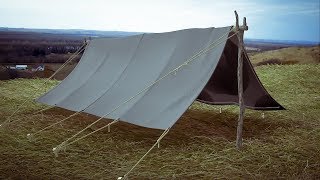
Creating a Pup Tent - Texturing
Learn to texture a pup tent in Blender 2.4, create a realistic scene with grass and ground, and use compositing nodes for color correction before final rendering.
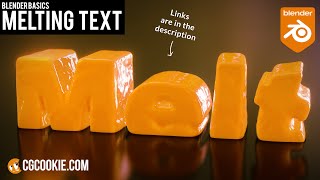
Make a Melting Text Effect in Blender - Fluid Sims VFX Tutorial
Learn to create a melting text effect in Blender using fluid simulations. This step-by-step tutorial covers text creation, simulation setup, liquid properties, and camera settings for a visually striking VFX result.
Creating Smooth Transition Videos for TikTok - Part 2
Aprenda técnicas avançadas de transição para TikTok com Jillian Nicole Smith, incluindo mascaramento e modelos de motion graphics no Premiere Pro para criar vídeos envolventes e profissionais.
Creating Loopable Social Media Content in Premiere Pro - Part 1
Learn to create engaging loopable social media content with James Bonanno. Master planning, editing, and audio techniques in Premiere Pro for Instagram and YouTube, including picture-in-picture, keyframe animations, and overlays.
Cinematic Photo Editing in Lightroom Classic and Photoshop - Part 1
Learn cinematic photo editing techniques in Lightroom and Photoshop with photographer Idara Ekpoh. Master color grading, dodging and burning, selective adjustments, and creative effects to elevate your images.
Video Editing 101: Creating Standout YouTube Thumbnails
Learn to create eye-catching YouTube thumbnails using Premiere Pro and Photoshop. Master frame selection, text addition, image editing, and design techniques to make your videos stand out.
Creating Glitch Titles and Transitions in Premiere Pro
Master glitch titles and transitions in Premiere Pro. Learn custom effects, motion graphic templates, and essential techniques for creating eye-catching video edits with professional-looking results.
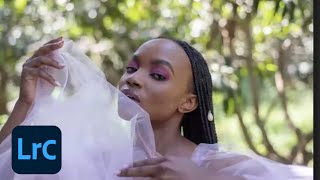
Color Grading Techniques in Adobe Lightroom
Master color grading in Adobe Lightroom with expert techniques for creating signature styles and trendy aesthetics. Learn professional editing tools, AI masks, and subtle color adjustments to elevate your photo editing skills.