Adobe Illustrator CC for Beginners - 2+ Hours of Creative Cloud Training
Comprehensive tutorial covering essential Adobe Illustrator tools and techniques for beginners, from workspace customization to advanced drawing and editing features.

Convert Raster to Vector in Illustrator
Learn to convert raster graphics to vector in Adobe Illustrator using Image Trace. Explore techniques for filled color images and sketches, understand vector advantages, and master file format considerations.
Sketch vs Adobe XD - Comparing Design Tools for UI/UX
Compare Sketch and Adobe XD's features, history, and capabilities for UI/UX design. Gain insights on their strengths and weaknesses to choose the best tool for your projects.
10 Essential Design Tips for Adobe Illustrator
Elevate your Illustrator skills with essential design tips covering icon creation, 3D tools, typography enhancement, and more. Learn to craft unique visuals and improve your digital artwork.
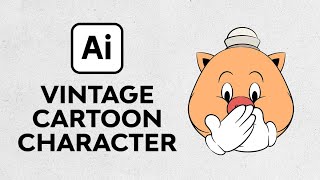
Create a Vintage Cartoon Character in Illustrator
Learn to create a charming vintage cartoon pig in Illustrator using vector techniques, warp effects, and classic glove designs. Master retro illustration skills in this step-by-step tutorial.
How to Create a Stained Glass Effect in Illustrator
Learn to create stunning stained glass effects in Illustrator using vector shapes, colors, and textures. Master frame creation, glass coloring, and texture application for realistic results.
Importing SVG as a Grease Pencil Object in Blender
Learn to import and manipulate SVG files as Grease Pencil objects in Blender, exploring vector file workflows, curve editing techniques, and essential tips for effective integration.

Android Development for Beginners - Drawing Buttons with Inkscape
Learn to create custom Android buttons using Inkscape, covering essential techniques for designing attractive and functional user interfaces.
Inkscape Filter Editor Tutorial - Part 6
Explore Inkscape's Filter Editor, covering primitives like Gaussian Blur, Blend, Turbulence, and Lighting effects to enhance your vector graphics skills.
Inkscape Tiled Clone Tool Tutorial - Part 5
Learn to create complex patterns, flowers, and spirals using Inkscape's Tiled Clone Tool. Master cloning, symmetry, scaling, rotation, and more in this comprehensive tutorial.
Inkscape Video Tutorial 4 - Bezier Tool, Node Tool, and Path Effects
Learn to master Bezier and Node tools, explore Inkscape Path Effects, and solve common errors. Gain practical skills with hands-on examples for various effects like Pattern Along Path, Gears, and Spiro Spline.
Inkscape Video Tutorial - Part 3: Advanced Tools and Color Management
Learn advanced Inkscape techniques: Pathfinder tools, color models, blur effects, gradients, and more. Master essential design skills for creating stunning vector graphics and illustrations.
Inkscape Video Tutorial - Part 2: Advanced Tools and Techniques
Learn advanced Inkscape techniques including keyboard shortcuts, document properties, object selection tricks, guides, rulers, alignment, transformation, and creating rows and columns.

Inkscape Tutorial - Introduction and Basic Tools
Comprehensive introduction to Inkscape's interface, tools, and basic functions for creating vector graphics and designs, with shortcuts and practical tips.
Creating an iPhone in Photoshop
Learn to create a realistic iPhone design in Photoshop using layers, shapes, gradients, and effects. Master essential techniques for digital product mockups and graphic design.
Staying Creative on a Budget - Free Software Alternatives for Digital Artists
Discover budget-friendly alternatives to expensive software for digital artists, covering pre-production, production, and post-production tools to keep your creativity flowing without breaking the bank.
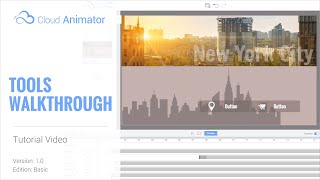
Cloud Animator Tutorial - Walkthrough of Tools and Features
Explore Reallusion's Cloud Animator: create interactive animations for promotions, invitations, and more. Learn about scenes, assets, and features in this comprehensive walkthrough.
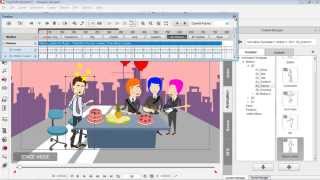
Drawing Custom Props for CrazyTalk Animator - Part 3
Learn to create and animate custom vector graphics for CrazyTalk Animator using DrawPlus. Covers shape manipulation, editing, and simple animation techniques for beginners.
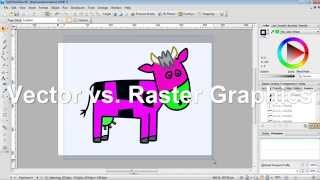
Creating CrazyTalk Animator Props from DrawPlus Graphics - Part 1
Learn to import vector graphics from DrawPlus into CrazyTalk Animator as props. Covers export setup, graphic modifications, vector vs. raster, custom prop saving, and multi-graphic exports.
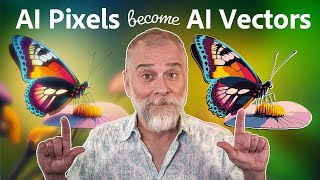
Level Up Your Art with AI Vectors
Learn to transform AI-generated images into vector graphics using Illustrator's enhanced image trace feature, exploring various techniques for optimal results in digital art and design projects.
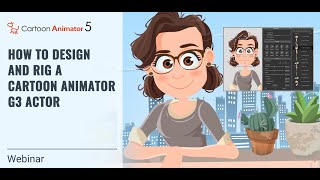
Designing and Rigging a Cartoon Animator 5 G3 Actor
Learn essential techniques for layering and rigging G3 actors in Cartoon Animator 5, including vector layers, bone pivots, custom parts, eyes for puppetry, and mouth sprites. Elevate your character animation skills.