Design Masterclass - Illustrator on iPad
Learn to create unique designs using Illustrator on iPad with Adobe Evangelist Paul Trani. Explore new features, refine outlines, add elements, and master essential tools for professional-quality illustrations.
Logo Design Challenge - Kombucha Brand Using Illustrator
Learn to design a Kombucha brand logo using Illustrator's pen and slice tools in this hands-on challenge. Develop your skills through practical application and community feedback.

Introduction to Logo Design in Adobe Illustrator - Part 1
Learn logo design fundamentals with Alex Lazaris as he creates a coffee brand identity using Adobe Illustrator, covering font selection, circular logo creation, and badge design techniques.
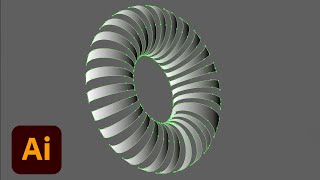
Adobe Illustrator Daily Creative Challenge - 3D Elements
Learn to design custom 3D shapes in Illustrator using 3D options and Map Art panel. Join daily challenges to sharpen skills, get feedback, and connect with the community.
Adobe Illustrator Daily Creative Challenge - Illustrated Characters
Learn to illustrate characters using geometric shapes, Grain effect, and Pen tool in Adobe Illustrator. Join daily challenges to enhance skills, get feedback, and connect with a creative community.
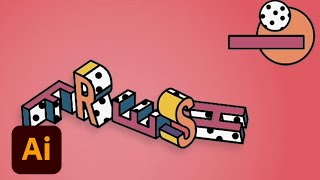
Adobe Illustrator Daily Creative Challenge - Isometric Type
Learn to create eye-catching isometric typography using Adobe Illustrator's 3D panel and Pathfinder tool in this hands-on design challenge.
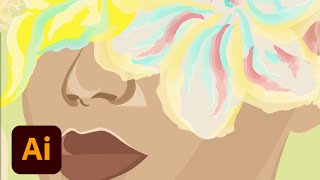
Drawing in Vector - Portrait and Fantasy Illustration in Adobe Illustrator - Part 1
Explore vector portrait creation in Illustrator with Victoria Pavlov, focusing on facial details and color choices for a fantasy half-human, half-bouquet design. Learn workflow tips and techniques from experts.

Adobe Illustrator Daily Creative Challenge - Patterns
Learn to transform photos into seamless patterns using Image Trace and Pattern tools in Adobe Illustrator, enhancing your design skills through hands-on challenges and community feedback.

Adobe Illustrator Landscape Design Challenge - Creating Depth with Gradients
Create illustrated landscapes with depth using Freeform Gradients and Recolor Artwork. Learn perspective techniques and get feedback in this daily creative challenge.

Designing a Vitamin Brand Identity - Part 1
Watch Julia Masalska design a vitamin brand identity using Adobe Illustrator, showcasing her workflow for logos, patterns, and color selection. Learn techniques for creating a cohesive brand design from start to finish.

Adobe Illustrator Daily Creative Challenge - Shapes and Lines
Design fun icons using simple shapes in this 30-minute Adobe Illustrator challenge. Learn essential tools, techniques, and shortcuts to create eye-catching graphics and improve your design skills.

Adobe Illustrator Daily Creative Challenge - Scatter Brushes
Learn to create a unique promotional flyer using Scatter Brushes in Adobe Illustrator. Explore mud, pattern, and leaf brushes to enhance your design skills in this hands-on challenge.
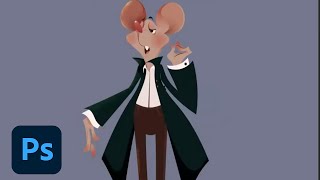
Designing Real Life-Inspired Figures and Fictional Characters - Part 2
Learn character design techniques, from basic shapes to texturing, while exploring pricing strategies and industry insights with illustrator Chioma Iloegbunam in this Adobe Live session.

Designing Real Life-Inspired Figures and Fictional Characters in Photoshop - Part 1
Illustrator Chioma Iloegbunam demonstrates character creation in Photoshop, focusing on music teacher-inspired designs and sharing tips on vector shapes, line art, texturing, and capturing personality through simple forms.
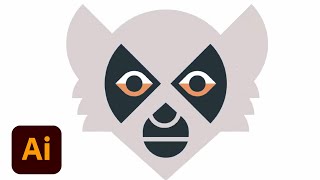
Geometric Animal Logo Design in Adobe Illustrator - Part 2
Learn geometric animal logo design techniques in Adobe Illustrator with Ben Stafford. Discover tips on pathfinder, typography, client briefs, and presenting iterations while creating a deer logo and exploring design principles.
Morphing Letters in After Effects
Learn to create smooth letter morphs in After Effects using shape layers, keyframes, and animation principles. Master manual techniques for precise control over transitions between letterforms.
File and Software Compatibility Explained with Leslie Nicole
Comprehensive guide to file formats and software compatibility in graphic design, covering major extensions, compression types, and limitations across various design applications.
Krita - Creating a Vector Image - Beginner Level
Learn to create vector images in Krita 4.4.3, covering basic tools and techniques. Perfect for beginners, this tutorial guides you through shape creation, editing, and exporting your first vector artwork.
Graphic Design - Intro to Photoshop Part 1
Learn essential Photoshop tools and techniques for graphic design, including layers, pen tool, and vector vs. raster graphics. Gain practical skills for digital design workflows and file management.
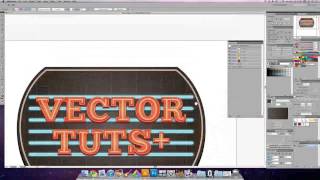
Create a Glowing Neon Sign Using the Appearance Palette - Part 2
Learn to craft intricate neon signs efficiently in Adobe Illustrator using the Appearance Palette, streamlining complex path creation for stunning visual effects.
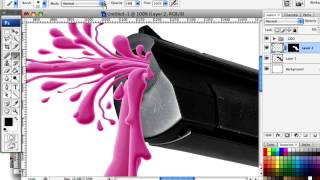
Splattered Vector and Photography Mash Up
Learn to blend vector work with photography, creating vibrant art for various projects. Master the Pen Tool in Photoshop to confidently produce stylish designs with a fun, colorful approach.