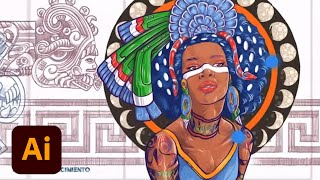
Designing a Mural Inspired by Aztec Gods and Goddesses - Part 2
Explore mural design with artist DeltaTangoMike as he creates an Aztek-inspired piece using Adobe Fresco and Illustrator. Learn sketching, coloring, and vector techniques for large-scale artwork.

Creating a Travel Booklet in Adobe InDesign - Part 1
Learn to create a Hawaii travel booklet using Adobe InDesign and Illustrator. Follow designer Kristy Campbell's process, from color selection to typography and incorporating hand-drawn elements for a unique, professional design.
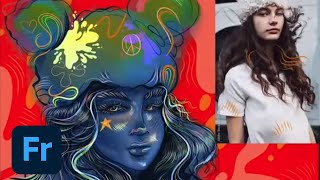
Designing Characters in Adobe Fresco - Part 1
Learn to create unique characters in Adobe Fresco with Melissa Showers. From sketches to vector and pencil techniques, explore the full creative process of character design, including colors, backgrounds, and animation tools.
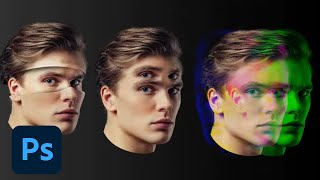
Photoshop Masterclass: Photomanipulation Ideas and Techniques
Explore surreal photo manipulations using advanced Photoshop techniques. Learn to create bizarre and fun effects beyond simple filters, unleashing limitless creative possibilities for any image.
Creating Custom Patterns in Adobe Illustrator - Foundations Challenge
Learn to create custom brand patterns in Illustrator using pathfinder tools, color palettes, and various techniques. Explore squiggly lines, random shapes, clipping masks, and logo integration for unique designs.
Advanced Vector Design Techniques in Adobe Illustrator - Creative Basics 201
Enhance vector design skills with advanced Adobe Illustrator techniques. Learn Pathfinder tools, Shape Builder, compound paths, and type manipulation for maximizing creative potential.
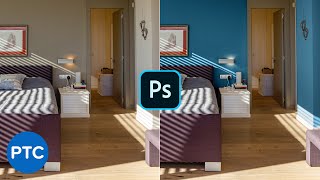
How to Change Wall Color in Photoshop - Pro Technique
Learn two pro techniques for changing wall colors in Photoshop, including a simple method and an advanced approach for precise control over image colors and adjustments.
Black Panther Text Effect in Photoshop - How to Use Layer Styles Like a Pro
Learn to recreate the Black Panther movie poster text effect in Photoshop using advanced layer styles, textures, and effects to achieve a professional, eye-catching result.
Geometric Magic Design Challenge - Illustrator Daily Creative
Learn to create captivating geometric designs using basic shapes in Illustrator. Master grid creation, pattern development, and essential tools for stunning visual compositions.
Designing and Mocking Up Logos in Adobe Illustrator and Photoshop - Part 2
Learn to design and mock up logos for Jurassic Park's Ingen using Adobe Illustrator and Photoshop. Explore techniques for creating name tags, gradient backgrounds, and color palettes with designer John Olson.
Illustrator Daily Creative Challenge - Logo Design
Learn to design a personal brand logo using Illustrator's Type and Divide tools in this hands-on challenge. Enhance your skills with expert guidance and community feedback.

Adobe XD Masterclass - Tips and Tricks for Improved Design Workflows - Episode 34
Discover advanced Adobe XD techniques for UI design, including text navigation, app icons, shape manipulation, gradients, and Auto Animate for seamless screen transitions and interactive elements.
Illustrator Masterclass - New Features and Pro Tips
Explore the latest Illustrator features for desktop and iPad with Adobe Evangelist Paul Trani. Learn pro tips, create illustrations, and discover time-saving techniques in this comprehensive masterclass.
Exploring Adobe Stock: Asset Discovery and Usage in Creative Projects
Explore Adobe Stock's vast asset library and learn to efficiently find, preview, and utilize templates, photos, videos, and more for your creative projects using Creative Cloud apps.
Illustrator's Newest Features: First Takes from Professional Designers
Explore Illustrator's latest features with professional designers, showcasing real-time workflows, iPad integration, and community interaction for enhanced graphic design skills.
Creating Custom Icons in Illustrator on iPad - Part 1
Learn to design custom mobile app icons using Illustrator on iPad with Sarah Kuehnle. Explore shape-building tools, artboards, mirroring, gradients, and gestures while incorporating real-time viewer feedback.
Digital Inking Masterclass - Techniques for Photoshop and Fresco
Learn digital inking techniques, custom brush creation, and special effects in Photoshop and Fresco. Master various styles, textures, and patterns for professional illustrations.
Illustrator Daily Creative Challenge - Repeating Patterns
Learn to design and apply repeating patterns to letters using Illustrator's tools, enhancing your creative skills in this hands-on challenge.
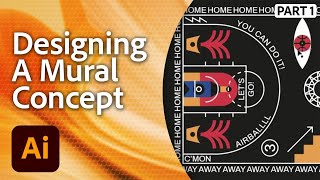
Designing a Mural in Adobe Illustrator - Workshop with Marco Oggian Part 1
Learn to design a large-scale mural for a basketball court using Adobe Illustrator. Multi-disciplinary artist Marco Oggian guides you through creating geometric shapes, incorporating quotes, and developing a unique color palette.
Creating the Brand Identity for a Plant-Based Kitchen - Part 1
Graphic designer Anika Aggarwal creates a brand identity for a plant-based kitchen, focusing on logo design, typography, and color selection using Adobe Illustrator in this live tutorial session.
Typography Posters Design Masterclass
Explore typography as an illustration tool in poster design with Adobe Evangelist Paul Trani. Learn hand lettering, scaling, customization, and pattern creation techniques in Illustrator.