Ranking and Review of New Features in Photoshop Beta 25.9
Comprehensive review and rating of seven new features in Photoshop Beta 25.9, including generative fill, enhance detail, and adjustment brush, with practical demonstrations.

Smart Object Masking - Creating a Beetlejuice Poster in Photoshop
Learn to create a Beetlejuice character poster using advanced Photoshop techniques like smart objects, masking, blending modes, and selections. Enhance your design skills with this practical tutorial.
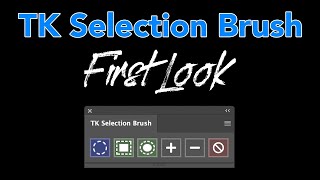
TK Selection Brush - First Look and Tips for Precise Object Selection
Explore the innovative TK Selection Brush with expert tips for precise object selections in photo editing. Learn to maximize its potential and transform your workflow with this free tool.

Photo Manipulation Basics in Adobe Photoshop
Master essential photo manipulation techniques in Adobe Photoshop, from image extraction and blending to color matching and advanced compositing. Learn to create professional-quality manipulations with expert guidance.

Master the Painterly Effect and Add Wings in Photoshop
Create stunning painterly portraits with angel wings using Photoshop techniques. Master compositing, shadows, lighting, textures, and color adjustments for a dramatic, ethereal effect.

Ultimate Guide to Selection Brush and Quick Mask in Photoshop
Mastering Photoshop's Selection Brush and Quick Mask: Learn when and how to use each tool effectively for precise selections and image editing techniques.

Pro Tricks and Tips to Help You Master Photoshop
Discover advanced techniques and insider tips to elevate your Photoshop skills, enhancing your design capabilities and workflow efficiency.
Photoshop's New Selection Brush Tool - First Look
Explore Photoshop's new Selection Brush tool with tips and tricks to enhance your photo editing workflow. Learn how to effectively use this feature for precise selections and improved image manipulation.

The Basics of Blending Modes in Photoshop 2024
Explore essential Photoshop blending modes, their creative applications, and how to effectively use them in compositing projects. Gain insights for enhancing your digital artwork.
How to Use Neural Filters in Photoshop CC - Advanced AI Editing
Explore AI-enhanced editing with Neural Filters in Photoshop CC. Learn to refine portraits, adjust expressions, and create stunning effects using advanced AI techniques for transforming your photos.
Mastering Lightroom's Masking Tools for Advanced Photo Editing
Discover efficient masking techniques in Lightroom and learn how to refine them in Photoshop for optimal image editing results.
How to Merge Photos in Photoshop
Learn various techniques to merge photos in Photoshop, including blend modes, layer masks, adjustment layers, and gradient maps. Enhance your photo editing skills with practical examples and downloadable images.
Pro-Level Retouching with AI Background Replacement Using Photoshop's Firefly 3
Master professional object isolation, retouching, and AI background replacement in Photoshop. Learn to transform basic photos into stunning visuals using cutting-edge tools and techniques.
Photoshop vs Affinity Photo - Ultimate Masking Showdown
Compare masking techniques in Photoshop and Affinity Photo, exploring their strengths in creating and utilizing masks for image editing and manipulation.
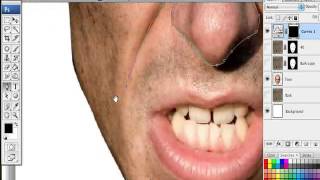
How to Apply Textures to Uneven Surfaces
Learn techniques for realistically applying textures to uneven surfaces, going beyond simple overlays and blending modes to achieve more authentic and visually appealing results.

The Right Way to Place Objects on Grass for Photo Manipulation in Photoshop
Learn realistic photo compositing techniques in Photoshop, focusing on placing objects on grass. Master selection refinement, clipping masks, brush manipulation, and shadow creation for seamless integration.
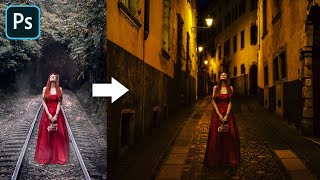
Advanced Color Matching Process in Photoshop
Master advanced color matching for seamless photo compositing in Photoshop. Learn masking, adjustment layers, realistic shadows, and depth of field techniques to create professional-quality manipulations.

Phone Popout Effect - Affinity Photo Tutorial
Create a convincing 3D phone popout effect in Affinity Photo for eye-catching social media posts with this step-by-step tutorial on photo manipulation techniques.
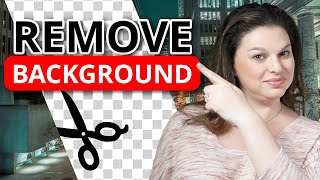
How to Remove and Replace Photo Backgrounds in Canva - Step-by-Step Tutorial
Master the art of removing image backgrounds in Canva with step-by-step guidance on uploading, editing, adding new backgrounds, adjusting dimensions, applying filters, and exporting your finished designs.

One-Minute Skin Retouching Action Tutorial in Photoshop
Master professional skin retouching in Photoshop with a custom action that creates smooth, natural-looking results while preserving texture. Learn to build and apply automated workflows for efficient photo editing.

Creating Zombie Portraits with Generative AI and Photoshop
Master the art of zombie transformation using Photoshop's new Generative AI workspace and classic techniques. Create custom assets, blend textures, and add realistic undead effects for spooky character designs.