
Topaz Studio 2 - AI Remix Filter Tutorial
Explore the AI Remix Filter in Topaz Studio 2 to transform photos into painterly artworks using artificial intelligence. Learn detailed usage for confident application.
Photoshop Tutorial - Adding Creative Blur to Flower Images
Learn to enhance flower photos with ethereal blurs using Photoshop's Blur Gallery and NIK Vignette Filter, creating a dreamy and artistic effect in your images.
Image Compositing with Topaz Mask AI - Working with Different Aspect Ratios
Learn advanced image compositing techniques using Topaz Mask AI, focusing on blending images with different aspect ratios for realistic and visually striking results.
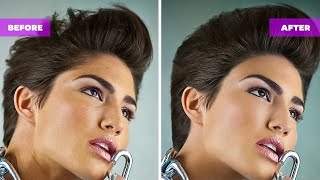
How to Add and Retouch Hair in Photoshop
Learn advanced techniques for adding, retouching, and manipulating hair in Photoshop, including custom brushes and unique workflow tips to enhance your photo editing skills.

Editing Premium YouTube Thumbnail Templates in Photoshop
Learn to edit professional YouTube thumbnail templates in Photoshop. Master text editing, image insertion, background removal, and advanced techniques to create eye-catching thumbnails that boost engagement.
Introducing Photoshop - The Tools
Comprehensive introduction to Photoshop's essential tools, covering selection, editing, and creative functions for beginners and intermediate users seeking to enhance their graphic design skills.
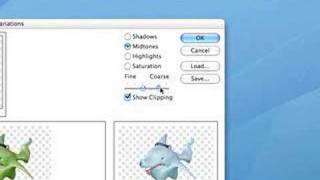
Photoshop 101 - Part 2
Learn essential Photoshop techniques in this concise tutorial. Master key tools and features to enhance your graphic design and photo editing skills.
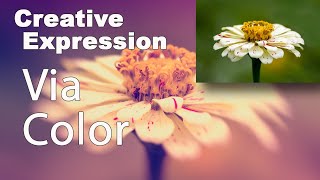
Creative Expression via Color Using NIK Collection Color Efex Pro 4
Explore creative artistic expression through color using the NIK Collection's Color Efex Pro 4. Learn techniques to enhance and transform your digital photography with powerful color editing tools.

Getting Started in Photoshop 2023: The Toolbar - Lesson 2
Explore Photoshop's toolbar, learning tool functions and shortcuts. Master essential features like Move, Select, Brush, and Shape tools for efficient digital design and photo editing.

Controlling Generative Fill in Photoshop - Watercolor Tutorial
Learn to create watercolor paintings from photos using Photoshop's Generative Fill, exploring intensity control and the quickmask tool for stunning digital art transformations.

Putting Your Face in a Classical Painting Using Photoshop
Learn to seamlessly integrate your portrait into classical paintings using Photoshop techniques. Master the art of digital time travel by blending modern photos with historical artworks for stunning, realistic results.

Adding Lightning Effects with Photoshop and Optics
Learn to enhance scenes with realistic lightning effects using Optics filters and integrate them seamlessly into Photoshop composites. Master advanced techniques for creating dramatic, cinematic imagery.

Maleficent-Inspired Composite Tutorial - Photoshop and Optics by Boris FX
Learn to create a Maleficent-inspired composite using Photoshop and Optics plugin. Master compositing techniques, atmosphere addition, depth enhancement, and color grading in this comprehensive tutorial.

Harry Potter Patronus Effect in Photoshop - Tutorial
Learn to create a magical Harry Potter-inspired Patronus effect in Photoshop using advanced techniques for compositing, color grading, lighting, and lettering. Master atmospheric effects to enhance your digital art skills.

How to Blend Two Images Creatively in Photoshop - Water in Pavement Effect
Learn creative image blending techniques in Photoshop, including the popular "water in pavement" effect. Master photo manipulation and compositing skills to create dramatic and eye-catching visuals.
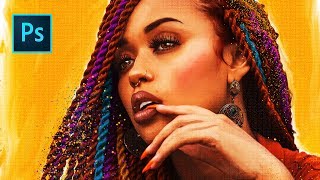
She's Gotta Have It Poster Tutorial - Photo to Faux Oil Painting in Photoshop
Learn to transform a photo into a faux oil painting using Photoshop techniques like selection, quick masks, color manipulation, compositing, and digital painting. Ideal for intermediate users seeking advanced skills.
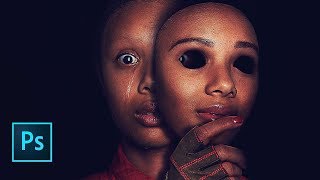
Us Movie Poster Photoshop Tutorial
Learn to recreate the "Us" movie poster using advanced Photoshop techniques. Master compositing, recoloring, masking, and various tools to achieve professional-level results in this comprehensive tutorial.
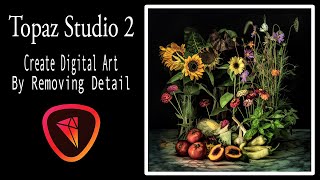
Creating Digital Floral Art with Topaz Studio 2 - Removing Detail Tutorial
Learn to create digital floral art by removing detail using Topaz Studio 2 filters. This tutorial demonstrates a simple process for transforming stock images into unique artistic pieces.
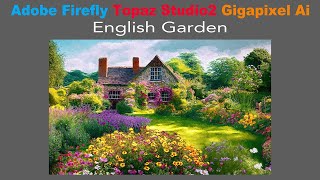
Creating a Painterly Image with Adobe Firefly, Topaz Studio 2, and Topaz Gigapixel AI
Transform AI-generated English Garden photo into a painterly masterpiece using Topaz Studio 2, then upscale with Gigapixel AI for a unique artistic result that transcends typical digital art.
Luminar 4 Tutorial - Creative Edits - Episode 7
Learn creative editing techniques in Luminar 4, including glow filters, layer masks, and textures, to enhance your photos and achieve unique, professional-looking results.
Luminar 4 Tutorial - Creative Color Effects for Images
Explore creative color effects in Luminar 4 to enhance your images. Learn techniques for adding vibrant and unique color adjustments to transform your photography.