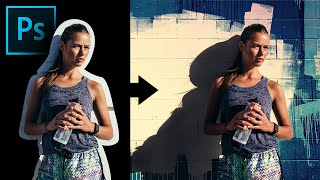
Extract Real Shadows with Solid Color in Photoshop
Learn to extract and recreate realistic shadows in Photoshop using Solid Color Adjustment Layer, Channels, Masks, and Blend Modes for seamless compositing and photo manipulation.
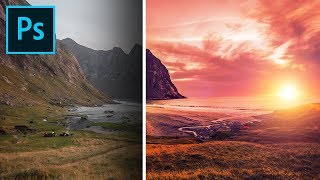
Formula for Colorful Landscapes in Photoshop
Learn a 3-step technique to enhance landscape photos in Photoshop, using blend modes, filters, and adjustments to create dramatic, colorful, and dreamy effects in your images.
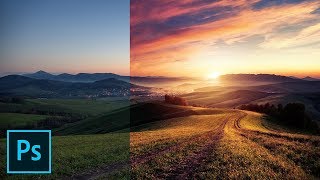
Fake the Sun in Photoshop
Learn to create realistic sun effects in Photoshop using gradients, blend modes, and adjustments. Transform flat landscapes into dramatic sunset scenes with step-by-step techniques.
The Expressiveness of Photo Editing - Affinity Photo Talk and Tutorial
Explore diverse photo editing techniques to create unique expressions and artistic styles, emphasizing experimentation with various tools, adjustments, and effects to find your personal aesthetic.

Easy 360 Photo Guide - Affinity Photo Tutorial
Learn to create stunning 360° photos using smartphones or GoPro, edit them in Affinity Photo, and view them in VR headsets. Discover budget-friendly options and expert tips for impressive results.
How Should You Adjust Your Photos? Find Your Style - Affinity Photo Tutorial - Beginner Friendly
Discover how to develop your unique photography style through adjustments in color, contrast, and composition. Learn to express your vision and create impactful images.
Viveza 3 - Affinity Photo Plug-In Tutorial - Nik Collection
Explore Viveza 3, a powerful Nik Collection plug-in for Affinity Photo. Learn to relight scenes, recover highlights, and make precise selections using Control Points, Luminance, and Chrominance Mask Sliders.
Custom Brush - Affinity Photo Tutorial
Learn to create custom, realistic brushes in Affinity Photo for digital painting, retouching, and design. Master techniques for textures, tips, and brush creation in this easy-to-follow tutorial.
Affinity Photo - Old Photo Look Tutorial
Learn to create authentic 19th-century photo effects in Affinity Photo. Master techniques for aging images, adding textures, and simulating vintage camera characteristics for quick and realistic results.
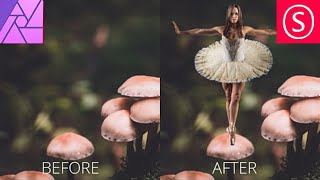
Combine Two Photos - The Easy Way! - Affinity Photo Tutorial
Learn to seamlessly combine photos in Affinity Photo by matching colors, adjusting contrast, and creating ambient light. Master a simple 3-step technique for professional-looking composite images.
Mask Like a Pro - Affinity Photo Essentials
Learn five professional masking techniques in Affinity Photo to enhance your images quickly and effectively, including group, color channel, pen/shape, gradient, and brush masks.
Tips and Tricks for Editing in Lightroom with Tamer Ghoneim
Discover expert Lightroom editing techniques from photographer Tamer Ghoneim. Learn to enhance photos using tools like histogram, gradient, and HSL for stunning results.
Capture One - Session Culling & Photo Rating Tutorial
Explore efficient photo management in Capture One, covering culling, sorting, and rating techniques. Learn about sessions vs catalogs and effective hard drive organization for streamlined workflow.
Tutorial on How to Add Texture to a Background
Learn to enhance photo backgrounds with textures in Photoshop. Master selection tools, blending modes, and perspective adjustments to create stunning, painterly effects for your images.
Couch to Photoshop - Curves, Levels, and Color Grading Tutorial
Master Photoshop's Curves and Levels tools for enhancing contrast and color grading. Learn essential techniques to elevate your image editing skills in this comprehensive tutorial.
Couch to Photoshop - Learn the Photoshop Interface in This Beginner Tutorial
Learn Photoshop's interface, workspaces, and layers in this beginner-friendly tutorial tailored for photographers. Quickly grasp essential tools and start editing your own photos.
How to Use the Tools in Photoshop - Learn Photoshop
Learn essential Photoshop tools: Move, Crop, Eyedropper, Copy, Remove, Eraser, Paint Bucket, Blur, Dots, Pen, and Path Selection. Master these tools to enhance your image editing skills.

How to Add Lens Flares in Photoshop
Learn to enhance photos with realistic lens flares in Photoshop, adding depth and atmosphere to your images. Master techniques for creating stunning visual effects in digital photography.
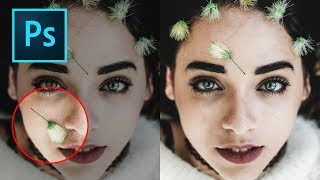
How to Remove Objects in Photoshop Using Content-Aware Fill
Master the updated Content-Aware Fill tool in Photoshop 2019 to seamlessly remove unwanted elements from images. Learn comprehensive settings, toggles, and buttons for optimal results.
Photoshop Shortcuts - The 30 Most Useful Ones to Get You Started
Learn 30 essential Photoshop shortcuts for efficient workflow, including tool selection, layer manipulation, color filling, and canvas navigation. Master these time-saving techniques to enhance your design skills.
Photoshop and Topaz Labs Workflow Tutorial - Floral Edit
Enhance floral photos with expert techniques using Lightroom, Photoshop, and Topaz Labs tools. Learn sharpening, stabilizing, and masking for stunning results.