
TK Friday: Full Edit of Lünersee, Austria Landscape
Comprehensive tutorial on photo editing techniques using TK9 plugin for Photoshop, demonstrating a full edit of a landscape image from Lünersee, Austria with step-by-step guidance.

3 Steps to High-End Skin Retouching in Photoshop
Learn advanced skin retouching in Photoshop: blemish removal, frequency separation, skin tone correction, and lip enhancement. Master high-end techniques for flawless, natural-looking results.

Photo Manipulation Basics in Adobe Photoshop
Master essential photo manipulation techniques in Adobe Photoshop, from image extraction and blending to color matching and advanced compositing. Learn to create professional-quality manipulations with expert guidance.

Master the Painterly Effect and Add Wings in Photoshop
Create stunning painterly portraits with angel wings using Photoshop techniques. Master compositing, shadows, lighting, textures, and color adjustments for a dramatic, ethereal effect.

ChatGPT vs. Photoshop - Controlling Edits in AI-Guided Photo Manipulation
Explore AI-guided Photoshop edits: ChatGPT vs. manual techniques. Compare step-by-step instructions, retouching fixes, and photo-to-painting transformations. Discover the balance between AI assistance and creative control.

Easy Shadow Removal Technique in Photoshop
Discover a simple Photoshop technique to remove complex shadows, even out skin, and fix color in shadow areas using Blend If, Curves, and filters for professional-looking results.

Create Soft Dreamy Portraits - 5-Step Formula in Photoshop
Transform portraits into soft, dreamy masterpieces using a 5-step Photoshop formula. Learn to enhance warmth, softness, and depth through Camera Raw and Masking techniques for stunning results.

5 Hidden Photoshop Tools for Advanced Editing
Discover 5 hidden Photoshop tools: unblur faces, advanced crop, asset generator, scripted pattern, and contrast mask. Enhance your workflow with these powerful, lesser-known features.

Photoshop's Hidden Depth Mask - Creating 3D Effects in Photos
Unlock Photoshop's hidden 3D depth mask to add atmospheric effects, enhance contrast, and make subjects pop. Learn to generate depth maps for various filters and adjustments, creating stunning visual impact.

Removing Complex Objects in Photoshop - Advanced Techniques
Master advanced Photoshop techniques to remove complex objects like fences, combining Content-Aware Fill, Generative Fill, and Remove Tool for high-quality results in photo editing.
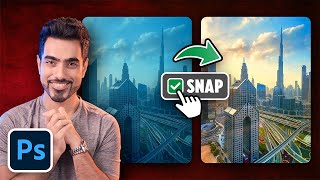
Top 5 Photoshop Tricks to Instantly Improve Any Photo
Learn 5 essential Photoshop techniques to enhance photos: color correction, spotlight creation, color vibrancy, adaptive presets, and distraction removal. Improve your images quickly and effectively.

Ultimate Guide to Selection Brush and Quick Mask in Photoshop
Mastering Photoshop's Selection Brush and Quick Mask: Learn when and how to use each tool effectively for precise selections and image editing techniques.

Converting Photos to Art in Photoshop Using Generative AI - New Features and Techniques
Explore Photoshop's new AI-powered features for transforming photos into art, including Generative Fill and Selection Brush. Learn techniques for partial effects and advanced methods.

Affinity Photo Crash Course for Web Designers - Photoshop Alternative
Learn Affinity Photo 2, a Photoshop alternative for web designers. Master UI, retouching, color editing, background removal, grading, and layout integration in this concise tutorial.

Pro Tricks and Tips to Help You Master Photoshop
Discover advanced techniques and insider tips to elevate your Photoshop skills, enhancing your design capabilities and workflow efficiency.
Firefly 3 AI in Photo Retouching - Practical Tips
Practical tips for leveraging Adobe Firefly 3 AI in photo retouching, enhancing image quality through AI-powered upscaling and noise reduction techniques.

How to Retouch and Remove Objects in Photoshop Without AI - Part 1
Mastering traditional Photoshop techniques for object removal and retouching, comparing effectiveness with AI methods. Enhance your photo editing skills and achieve professional results.
Photoshop's New Selection Brush Tool - First Look
Explore Photoshop's new Selection Brush tool with tips and tricks to enhance your photo editing workflow. Learn how to effectively use this feature for precise selections and improved image manipulation.

The Basics of Blending Modes in Photoshop 2024
Explore essential Photoshop blending modes, their creative applications, and how to effectively use them in compositing projects. Gain insights for enhancing your digital artwork.
How to Use Neural Filters in Photoshop CC - Advanced AI Editing
Explore AI-enhanced editing with Neural Filters in Photoshop CC. Learn to refine portraits, adjust expressions, and create stunning effects using advanced AI techniques for transforming your photos.

7 Common Photo Mistakes and How to Fix Them in Photoshop
Learn to fix common photo issues in Photoshop, from motion blur and missed focus to color casts and skin tone matching. Master techniques to recover details, remove imperfections, and enhance your images.