Boost Efficiency in Microsoft Office - PowerPoint, Excel, and Outlook Tips
Master essential productivity hacks across Microsoft Office - from PowerPoint's Morph transitions and design automation to Excel's dynamic formulas and Outlook's email management strategies for a more organized workflow.
Ultimate Guide to Macros and VBA Programming in Excel 365
Master Excel automation through Macros and VBA - from recording basic tasks to creating custom ribbons and generating code with Copilot. Boost productivity by learning to automate repetitive tasks and enhance spreadsheet functionality.

Excel 2021 VBA Intermediate Tutorial
Enhance VBA skills to automate Excel tasks, create custom tools, and improve efficiency. Learn variables, functions, control structures, and debugging techniques for advanced spreadsheet manipulation.
Excel VBA Intermediate Tutorial
Enhance Excel automation skills with VBA programming. Learn to create macros, use loops, conditional statements, and advanced functions for efficient data manipulation and task automation.
Excel 2019 XLOOKUP Tutorial
Master Excel's powerful XLOOKUP function to streamline data lookup and analysis. Learn its advantages over VLOOKUP and Index/Match, and explore advanced features for efficient spreadsheet management.

Excel 2019 Intermediate Tutorial
Enhance data management skills with advanced Excel techniques, including list design, pivot tables, charts, data validation, and conditional formatting for improved efficiency and analysis.
Excel VBA Advanced Tutorial
Master advanced Excel VBA techniques to automate processes, create custom tools, and enhance productivity. Learn to build macros, use complex functions, and develop custom solutions for data analysis and workflow optimization.
Excel 2019 Power User Tutorial
Advanced Excel techniques for data analysis, including VLOOKUP troubleshooting, INDEX MATCH, PivotTables, array formulas, conditional formatting, and macros. Ideal for users seeking to enhance efficiency and problem-solving skills.
Excel 2019 Advanced Tutorial
Master advanced Excel skills: named ranges, complex functions, data analysis tools, and macros. Boost efficiency and tackle sophisticated spreadsheet tasks with confidence.
Excel 2019 Beginner Tutorial
Comprehensive tutorial covering Excel 2019 basics, from interface navigation to formulas, functions, data organization, and time-saving features for beginners and everyday users seeking to enhance productivity.
Excel VBA Beginner Tutorial
Learn to automate Excel tasks using VBA. Master macro recording, editing, and scripting basics. Ideal for business analysts and data scientists seeking to enhance Excel productivity and create custom tools.
Excel 2021 VBA Advanced Tutorial
Master advanced VBA techniques for Excel 2021, including forms, controls, and pivot tables. Learn to automate tasks, create custom tools, and enhance data analysis capabilities through hands-on programming.
Excel Tutorial - Beginner to Advanced
Comprehensive Excel training covering basics to advanced topics, including formulas, functions, data analysis, and dynamic arrays. Hands-on exercises reinforce learning for all skill levels.

Excel Today - Tips and Tricks
Discover essential Excel techniques to boost productivity. Learn data manipulation, table features, and time-saving functions in this concise, expert-led seminar.
Data Analysis with Excel
Learn to analyze data efficiently using Excel's powerful tools, including sorting, filtering, pivot tables, and data visualization techniques for improved business insights.

Microsoft Excel 2016 - Beginners Tutorial Video
Comprehensive Excel 2016 tutorial covering basics to advanced features. Learn data entry, formulas, functions, pivot tables, charts, and macros. Ideal for beginners seeking to master Excel essentials and beyond.

Excel Today - Power Pivot Tables
Explore Power Pivot Tables in Excel: create dynamic data models, use DAX for advanced analysis, and master efficient keyboard shortcuts for enhanced productivity.
Excel - Visualize Your Data
Unlock Excel's data analysis power: learn XLOOKUP, Pivot Tables, Slicers, and Timelines to visualize and extract insights from large datasets.
Excel for Emerging Leaders - Use Excel to Look Like a Boss
Master Excel skills for leadership: data retrieval, validation, XLOOKUP, tables, and advanced functions. Enhance decision-making and efficiency in your professional role.
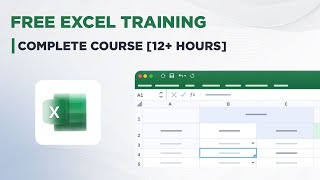
Excel Training - Complete Course
Comprehensive Excel training covering worksheets, formatting, functions, charts, and case studies. Develop essential skills for data management and analysis through hands-on practice and real-world applications.

Excel 2021 for Mac Beginner Tutorial
Comprehensive guide for Mac users to master Excel 2021, covering interface navigation, data manipulation, formulas, functions, and advanced features like Pivot Tables and Macros.