
Excel VBA Advanced Tutorial
Comprehensive guide to advanced Excel VBA concepts, covering loops, variables, and complex functions. Ideal for business analysts and data scientists seeking to automate processes and expand Excel capabilities.

Excel VBA Beginner Tutorial
Learn Excel VBA fundamentals, from recording macros to writing custom code. Master automation techniques, debugging, and essential VBA concepts to enhance your Excel productivity and capabilities.

Excel Power User Advanced Tutorial
Advanced Excel techniques for power users: dynamic ranges, pivot table enhancements, web data import, and VBA macros. Develop skills to solve complex problems efficiently and push Excel's capabilities to new limits.

Excel Power User Beginner Tutorial
Master advanced Excel functions like VLOOKUP, INDEX-MATCH, and OFFSET. Learn data mining, dynamic ranges, and conditional formatting to solve complex problems efficiently and become a true Excel power user.

Excel 2016 Advanced Tutorial
Master advanced Excel techniques including named ranges, complex functions, data consolidation, solver tools, and macros to enhance your data analysis and productivity skills.

Excel 2016 Intermediate Tutorial
Comprehensive intermediate Excel tutorial covering advanced data manipulation, visualization, and analysis techniques. Learn to create pivot tables, charts, and use powerful features for efficient data management.

Excel Add-in Development
Learn to develop Excel Add-ins, connect to live services, create custom functions, and utilize new APIs. Hands-on demo includes building a meme generator and exploring preview features.

XLOOKUP Excel Tutorial
Master Excel's powerful XLOOKUP function for faster, more efficient data lookup. Learn its advantages over VLOOKUP and Index/Match, and explore advanced features like approximate matching and two-way searches.
Excel 2019 Expert Tutorial
Comprehensive tutorial covering advanced Excel features including named ranges, complex functions, data analysis tools, and macros. Ideal for users seeking to enhance productivity and data manipulation skills.

Excel 2019 Advanced Tutorial
Master advanced Excel 2019 features: data management, charts, pivot tables, and automation. Enhance efficiency in organizing, analyzing, and presenting complex data for professional spreadsheet mastery.
Excel 2019 Beginner Tutorial
Comprehensive tutorial covering Excel 2019 basics, from interface navigation to formulas, functions, data organization, and time-saving features for beginners and everyday users seeking efficiency.
Office 2021 Basics - Excel & PowerPoint
Master Excel and PowerPoint essentials: data manipulation, formulas, slide creation, formatting, and presentation enhancements. Boost productivity with practical skills for spreadsheets and impactful presentations.

Excel LAMBDA Function - Every Single Thing You Ever Wanted to Know
Comprehensive guide to Excel's LAMBDA function, covering creation of reusable functions, helper functions, recursion, and advanced reporting techniques for enhanced spreadsheet efficiency.
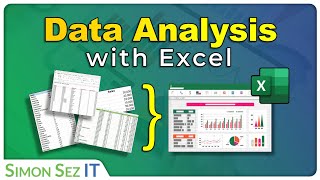
Introduction to Data Analysis with Excel
Learn Excel data analysis essentials: navigate, format, use formulas, import data, clean datasets, and apply functions. Hands-on exercises included for practical skill development.

Microsoft Excel Crash Course, Essential Skill Series
মাইক্রোসফট এক্সেলের মৌলিক বিষয়গুলি শিখুন - ফাংশন, ডেটা ফিল্টার, ভ্যালিডেশন, কন্ডিশনাল ফরমেটিং এবং ম্যাক্রো রেকর্ডিং সহ। দক্ষতা বৃদ্ধি করুন এবং কর্মক্ষেত্রে প্রয়োগ করুন।

Curso de Excel Completo
Con este curso aprenderás excel 2016, Excel 2013, Excel 2010 o incluso la 2007 en menos de 1 día, el curso esta completo (Básico e Intermedio) y es completamente gratis. también al finalizar les recomiendo si así lo desean realizar el curso de Excel Avan…
Tutoriales de Excel Basicos y Avanzados
Aprende estos TRUCOS que facilitaran la vida cuando usas Excel en cualquier versión, son complementos del curso Excel Básico y Excel Avanzado, es sumamente recomendable que los aprendan y practiquen.
Excel 基礎教學
從入門到進階,全面掌握Excel技能。學習表格設計、資料處理、函數應用、圖表製作等實用功能,提升工作效率和數據分析能力。
احتراف برنامج الإكسل - Microsoft Excel
تعلم مهارات متقدمة في Excel 2016 مع تمارين عملية وملفات مرفقة. يغطي واجهة البرنامج، إدخال البيانات، المعادلات، التنسيق، المخططات، الجداول المحورية، والماكرو.
Tutorial Para Principiante de Excel 2021
Aprende los fundamentos de Excel 2021: interfaz, cálculos, funciones, estilos, temas y más. Domina herramientas esenciales para mejorar tu productividad y eficiencia en hojas de cálculo.

Learn MS-Excel in Telugu - Microsoft Excel - MS-Office in Telugu
మైక్రోసాఫ్ట్ ఎక్సెల్ను 3 గంటల్లో నేర్చుకోండి. ప్రాథమిక నుండి అధునాతన లక్షణాల వరకు అన్నీ తెలుగులో వివరించబడ్డాయి. ఉత్పాదకతను పెంచడానికి మరియు డేటాను విశ్లేషించడానికి ఎక్సెల్ నైపుణ్యాలను అభివృద్ధి చేసుకోండి.