Excel 2021 VBA Expert Tutorial
Master Excel 2021 VBA programming: automate tasks, create custom tools, and enhance productivity. Learn debugging techniques, error handling, and advanced features for efficient code development.
Learn Excel from Scratch - Microsoft Excel for Beginners
Comprehensive introduction to Microsoft Excel, covering basic functions, formulas, and data manipulation techniques for beginners. Interactive session with hands-on practice and Q&A opportunities.

Microsoft Excel for Beginners in 2022 - Excel Training
Master essential Excel skills for data analysis and visualization, including formulas, sorting, filtering, and basic functions. Ideal for beginners seeking to enhance productivity and efficiency.

Microsoft Excel Tutorial for Beginners - Excel Training
Comprehensive tutorial covering Excel basics to advanced functions. Learn data manipulation, formulas, conditional formatting, and practical applications for business and analysis.
Excel Basics for Beginners - MS Excel
Master Excel basics: formulas, data manipulation, and visualization. Learn essential skills for spreadsheet analysis and effective data presentation in this comprehensive beginner's guide.
Excel Formulas and Functions - Excel for Beginners
Learn essential Excel formulas and functions for data analysis and visualization. Master basic operations, conditional functions, and data manipulation techniques to enhance your spreadsheet skills.

Excel 2021 Power User Full Course
Comprehensive tutorial for advanced Excel users covering powerful functions, pivot tables, data analysis techniques, and XLOOKUP. Develop skills to solve complex problems and streamline data processing efficiently.

Excel 2021 VBA Full Course Tutorial
Comprehensive VBA tutorial covering basics to advanced topics. Learn to automate Excel tasks, create custom tools, and enhance productivity through hands-on programming exercises and real-world applications.

Excel 2021 Full Course Tutorial
Comprehensive tutorial covering Excel 2021 basics to advanced features. Learn calculations, functions, data manipulation, pivot tables, macros, and automation techniques to enhance spreadsheet skills and efficiency.
Microsoft Excel Ultimate Chart Tutorial - 10 of the Most Useful Chart Types Explained
Learn to create and use 10 essential Excel chart types, from histograms to pie charts, with step-by-step guidance for beginners and intermediate users.
Excel's Hidden Features - Spills, Arrays, and Named Ranges
Master Excel's advanced features: spills, arrays, named ranges, and more. Learn to fix errors, convert data types, use SUBTOTAL, and apply complex filtering for enhanced spreadsheet efficiency.
Learn Complete Word, Excel & PowerPoint - MS-Office Applications
Comprehensive training on Microsoft Word, Excel, and PowerPoint, covering essential features and practical applications for efficient office productivity and document creation.
Microsoft Excel Mastery Unleashed: Exclusive Training from Simon Sez IT
Comprehensive Excel tutorial covering advanced functions, data analysis, and visualization techniques. Ideal for beginners and intermediate users seeking to enhance productivity and data manipulation skills.
How to Use Excel - A 3-Hour Path to Confidence and Skills
Comprehensive Excel tutorial covering basics to advanced features. Learn formulas, data management, visualization, and analysis techniques to boost productivity and confidence in spreadsheet skills.

Microsoft Excel Intermediate Class - Elevate Your Skills
Elevate your Excel skills with advanced features like Autofill, Flashfill, data sorting, filtering, IF functions, and conditional formatting for improved data analysis and workflow efficiency.
GROUPBY Excel Function: Creating Single Cell Reports - 11 Examples
Master Excel's GROUPBY function for instant single-cell formula reports. Learn advanced techniques like custom headers, subtotals, conditional formatting, filtering, and dynamic inputs to enhance your data analysis skills.

Microsoft Excel Beginner's Class - Mastering the Basics
Master Excel basics: navigate interface, format data, create formulas, use functions, sort and filter, add charts, and customize ribbon for enhanced productivity and data analysis skills.
10 Excel Pro Tips: Waterfall Charts, MATCH Function, and More
Master 10 essential Excel skills: waterfall charts, MATCH function, file management, and more. Boost productivity with step-by-step tutorials for beginners and intermediate users.
Top 19 Excel Hacks of 2023 - Master Spreadsheets Like a Pro
Discover 19 powerful Excel techniques to enhance productivity, from data importing and cell manipulation to advanced functions, file management, and collaboration tools.
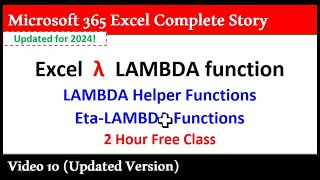
Excel LAMBDA, LAMBDA Helper Functions, and Eta-LAMBDAs - The Complete Guide 2024
Comprehensive guide to Excel LAMBDA, helper functions, and Eta-LAMBDAs. Learn to create reusable functions, dynamic reports, and advanced formulas for efficient data analysis and manipulation.
11 Excel Functions to Supercharge Your Skills in 2024
Elevate your Excel proficiency with 11 advanced functions, from SUMIFS to VBA, enhancing data analysis, visualization, and automation for improved productivity and decision-making.