Character Animator Beginner Lessons
Tutorials about Adobe Character Animator, the app that lets you animate characters with your voice and a webcam. This is essentially a CH101 online class!

Write Cursive With Me - Happy New Years
Practice cursive writing through interactive prompts, exploring personal reflections and creative expression in this engaging live stream session.
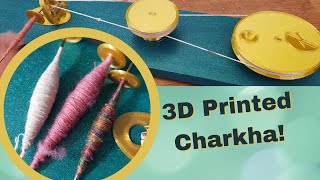
Spinning Cotton with a 3D Printed Charkha - Assembly, History, and Technique
Explore cotton spinning with a 3D-printed charkha, learn its history, and watch a beginner's attempt. Includes assembly, expert chat, fiber prep, and spinning demonstration.
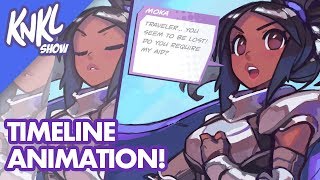
Mobile Game Animation Tutorial - Using Timeline in Photoshop to Bring Your Characters to Life
Learn to animate game characters using Photoshop's timeline feature, covering techniques for eye blinks, mouth movements, and visual effects to bring your designs to life.

Apply a Consistent Character Style - Midjourney Character Design
Learn techniques to maintain consistent character appearance across scenes in Midjourney using image prompts and multiprompts. Explore methods for blending concepts, applying styles, and creating complex compositions.
Adobe XD to Editor X Tutorial
Learn to convert an Adobe XD design to Editor X, covering layout, assets import, and responsive design techniques. Gain practical insights into no-code web development and site creation.
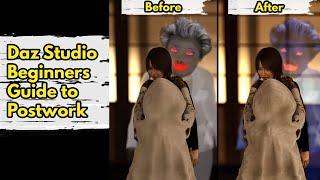
Daz Studio - Beginners Guide to Postwork
Learn essential postwork techniques for Daz Studio renders, including basic tools, filters, and LUTs. Discover how to enhance images, fix issues, and achieve professional-quality results efficiently.
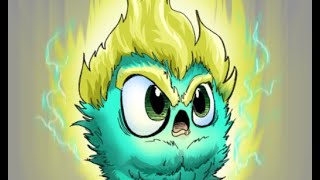
Basic Comic Coloring Process
Learn essential comic coloring techniques in Photoshop, including layer management, brush settings, edge control, and a specialized COLOR FLATS workflow for efficient and professional results.

Intro to Compositing
Learn essential compositing techniques for creating believable photo-collages in graphic design, including tools, layers, color grading, and photobashing.
Game Programming - Floor and Wall Sprites in After Effects
Learn to create floor and wall sprites for game programming using After Effects, covering techniques for realistic textures, lighting, and blending.
How to Use the Tools in Photoshop - Learn Photoshop
Learn essential Photoshop tools: Move, Crop, Eyedropper, Copy, Remove, Eraser, Paint Bucket, Blur, Dots, Pen, and Path Selection. Master these tools to enhance your image editing skills.

Color Grading for Beginners - Premiere Pro Tutorial
Comprehensive tutorial on color correction and grading in Adobe Premiere Pro, covering workspace setup, scopes, LUTs, and techniques for achieving professional-looking results.
OrcaSlicer - An Advanced Slicer for Many 3D Printers
Explore OrcaSlicer, an advanced 3D printing slicer with expanded printer support, new settings, and built-in calibration tools. Compare its performance across various printers and materials.

Marlin Input Shaping - Step by Step Guide to More Speed and Less Ringing
Step-by-step guide to implementing input shaping in Marlin firmware for 3D printers, covering setup, calibration, and testing to achieve faster printing speeds without compromising quality.
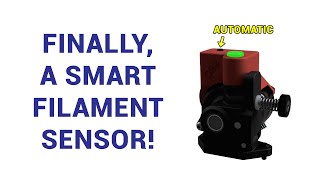
Orbiter Filament Sensor Guide - A Smart, Automated Way to Improve Your 3D Printer
Learn to install and configure the Orbiter Filament Sensor for 3D printers. This guide covers assembly, wiring, Klipper setup, and macro customization to automate filament loading and unloading processes.
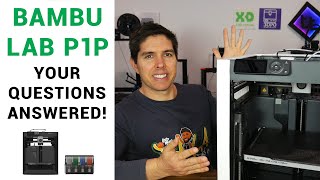
Bambu Lab P1P - Your Questions Answered
Comprehensive review of Bambu Lab P1P 3D printer, addressing community questions on features, print quality, speed, upgradability, reliability, and competitive advantages for both beginners and experienced users.
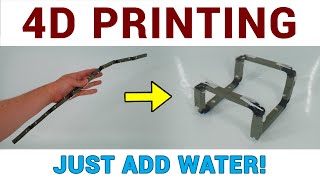
4D Printing at Home - Self Assembling Magic
Explore self-assembling 3D prints at home with innovative techniques, problem-solving, and advanced skills. Learn about 4D printing concepts, design criteria, and practical experiments for creating transformable objects.
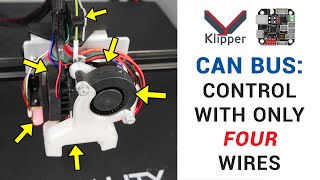
Klipper CAN Bus Guide for Bigtreetech U2C and EBB Boards
Comprehensive guide on implementing CAN bus system with Bigtreetech U2C and EBB modules for 3D printers using Klipper, covering hardware setup, firmware installation, and configuration.
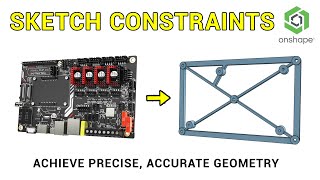
Sketch Constraints in Detail - 3D Design for 3D Printing
Learn advanced sketch constraints for 3D printing design. Master dimensions, constraints, and tools in Onshape to create complex parts like a mainboard adaptor mount and surrounding frame.
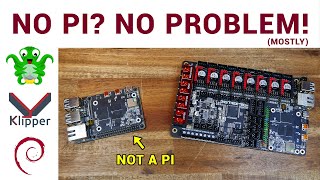
Testing the Pi Substitute BTT CB1 and M4P-M8P Boards With Octoprint & Klipper
Explore BTT CB1 and Manta boards as Raspberry Pi alternatives for 3D printing. Learn to set up Debian, install Octoprint and Klipper, and integrate with mainboards for enhanced printer control.
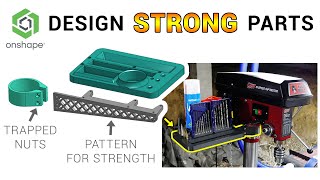
Designing Strong Parts - Tips and Tricks - 3D Design for 3D Printing Pt5
Aprenda técnicas de design 3D para criar peças resistentes para impressão 3D, incluindo orientação de camadas, design de fixação e montagem em várias partes para maior resistência.