
Wondershare Filmora X - Quick Start Video Editing Guide
Learn how to use the new Wondershare Filmora X FAST in this quick start video editing tutorial! Filmora X is a great video editor, and high on our list of best video editing software (especially for beginners!)

Davinci Resolve 18 Walkthrough - Beginner
This is the Ultimate Resolve 18 Crash Course! This course is designed for those that have used an editing app before, but want to make the jump over to Resolve, or are curious to see what it's all about.

Adobe Premiere Pro Tutorial for Beginners - Complete Guide
Comprehensive guide to Adobe Premiere Pro for beginners, covering project creation, editing techniques, effects, audio management, color grading, and exporting. Includes time-saving tips for efficient video editing.

How to Use DaVinci Resolve 17 - Designed for Beginners
Learn to create professional videos with DaVinci Resolve 17, covering project setup, media import, editing techniques, audio adjustment, transitions, titles, and exporting in this comprehensive beginner's guide.
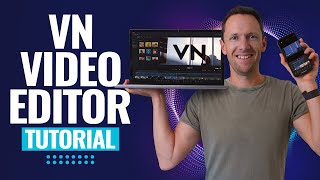
VN Video Editor - Updated Tutorial for Beginners
Comprehensive tutorial on using VN Video Editor for beginners, covering project creation, editing techniques, effects, audio adjustments, and exporting on multiple platforms.
Canva - Graphic Design for Beginners
Aprende a diseñar con Canva desde cero con tutoriales básicos y esenciales. Descubre trucos, herramientas ocultas y cómo mejorar tu productividad y creatividad en diseño gráfico.
Premiere Pro Advanced Tutorial
Enhance your Premiere Pro skills with advanced techniques in video editing, effects, audio, and customization. Master professional-level tools for creating polished digital video projects.

VSDC Video Editor Tutorial
Learn to use VSDC Video Editor: import media, trim clips, add transitions, apply effects, and export your finished video in this comprehensive beginner's tutorial.

Storytelling for Video
Learn effective vlogging techniques, script writing, and documentary creation for YouTube, enhancing your storytelling skills and video content production abilities.

DaVinci Resolve 16 Tutorial - Designed for Beginners
Learn to create professional videos with DaVinci Resolve 16. Master importing, editing, effects, transitions, and exporting in this comprehensive beginner-friendly tutorial for the powerful free video editor.

Filmora9 Tutorial - Designed for Beginners
Learn to use Filmora9 for video editing: import media, edit timeline, work with audio, add titles, transitions, and effects. Master the basics and export your finished videos.
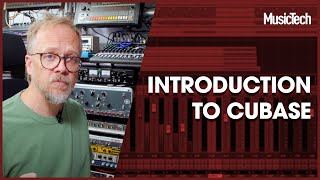
Cubase Tutorials
MusicTech teaches you how to create music with Cubase, including instruments, track types and tools, plus much more.
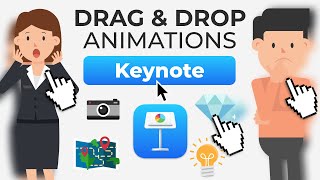
How to Make Video Animation in Keynote for Beginners
Step-by-step guide to creating professional explainer-style animations in Keynote using stock assets. Learn to add audio, animate text, transition scenes, and export your video without advanced skills.

iMovie Tutorial for Mac - The Complete Guide
Comprehensive step-by-step guide for beginners to master iMovie on Mac, covering all essential features from project creation to exporting, with expert tips for enhanced video editing.
How to Use Audacity
Install, set up, record voice and music, set your mic levels, EQs, and more.

Premiere Pro Full Course Tutorial
Comprehensive video editing tutorial covering Premiere Pro's interface, importing, editing techniques, effects, audio, text, and exporting. Ideal for beginners and intermediate users seeking to master digital video creation.
Cubase Course for Beginners - Music Editing Tutorial
Comprehensive tutorial on audio editing in Steinberg Cubase Elements, covering setup, project creation, track organization, recording, and mixing for beginners.

Audacity Tutorial
Learn professional singing techniques, audio editing, and voice enhancement using Audacity. Master noise removal, autotune, vocal extraction, and more in this comprehensive tutorial.
Audacity Tutorials
Aprende a usar Audacity con tutoriales sobre grabación, eliminación de ruido, cambio de voz, efectos, exportación a MP3 y más. Mejora tus habilidades de edición de audio con técnicas prácticas y detalladas.
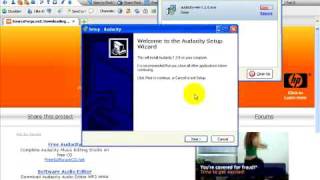
Audacity Tutorials
Learn to record, edit, and mix audio using Audacity's powerful tools. Master voice editing, music mixing, and podcast production techniques in this comprehensive tutorial series.
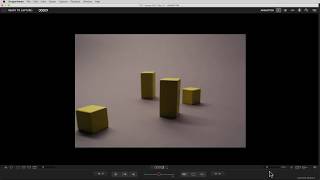
Dragonframe Tutorials
Comprehensive guide to Dragonframe animation software, covering animation basics, cinematography, audio, DMX lighting, motion control, and advanced features for stop-motion projects.