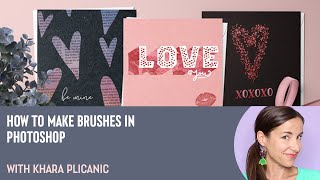
How to Make Brushes in Photoshop with Khara Plicanic
Learn to create custom Photoshop brushes using various techniques, from basic shapes to text and photographs. Master effects, color dynamics, and textures to enhance your digital artwork and design projects.

How to Make Social Carousels Using InDesign with Gareth David
Learn to create engaging social media carousels using InDesign with expert Gareth David. Master dimensions, compositing, content organization, and design techniques to elevate your Instagram presence.
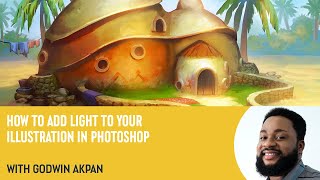
How to Add Light to Your Illustration in Photoshop with Godwin Akpan
Learn to enhance illustrations with light in Photoshop. Master techniques like cast shadows, field light, bounce light, ambient occlusion, and specular lighting to bring your artwork to life.
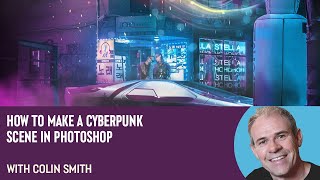
How to Make a Cyberpunk Scene in Photoshop with Colin Smith
Learn to create a stunning cyberpunk scene in Photoshop with expert Colin Smith. Master techniques for backgrounds, neon effects, lighting, and atmosphere in this comprehensive tutorial.
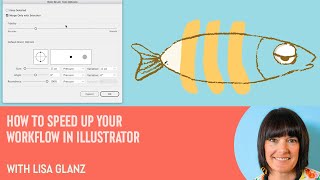
How to Speed Up Your Workflow in Illustrator With Lisa Glanz
Illustrator expert Lisa Glanz shares time-saving techniques, including shortcuts, workspace optimization, toolbar customization, and efficient use of layers, actions, image trace, and clipping masks.
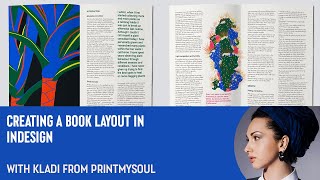
How to Create a Book Layout in InDesign
Learn to create professional book layouts in InDesign with expert guidance. Master document setup, grids, styles, and content placement for polished, print-ready designs.
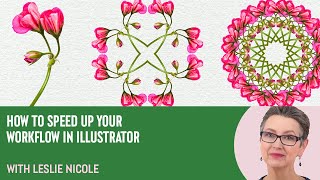
How to Create a 4 Way Mandala in Photoshop With Leslie Nicole
Learn to create a captivating 4-way mandala design in Photoshop. This tutorial covers image selection, canvas preparation, pattern creation, and mandala assembly, offering a unique blend of creativity and therapeutic design.
Made With Machines - 3D Printing & Laser Cutting for Wearable
Explore 3D printing and laser cutting techniques for creating comfortable, durable wearable tech. Learn design processes and build methods for custom parts in fitness trackers and costumes.

Blender Secrets for Awesome 3D Music Videos - Audio Reacting Motion, Flash, & Color
Learn essential techniques for creating dynamic 3D music videos in Blender, including audio-reactive motion, color, and flashing effects. Master advanced audio syncing for stunning visual-audio relationships.
Surgery From Scalpels to Robots - With Pankaj Chandak
Explore surgical innovation from antiseptics to robots, 3D printing, and organ transplantation. Learn about cutting-edge techniques revolutionizing patient care and pushing medical boundaries.
Graphic Talk About the Universe - Clifford V. Johnson Public Lecture
Explore the art of transforming complex scientific concepts into engaging visual narratives. Learn techniques for making science accessible and compelling to diverse audiences through graphic storytelling.
Capture One - Session Culling & Photo Rating Tutorial
Explore efficient photo management in Capture One, covering culling, sorting, and rating techniques. Learn about sessions vs catalogs and effective hard drive organization for streamlined workflow.
Capture One - Color Correction Tools and Tutorial
Explore powerful color correction tools in Capture One, including curves, luminosity, white balance, and advanced color editing. Learn best practices and tips for enhancing your photo editing workflow.
Capture One - Portrait Retouching Tutorial - Color Grading + Finishing Touches No Photoshop
Learn advanced portrait retouching techniques in Capture One, including color grading, exposure adjustments, and finishing touches. Master layering, masking, and color balance for polished, professional results without Photoshop.
Couch to Photoshop - Luminosity Masking for Landscape Drama
Learn advanced luminosity masking techniques to enhance landscape photos, adding drama and intensity to specific areas like clouds, using targeted curve adjustments for stunning results.
Tutorial on How to Add Texture to a Background
Learn to enhance photo backgrounds with textures in Photoshop. Master selection tools, blending modes, and perspective adjustments to create stunning, painterly effects for your images.
Couch to Photoshop - Curves, Levels, and Color Grading Tutorial
Master Photoshop's Curves and Levels tools for enhancing contrast and color grading. Learn essential techniques to elevate your image editing skills in this comprehensive tutorial.

Capture One - Dodge & Burn Skin Retouching Technique
Unique dodge and burn technique for skin retouching in Capture One, enhancing problem areas visibility before Photoshop editing.
Couch to Photoshop - Learn the Photoshop Interface in This Beginner Tutorial
Learn Photoshop's interface, workspaces, and layers in this beginner-friendly tutorial tailored for photographers. Quickly grasp essential tools and start editing your own photos.

Create Amazing Videos With AI - Deforum Deep-Dive
Comprehensive deep-dive into Deforum AI animation tool, covering features, techniques, and future developments. Includes expert insights, step-by-step guides, and Q&A sessions for both beginners and advanced users.
Capture One - Catalog or Session?
Explore the differences between Capture One catalogs and sessions, focusing on stability, backup strategies, and organizational approaches for efficient image management.