The Expressiveness of Photo Editing - Affinity Photo Talk and Tutorial
Explore diverse photo editing techniques to create unique expressions and artistic styles, emphasizing experimentation with various tools, adjustments, and effects to find your personal aesthetic.
Easy 360 Photo Guide - Affinity Photo Tutorial
Learn to create stunning 360° photos using smartphones or GoPro, edit them in Affinity Photo, and view them in VR headsets. Discover budget-friendly options and expert tips for impressive results.
How Should You Adjust Your Photos? Find Your Style - Affinity Photo Tutorial - Beginner Friendly
Discover how to develop your unique photography style through adjustments in color, contrast, and composition. Learn to express your vision and create impactful images.
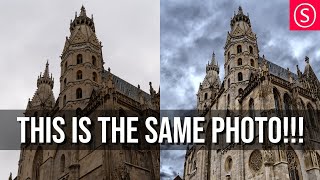
Viveza 3 - Affinity Photo Plug-In Tutorial - Nik Collection
Explore Viveza 3, a powerful Nik Collection plug-in for Affinity Photo. Learn to relight scenes, recover highlights, and make precise selections using Control Points, Luminance, and Chrominance Mask Sliders.
Custom Brush - Affinity Photo Tutorial
Learn to create custom, realistic brushes in Affinity Photo for digital painting, retouching, and design. Master techniques for textures, tips, and brush creation in this easy-to-follow tutorial.
Affinity Photo - Old Photo Look Tutorial
Learn to create authentic 19th-century photo effects in Affinity Photo. Master techniques for aging images, adding textures, and simulating vintage camera characteristics for quick and realistic results.
Combine Two Photos - The Easy Way! - Affinity Photo Tutorial
Learn to seamlessly combine photos in Affinity Photo by matching colors, adjusting contrast, and creating ambient light. Master a simple 3-step technique for professional-looking composite images.
Mask Like a Pro - Affinity Photo Essentials
Learn five professional masking techniques in Affinity Photo to enhance your images quickly and effectively, including group, color channel, pen/shape, gradient, and brush masks.
Protopie Beginner's Tutorial - Prototyping on Steroids
Learn advanced prototyping with Protopie to create interactive UI designs. Transform static Figma/Adobe XD designs into dynamic prototypes with drag-and-drop functionality and complex interactions.
Designing a Logo for Another YouTuber - Adobe Illustrator CC 2020
Learn to design a professional logo with multiple variations in Adobe Illustrator CC 2020. Explore identity design techniques and gain practical insights into the creative process.

Designing a New Landing Page in XD
Explore the process of designing an engaging landing page for DesignCourse.com, focusing on unique elements and animation potential in Adobe XD.
Beginners Guide to 3D Printing
Comprehensive guide to 3D printing technology, covering printer types, components, and key features. Ideal for beginners looking to purchase their first printer and understand the fundamentals of 3D printing.
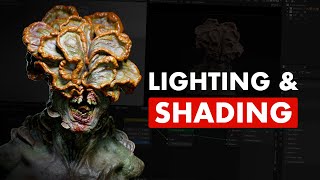
Shading & Lighting a Character - Blender and Substance 3D Painter Workflow
Learn advanced techniques for shading and lighting 3D characters in Blender and Substance 3D Painter. Master three-point lighting, Cycles shading, depth of field, and essential workflow tips for creating realistic character portraits.

Complete Guide for 3D Printing Support Material
Comprehensive guide to optimizing support material in 3D printing, covering key parameters, efficient application techniques, and advanced options like tree supports and multi-material supports.
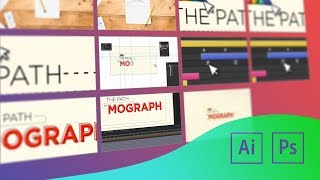
Working with Artboards in Photoshop and Illustrator
Learn to use artboards in Photoshop and Illustrator for efficient multi-frame design. Enhance animations by creating and managing multiple canvases within a single document, streamlining your workflow for motion graphics projects.
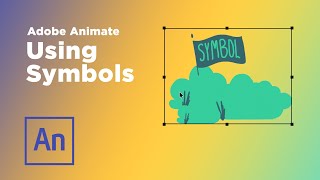
Using Symbols in Adobe Animate
Explore symbol types in Adobe Animate for efficient animation workflows. Learn to create reusable assets, loop animations, and build character rigs to streamline your production process.

Creatively Using Text Animators in After Effects
Learn creative techniques for using After Effects text animators to create unique animations, including tapered strokes, path arrows, abstract dot patterns, and 3D extruded rotating designs.
Build a Render-Bot in After Effects
Learn to automate After Effects by creating templates and building a render-bot using Dataclay's Templater plugin. Save time on repetitive tasks and streamline your motion design workflow.
Adobe Illustrator Tips for Motion Designers
Learn essential Adobe Illustrator techniques for motion design, including blending, path perfection, layering, and creating depth. Enhance your workflow and bring illustrations to life in After Effects.
Working With Cameras in After Effects
Comprehensive guide to using cameras in After Effects, covering camera types, settings, and techniques for creating dynamic 3D scenes and realistic camera movements.
Creating Multi-Screen Projects in After Effects
Learn techniques for animating multi-screen video displays in After Effects, including project setup, client deliverables, and handling different screen resolutions and shapes for seamless content across multiple displays.