Animating the iPhone 14's Dynamic Island in After Effects - An Animation Workshop
Learn to recreate iPhone 14's Dynamic Island animation in After Effects. Master fundamental principles, shape morphing, graph editing, and advanced techniques for fluid, professional-quality motion graphics.
Hacky After Effects Tricks to Improve Your Renders
Discover 10 quick After Effects tricks to enhance your renders, including lens flares, diffusion, grain, chromatic aberration, and more. Improve your motion design skills efficiently.
Mixing After Effects and Cinema 4D
Learn to enhance 3D renders by combining After Effects and Cinema 4D. Explore techniques for exporting models, creating compositions, and adding stylish elements to elevate your visual projects.
Use Shape Layers and Easing to Create a Complex Wave Animation - Intro to Animation and After Effects
Learn to create complex wave animations in After Effects using shape layers, tiling, keyframe easing, and blending modes. Master techniques for dynamic, visually striking motion graphics without complicated processes.
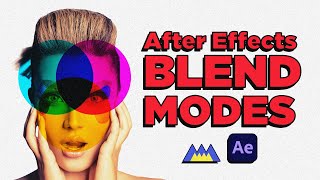
Create an Eye Reveal Animation Using Blend Modes, Shape Layers and Parenting
Learn to create an eye reveal animation using blend modes, shape layers, and parenting in After Effects. Master techniques for crafting unique visuals and fluid motion in this hands-on tutorial.
Graph Editor - Perfect Ball Bounce - Animation in After Effects
Master the graph editor in After Effects to create realistic ball bounce animations. Learn timing, spacing, and advanced techniques for smooth, professional-looking motion graphics.
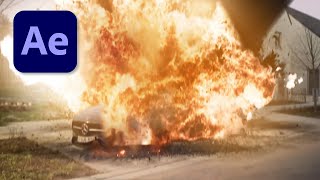
Realistic Car Explosion in After Effects Tutorial
Learn to create a realistic car explosion in After Effects using 3D animation techniques and depth-enhancing methods. Master VFX skills to produce cinematic explosions for your video projects.
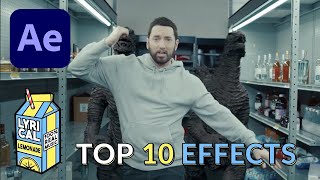
Eminem Godzilla Music Video VFX in After Effects
Learn to recreate 10 epic visual effects from Eminem's Godzilla music video using After Effects, including big eyes, blood splatter, face replacement, and more. Perfect for enhancing vlogs and music videos.

Doctor Strange Shield Effect in After Effects Tutorial
Learn to create the iconic Doctor Strange shield effect in After Effects without plugins. Master advanced VFX techniques and enhance your video editing skills with this step-by-step tutorial.
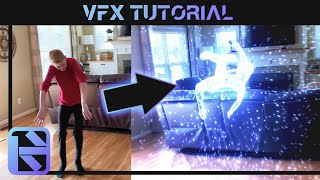
Disintegrate People With VFX - Blender + After Effects VFX Tutorial
Learn to create stunning disintegration visual effects using Blender 3D and After Effects, covering rigging, tracking, simulation, particle systems, and advanced compositing techniques.
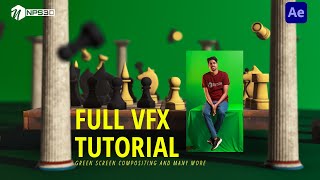
Green Screen Full VFX Workflow Using Element3D and After Effects
Learn to create a full VFX workflow using Element3D and After Effects, including green screen compositing, 3D scene building, lighting, camera animation, and color grading for impressive visual effects.
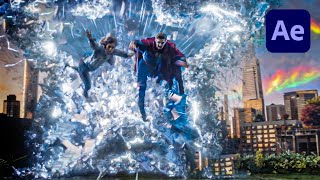
Doctor Strange Multiverse Star Portal in After Effects
Learn to recreate the Multiverse Star Portal from Doctor Strange using After Effects and Trapcode Particular. Master advanced VFX techniques to enhance your filmmaking skills and create stunning visual effects.
Empowering Storytellers - Part 2: Computer Generated Anime, Film, & Movies - Unite Now 2020
Explore Unity's production tools for speeding up animation and VFX rendering, covering collaboration, timeline, characters, cameras, post-processing, and more in this comprehensive tutorial.
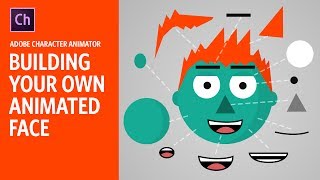
Building Your Own Animated Face - Adobe Character Animator Tutorial
Learn to create an animated face using Adobe Character Animator. This beginner-friendly tutorial covers basic tools and techniques, guiding you through the process of building a functional puppet for your animations.
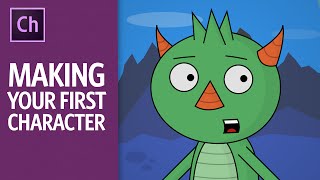
Making Your First Character - 2016 Version - Adobe Character Animator Tutorial
Comprehensive tutorial on creating animated characters using Adobe Character Animator, covering drawing, setup, animation techniques, and exporting. Learn to bring your illustrations to life with webcam-based performance capture.
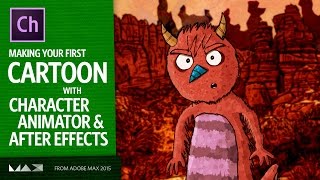
Making Your First Cartoon - Adobe Character Animator and After Effects Tutorial
Learn to create animated cartoons using Adobe Character Animator and After Effects. From character setup to recording performances and adding finishing touches, this tutorial covers the entire animation process.
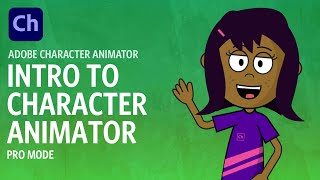
Intro to Adobe Character Animator
Learn to create animated characters using Adobe Character Animator. Covers setup, puppet control, recording, editing, and exporting. Perfect for beginners looking to explore performance capture animation.

Body Tracking - Adobe Character Animator
Learn body tracking in Adobe Character Animator: performance basics, troubleshooting, recording, editing, and rigging characters. Master this game-changing feature for faster, more enjoyable animation creation.
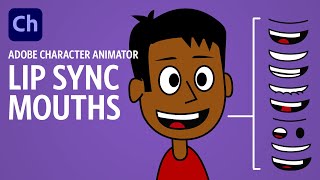
Creating Lip Sync Mouths - Adobe Character Animator Tutorial
Learn to create effective lip sync animations in Adobe Character Animator, from basic mouth rigging to custom mouth designs. Master techniques for realistic and expressive character speech.
Advanced Character Tips - Adobe Character Animator Tutorial
Learn advanced Character Animator techniques: custom pupils, jaw movements, head rotation, eyebrow controls, and efficient recording. Elevate your character animations with professional touches.
Keyframes - Adobe Character Animator Tutorial
Learn to use keyframes in Adobe Character Animator 2020 for enhanced control over parameters like position, scale, and rotation. Explore basics, editing, and practical applications with a free downloadable puppet.