Photoshop Animation Eases
Master frame-by-frame animation easing techniques in Photoshop to create smooth, realistic movements and bring your animations to life with professional-quality motion and timing.
Create a Tapered Stroke in After Effects
Learn to create a tapered stroke effect in After Effects using expressions, enhancing your motion design skills with advanced techniques for custom line animations.
Photoshop Animation Compositing
Learn advanced Photoshop animation techniques, including rotoscoping octopus tentacles and compositing splash effects. Enhance your skills in cell animation and create dynamic, fluid motion graphics.
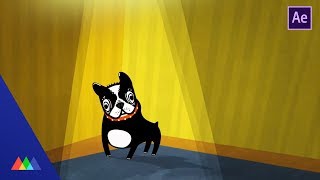
Working with Follow Through in After Effects
Learn to animate a dog character using follow-through techniques in After Effects. Master key animation principles, apply easing, and use expressions to bring your illustrations to life with realistic movement.
Walk Cycles in After Effects
Master the art of creating realistic walk cycles in After Effects. Learn essential character animation techniques, from rigging to keyframing, to bring your characters to life with fluid, natural movement.
8-Bit Color Cycling in After Effects
Create retro 8-bit color cycling effects in After Effects. Learn problem-solving techniques for motion design while exploring this nostalgic visual style from classic computer games.
Color Tips in After Effects
Learn essential color tricks in After Effects to enhance motion graphics projects. Discover practical hacks for selecting harmonious color palettes and applying them effectively, even without formal design training.
The Power of Precomps in After Effects
Unlock the power of precomps in After Effects to create complex animations efficiently. Learn techniques for building intricate visuals with fewer keyframes and streamlined workflows.
How to Create a Toon-Shaded Look in After Effects
Learn to create a gooey, toon-shaded effect in After Effects using composite techniques. Master tricks for achieving a cartoony look with complete control over the final image.
Vine Grow Effect in After Effects Using Particular
Learn to create a growing vine effect using particle generators in After Effects. Master advanced techniques for generating animated leaves along vines automatically, opening up new creative possibilities.

Text Animators in After Effects
Discover powerful text animation techniques in After Effects, from basic presets to advanced custom animations. Learn to create dynamic, easily editable type for various projects.

Write-On Effect in After Effects
Learn to create a paintbrush-inspired write-on effect in After Effects, exploring quick techniques and an advanced method for stunning results. Enhance your motion design skills with this practical tutorial.
Quickly Create 3D in After Effects
Learn to create 3D objects in After Effects using native tools. Master techniques for building and animating cubes, exploring animation principles, and enhancing your motion design skills without external plugins.

The Predki Animation Trick in After Effects
Learn a quick, versatile animation technique for After Effects. Master the "Predki" move to create dynamic, bouncy animations efficiently, enhancing your motion design toolkit.
Illustrator to After Effects - The Field Manual Part 1
Learn essential techniques for seamlessly importing Illustrator files into After Effects, optimizing workflow and avoiding common pitfalls in motion design projects.
Create Realistic Chromatic Aberration in After Effects and Nuke
Learn to create realistic chromatic aberration effects in After Effects and Nuke, enhancing CG renders with photographic imperfections for added realism and visual appeal.
Intro to Animation Curves in After Effects
Explore the power of animation curves in After Effects to create smoother, more natural-looking motion. Learn to use the graph editor for precise control over timing and movement in your animations.
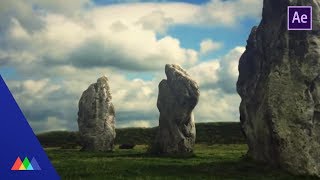
Create a 3D Scene from a Photo in After Effects
Transform a still photo into an immersive 3D scene using After Effects and Photoshop. Learn advanced techniques for realistic ground textures, seamless blending, and convincing depth to elevate your visual storytelling.
Getting Great Depth of Field in Cinema 4D with Nuke
Learn to create realistic depth of field in Cinema 4D using Nuke for compositing, enhancing 3D renders with professional techniques for added realism and visual appeal.

How to Cut Out Images in Photoshop
Learn essential techniques for precise image cutouts in Photoshop, including handling complex edges, fine details, and challenging backgrounds. Save time and improve your workflow for animation projects.
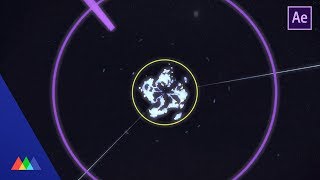
How to Create an Anime Explosion in After Effects
Learn to create dynamic anime-style explosions in After Effects using advanced techniques. Master layering, color correction, and animation to achieve hand-drawn looks without traditional drawing skills.