Turkey Painting Tutorial in Photoshop - Thanksgiving Special
Transform a turkey image into a painting using Photoshop and plugins. Learn techniques for creating artistic effects, enhancing details, and achieving a realistic painted look in this step-by-step tutorial.
Photo to Painting Photoshop Tutorial
Transform photos into stunning paintings using Photoshop and Topaz plugins. Learn techniques to create artistic masterpieces from your images in this step-by-step tutorial.
Adobe Fuse and Photoshop Integration - 3D Character Creation and Animation
Explore Adobe Fuse and Photoshop CC integration: customize 3D characters, texture, pose, animate, and composite. Learn to create and manipulate 3D models for graphic design projects.
Creating The STRAIN Photo Retouch Effect in Photoshop
Learn to create a striking photo effect inspired by "The Strain" poster using Photoshop techniques like Puppet Warp, Layer Styles, and Filters. Master advanced image manipulation for eye-catching designs.
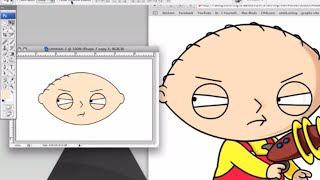
How to Draw Stewie Griffin from Family Guy in Photoshop
Learn to create Stewie Griffin's head in Photoshop with this step-by-step tutorial. Master digital illustration techniques and bring this iconic Family Guy character to life on your screen.
Photoshop 101 - Part 2
Learn essential Photoshop techniques in this concise tutorial. Master key tools and features to enhance your graphic design and photo editing skills.

Creating a Sci-Fi Composite with Generative Fill in Photoshop
Learn to create a sci-fi composite using Photoshop's Generative Fill, silhouette brushes, and advanced techniques for glows and Saturn rings. Master digital art skills for stunning alien landscapes.

Controlling Generative Fill in Photoshop - Watercolor Tutorial
Learn to create watercolor paintings from photos using Photoshop's Generative Fill, exploring intensity control and the quickmask tool for stunning digital art transformations.

How to Create an Animal-Human Hybrid Portrait in Photoshop
Learn to seamlessly blend animal and human features in Photoshop, mastering selection, masks, paths, channels, blending, color matching, and sharpening for stunning hybrid portraits.

Putting Your Face in a Classical Painting Using Photoshop
Learn to seamlessly integrate your portrait into classical paintings using Photoshop techniques. Master the art of digital time travel by blending modern photos with historical artworks for stunning, realistic results.

Photoshop Texture Tutorial - Recreating the Cherry Movie Poster
Learn to recreate the Cherry movie poster using Photoshop techniques like cropping, transform, curves, guides, masks, and gradient maps. Enhance your design skills with professional texture application.

Maleficent-Inspired Composite Tutorial - Photoshop and Optics by Boris FX
Learn to create a Maleficent-inspired composite using Photoshop and Optics plugin. Master compositing techniques, atmosphere addition, depth enhancement, and color grading in this comprehensive tutorial.

Wood God Photoshop Composite Tutorial
Learn to create a sci-fi wood god composite in Photoshop, mastering distort effects, image blending, and halo creation. Perfect for enhancing photo manipulation skills and unleashing creativity in digital art.

Harry Potter Patronus Effect in Photoshop - Tutorial
Learn to create a magical Harry Potter-inspired Patronus effect in Photoshop using advanced techniques for compositing, color grading, lighting, and lettering. Master atmospheric effects to enhance your digital art skills.

Dispersion Effect Tutorial in Photoshop
Learn to create a stunning dispersion effect in Photoshop, transforming images into particle clouds. Master techniques for background removal, liquify filters, custom brushes, and color grading to enhance your digital art skills.

How to Blend Two Images Creatively in Photoshop - Water in Pavement Effect
Learn creative image blending techniques in Photoshop, including the popular "water in pavement" effect. Master photo manipulation and compositing skills to create dramatic and eye-catching visuals.

Gone Girl Movie Poster Recreation - Photoshop Tutorial
Learn to recreate the Gone Girl movie poster using Photoshop techniques like file setup, guide layouts, gradient backgrounds, layer blending, masking, and custom brushes in this comprehensive design tutorial.
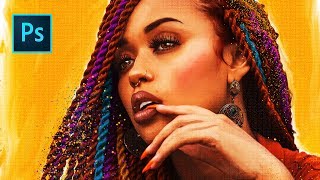
She's Gotta Have It Poster Tutorial - Photo to Faux Oil Painting in Photoshop
Learn to transform a photo into a faux oil painting using Photoshop techniques like selection, quick masks, color manipulation, compositing, and digital painting. Ideal for intermediate users seeking advanced skills.
Topaz Studio 2 Creative Toolbox - Painterly Flower Effects - Episode 52
Learn to create painterly photo art using Topaz Studio 2. Master techniques for transforming images, saving custom effects, and applying them to various photos. Enhance your digital art skills with this practical tutorial.
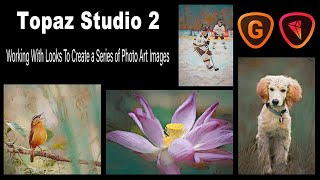
Topaz Studio 2 - Creating Photo Art Series with LOOKS and Upsizing with GigaPixel AI
Learn to create consistent photo art using Topaz Studio 2's LOOKS feature, explore stock image usage, and upsize images for large prints with GigaPixel AI. Enhance your digital art skills and maximize your creative potential.
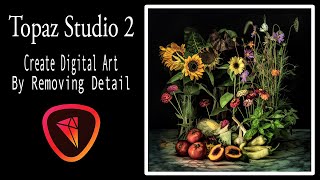
Creating Digital Floral Art with Topaz Studio 2 - Removing Detail Tutorial
Learn to create digital floral art by removing detail using Topaz Studio 2 filters. This tutorial demonstrates a simple process for transforming stock images into unique artistic pieces.