Wrap City Buses with a Life-Size Dinosaur
Learn to create massive artwork in Adobe Illustrator, scaling designs beyond traditional limits. Discover techniques for expanding canvases and enlarging type for city-wide projects like bus wraps.

Warp to the Future!
Learn advanced text manipulation techniques in Adobe Illustrator, including type on a path, warping, and dynamic effects. Master smooth path creation, distortion values, and scaling for professional-looking designs.

Let There Be Light and Shadows
Explore Adobe Illustrator's enhanced 3D lighting controls, including rotation, height, and softness. Learn to create realistic shadows and master the interplay of light in your digital designs.
Illustrator 3D Never Went Away, But Now It’s Back
Explore Illustrator's enhanced 3D capabilities, including the 3D panel, on-screen widget, and bevel options. Learn to manipulate objects with pitch, yaw, roll, depth, and emboss for stunning visual effects.

Years of Deke's Techniques
Retrospective of Deke's Techniques: A decade of Photoshop and Illustrator tutorials, featuring favorite episodes on typography, special effects, isometric projections, and graphic art.
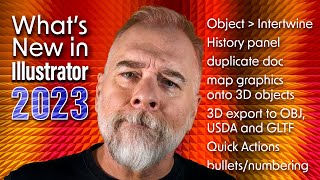
The Best of Illustrator 2023 - Intertwine Objects
Explore Illustrator 2023's Intertwine Objects feature to weave and interlock paths, with techniques for editing and manipulating overlapping objects for creative designs.

Photoshop Tutorial - Disintegration Effect
Learn to create a stunning disintegration effect in Photoshop with this step-by-step tutorial. Master particle brushes, ribbons, and ink drops to transform ordinary images into extraordinary visual art.
Blender Tutorial - Exploding Text Effect
Learn to create an exploding text effect using particle systems, depth of field, texturing, and compositing in Blender. Master advanced techniques for stunning visual effects.
Responsive Typography on Steroids With Typetura
Explore Typetura for advanced responsive typography, enabling context-aware sizing, custom easing, and property animations beyond font size for enhanced design flexibility.
Enhancing Linux Accessibility: A Unified Approach - Lecture
Explore challenges and solutions for improving Linux accessibility, focusing on preinstalled assistive technologies and desktop environment components. Gain insights from blind software engineers.
Productionizing AI: How to Think From the End - Foundational Questions for LLM Product Development
Explore foundational questions for building AI products with LLMs. Learn to approach machine learning projects from the user experience perspective, focusing on end-product qualities and deployment considerations.
It's Easy to Create a Good Looking Product, but What About a Useful One?
Discover key principles for designing user-centric apps that not only function well but also bring joy, excitement, and beauty to users' lives. Learn to prioritize user needs and expectations in your design process.

Testing in Production
Strategies for proactive testing in production to improve accuracy, speed, and confidence. Learn about feature flagging, canary releases, and data cleanup to mitigate risks and enhance user experience.
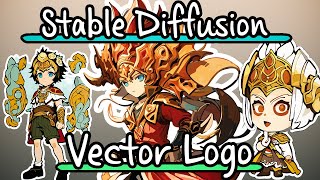
Create Stylized Vector Logo Chibi Characters with Stable Diffusion
Learn to create stylized vector logo chibi characters using Stable Diffusion, Blender, and Adobe Illustrator. Covers DreamBooth training, inpainting, outpainting, and vector conversion techniques for unique digital art.
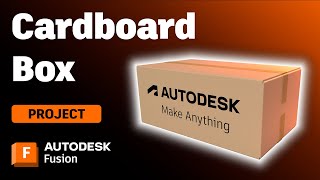
Designing and Making a Cardboard Box in Autodesk Fusion
Learn to design and create a customizable cardboard box using Autodesk Fusion's sheet metal tools. Master flange techniques, parametric design, and flat pattern creation for practical packaging applications.

Aligning AI Capabilities with Product Strategy for Innovation
Leverage AI in product strategy effectively. Learn to identify genuine AI opportunities, avoid pitfalls, and align capabilities with product goals for successful innovation.
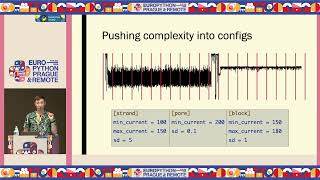
Designing Config Files: The Conflicting Needs of Programmers and Users
Explore strategies for creating user-friendly config files that balance programmer and non-technical user needs, focusing on structure, accessibility, and effective debugging practices.

The Web's Next Transformation
Explore the web's evolution and future transformation, focusing on distributed systems, improved user experiences, and enhanced development productivity.
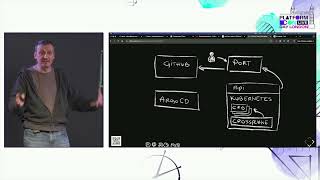
Developer Platform Consoles Should Be Dumb - Building Better UIs
Explore better ways to build developer platform consoles by focusing on dumb UIs that rely on APIs for functionality and information discovery.

How Domain Experts Use an Embedded DSL
Explore how domain experts utilize embedded DSLs, uncovering key themes and user needs to inform future designs. Gain insights into eDSL usability and adoption challenges.
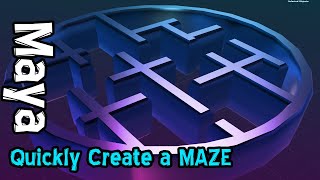
Creating Complex Mazes in Maya Using SVG Vector Graphics
Master the technique of generating complex mazes in Maya by importing vector shapes, enabling rapid creation of intricate 3D structures and architectural designs.