Figma for Beginners
This playlist gives a quick tour of the key features of Figma.

Figma Tutorials: The Ultimate Crash Course
Master Figma for UI/UX design with comprehensive tutorials on layouts, typography, components, animations, and design systems. Learn time-saving techniques and advanced tips for efficient workflow.

The UI-UX Crash Course for 2023 - Learn UI-UX Design
Learn UI/UX design by creating a landing page in Figma. Master fundamentals, components, auto-layout, prototyping, and more while building a practical project for a fictional business.

Learn Figma for UX/UI Design
Master Figma's core features for UX/UI design, including interface basics, prototyping, collaboration, and asset generation. Suitable for beginners and experienced designers alike.

Create Your Design System in Figma
Learn to build, organize, and scale a design system in Figma, covering components, libraries, styles, and variants for efficient and consistent design workflows.

Explore Design Features in Figma
Dive into Figma features and learn how to speed up your design workflow using shape tolls, pen tool, constraints, gradients, masks, guides and grid layouts.
Prototype While You Design
Create interactive prototypes to present ideas and test with users, mastering Figma's advanced features like Smart Animate, transitions, and overlays.

Figma Course for Beginners - Complete UI/UX Tutorial
Comprehensive UI/UX design tutorial covering Figma basics, user research, interface principles, and practical skills for creating professional designs from scratch.
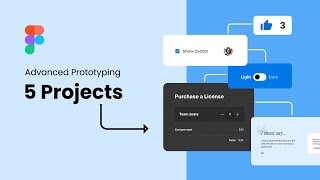
Figma Variables and Advanced Prototyping
Learn Figma's new variables, modes, collections, and advanced prototyping with conditional logic through hands-on projects like creating a like button, cart, dark mode toggle, and color modes.

The Complete Figma UX/UI App Design Course
Learn Figma for UI/UX design: create stunning apps, websites, and blogs. Master essential tools, techniques, and design principles through hands-on projects. Ideal for beginners and professionals seeking to enhance their skills.

Figma
Learn Figma's powerful design tools, from basics to advanced features like Smart Animate and Variants. Create design systems, explore plugins, and tackle real-world projects.
Figma Dev Mode Is Here
Explore Figma's new Dev Mode: enhanced units, VS Code plugin, and features for easier design-to-code workflow. Learn its benefits and limitations for web development.

Figma Components - The Basics to Creating Robust Components
Learn to create robust Figma components using auto-layout. Master basics, build complex forms, and organize effectively for streamlined design workflows.

Figma Workflow - Complete Website Design
Step-by-step guide to replicating Linear's website using Figma, covering styles, components, wire-framing, and design elements for high-end web design.
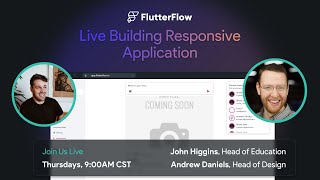
Building Responsive App in FlutterFlow - UI/UX Livestream
Discover responsive app design in FlutterFlow with UI/UX best practices. Learn project setup, custom functions, Firebase integration, and dynamic components for engaging user experiences.

Figma Tutorial
Comprehensive Figma tutorial covering interface, tools, and design techniques for creating UI elements and login screens, with instructions in Tamil.

Designing with Figma
Learn to create stunning website designs using Figma's powerful features, from basic tools to advanced animations and design systems, with practical examples and comparisons.

Build it in Figma
Learn to design apps, websites, icons, and more with expert guidance. Create design systems, responsive layouts, and interactive prototypes using Figma's powerful features.
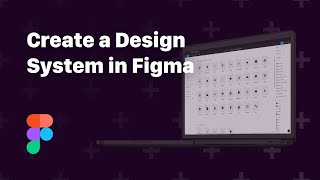
Create a Design System in Figma
Learn to create beautiful layouts and powerful design systems using Figma, covering layout design, constraints, styles, components, vector tools, prototyping, and collaboration features.
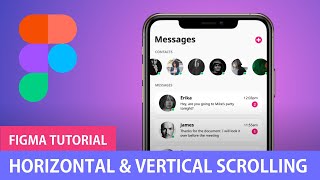
Figma Tutorials
Learn essential Figma techniques: scrolling, components, overlays, menus, web design, prototyping, animations, and more. Master UI/UX design and bring your creations to life with HTML/CSS.

Figma in 5
Level up your Figma skills with weekly rapid-fire, tip-packed deep-dives on topics like vectors, auto layout, design systems, and more. Perfect for quick learning sessions.