
Phone Popout Effect - Affinity Photo Tutorial
Create a convincing 3D phone popout effect in Affinity Photo for eye-catching social media posts with this step-by-step tutorial on photo manipulation techniques.

How Macros Work for Affinity Photo
Learn to create and use macros in Affinity Photo to automate tasks, enhance workflows, and save time. Includes free macro pack and step-by-step tutorial for beginners and advanced users.
Pen Tool Explained - Affinity Photo Tutorial
Master the Pen Tool in Affinity Photo: Learn to create curves, shapes, selections, gradients, and glow effects. Discover versatile applications beyond illustration and vector graphics.
Affinity Photo - Beginner's Basic Tutorial - How to Get Started
Learn Affinity Photo basics: adjustment layers, filters, masks, layers, pixels vs. vectors, image sizing for print/screen. Essential knowledge for beginners in an easy-to-follow format.
Adobe Illustrator CC Tutorial - Creating a Recycling Logo
Learn to create a precise recycling logo in Adobe Illustrator CC while mastering essential tools and techniques for document setup, shape creation, layering, and precise art manipulation.

The Art of First Impressions - In Design and Life
Discover the power of clarity and mystery in design as Chip Kidd explores how first impressions shape our perceptions, using examples from iconic book covers and everyday objects.

Prototyping on Roids
Learn advanced prototyping techniques using ProtoPie. Transform Figma designs into interactive prototypes with video backgrounds, menu animations, scroll effects, and Lottie animations.
Layer Mask - Photoshop for Beginners
Learn Layer Masks in Photoshop: from basics to advanced techniques. Master non-destructive editing, feathering, density adjustment, and more. Enhance your photo editing skills with real-world examples.
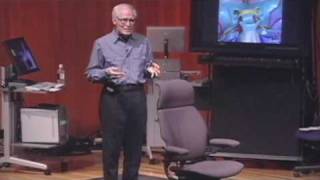
Rethinking the Way We Sit Down
Explore the innovative approach to ergonomic design as Niels Diffrient shares his journey in revolutionizing office chairs based on human body data.

How a Handful of Tech Companies Control Billions of Minds Every Day
Tristan Harris explores how tech companies compete for our attention, impacting billions of minds daily. He calls for a design renaissance to align technology with our desired life outcomes.
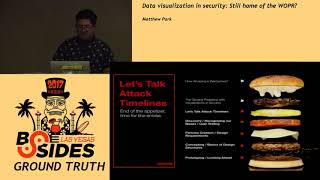
Data Visualization in Security - Still Home of the WOPR?
Explore data visualization in cybersecurity, from WOPR to modern techniques. Learn about user-centric design, research phases, and prototyping for effective security data representation.

Understanding Comics
Explore the magic of comics with Scott McCloud as he transforms the presentation into a vibrant, cartoon-like experience, blending childhood fascinations with imaginative futures.

What Does the Future Hold? - 11 Characters Offer Quirky Answers
Comedic performance featuring 11 diverse personas offering humorous and thought-provoking insights into the future through quick character transformations and witty dialogue.

My Life in Typefaces
Renowned typographer Matthew Carter shares insights from his career, exploring the evolution of typeface design from print to digital, and the intricate balance between technology and aesthetics.

All Things Are Moleeds
Comedian Charles Fleischer presents a hilarious and unconventional theory of everything, blending geometry, numbers, and stamp art into a unique concept called "Moleeds."

Building the Seed Cathedral
Explore innovative bio-inspired designs by architect Thomas Heatherwick, including the Seed Cathedral, showcasing ingenious reimaginings of everyday structures and a celebration of growth and light.
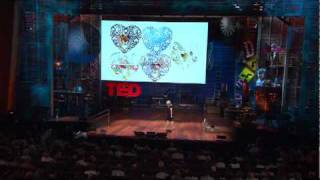
Intricate Beauty by Design
Discover how graphic designer Marian Bantjes challenges industry norms by infusing her unique, intricate style into diverse projects, from storefronts to valentines and genetic diagrams.

90's Anime in Blender - Tutorial
Learn to create digital art inspired by classic 90's anime using Blender. Explore composition, parallax, 2D/3D assets, color, linework, post-effects, and frame rate techniques for authentic retro aesthetics.

Basic Comic Coloring Method - Part 1
Learn a beginner-friendly comic coloring process in Photoshop, covering color flats, selection techniques, and flexible methods for easy adjustments.
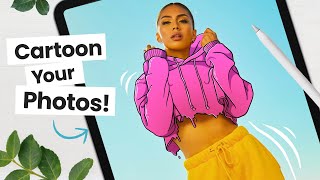
How to Cartoon Your Photos - Step-by-Step Tutorial
Learn to transform photos into cartoons using digital art software. Master line art, coloring, shading, and workflow techniques to add personality and create unique illustrations from your images.
Deke Demystifies Photoshop - Content Aware Fill Exposed
Demystifies Photoshop's Content-Aware Fill feature, explaining its functionality, settings, and applications through practical demonstrations and a comprehensive schematic diagram.