
Basics of Color Efex Pro 4 - Affinity Photo Nik Collection Plug-In
Comprehensive guide to Color Efex Pro 4 in Affinity Photo, covering installation, interface elements, basic functions, and advanced features like control points and recipes for photo editing.

RAW Development - Affinity Photo vs Photolab vs Lightroom Classic
Comparative analysis of RAW development tools: Affinity Photo, DXO Photolab, and Adobe Lightroom Classic, exploring features, functionality, and integration for optimal photo editing.
Things About Layers - Affinity Photo
Comprehensive guide to layers in Affinity Photo, covering types, effects, masks, and advanced techniques for efficient photo editing and graphic design workflows.

Affinity Photo Workbook - Review - Should You Buy It?
Comprehensive review of Affinity Photo workbook, covering interface, core skills, projects, and effects. Evaluates content quality and usefulness for various skill levels in photo editing.
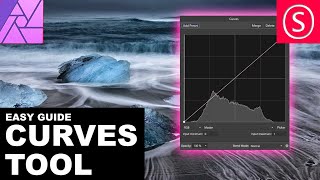
Curves Adjustment Explained - Affinity Photo Beginners Tutorial
Comprehensive tutorial on using Curves in Affinity Photo, covering histogram, channels, tonal range, and blend modes with practical examples for photo adjustment and creative effects.

Affinity Photo - Photo Export Intro
Comprehensive guide to photo exporting in Affinity Photo, covering formats, algorithms, compression, bit depth, resolution, color space, and more for optimal results in print and digital media.

Affinity Photo - Samorost Inspired Mushroom World
Create a whimsical mushroom fantasy world in Affinity Photo, inspired by Samorost 3. Learn photo stitching techniques to craft a playful, imaginative scene that sparks viewer curiosity.

Affinity Photo - Cyber Demon Tutorial
Learn to create a striking cyber demon cover design using Affinity Photo, combining neon effects, glows, and textures in this step-by-step tutorial.

Affinity Photo - Angel Wings Tutorial
Learn to add realistic angel wings to photos using masking, perspective, and adjustment techniques in Affinity Photo.

Affinity Photo - How to Remove Things From a Photo
Learn techniques to remove unwanted elements from photos using Affinity Photo. Master the Healing Brush Tool, Freehand Selection Tool, and other methods to clean up and enhance your images.

Affinity Photo - Rusty Metal Font Tutorial
Create a rusty metal font effect in Affinity Photo with step-by-step guidance on textures, layers, and effects for an apocalyptic look. Perfect for designers seeking unique, grungy text styles.

Mastering Removing Things from Photos - Affinity Photo Beginners Tutorial
Learn to expertly remove objects from photos using Affinity Photo. Understand key elements like patterns, textures, and perspective to achieve seamless results in photo editing.

Twirl Effect - Affinity Photo Tutorial
Learn advanced techniques for creating stunning twirl effects in Affinity Photo, including secret tricks to enhance colors, smooth transitions, and achieve eye-catching results for various image types.

Realistic Grain - Noise Effect Techniques - Affinity Photo Tutorial
Learn three realistic techniques for adding grain and noise effects in Affinity Photo, including customizable methods for adjusting grain size and creating luminosity-sensitive noise using blend ranges.
Why You Are Bad at Photo Editing - Affinity Photo Tutorial
Discover why photo editing challenges you and learn to rethink your approach. Gain insights on storytelling, color harmony, composition, and equipment to elevate your photo artistry skills.

Slice Fruit in Affinity Photo - Tutorial
Learn to digitally slice fruit and create floating effects in Affinity Photo for eye-catching ads, designs, and photo composites using simple techniques.

Creative Text Effect - Affinity Photo Beginner Tutorial - 3D Look
Learn to create a striking 3D text effect using Affinity Photo's Liquify Person tool and layer masks. Perfect for beginners seeking to enhance their graphic design skills.

Selection Tool Tricks You Need to Know - Affinity Photo Beginner Tutorial
Master essential selection techniques in Affinity Photo, from basic shapes to advanced refinements. Enhance your photo editing skills with time-saving tricks for precise and efficient selections.
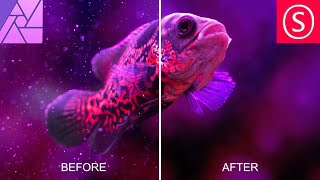
Remove Dust & Specks - Affinity Photo Tutorial
Learn effective techniques to remove dust and specks from photos using Affinity Photo, including filters, masks, and noise addition for a clean, professional result.

Powerful Ways to Brighten Up Shadows - Affinity Photo Tutorial
Discover three powerful techniques to enhance shadow details in Affinity Photo, including custom luminance masks, blend ranges, and dodge and burn tools for precise photo editing.

Sunset Magic - Gradients for Affinity Photo
Learn techniques to enhance sunset photos using Affinity Photo, including color adjustments, gradient application, and emotional fine-tuning for stunning, evocative results.