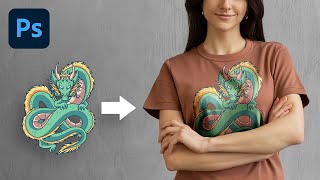
The Most Realistic Way to Place Design on T-Shirt - Photoshop Tutorial
Learn advanced Photoshop techniques to realistically place designs on t-shirts using luminosity masks and channels. Master natural-looking results, color adjustments, and depth creation for professional-quality graphics.

Unlock Amazing Stock Photos Inside Photoshop
Explore free Photoshop plugins for accessing millions of stock photos directly in-app. Learn installation, pros/cons, and real-world applications in compositing, graphic design, and color grading.

Auto-Create Hundreds of Custom Designs Using Variables in Photoshop
Learn to automate custom design creation in Photoshop using Variables. Generate multiple graphics with personalized text, images, and properties from external data sources, saving time and effort in bulk design projects.
The New "Select Subject" Better Than Pen Tool?
Explore Photoshop's new "Select Subject" tool for portraits, comparing it with the Pen Tool and other selection methods through practical compositing examples and masking techniques.

Best A.I. Image Upscaler - Top 7 Software Compared
Comprehensive comparison of 7 top AI image upscaling software, evaluating their effectiveness in converting low-resolution images to high-quality, high-resolution versions.

Blend Anything on Any Surface in Photoshop
Learn to realistically blend text, graphics, or logos onto any surface in Photoshop using Blend-If, Blend Modes, Liquify, and Displacement Maps for natural-looking results.
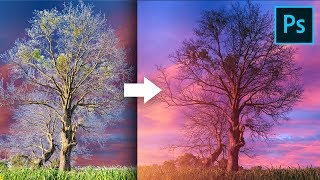
Remove Fringes Around Trees During Sky Swap - Photoshop Tutorial
Learn effective techniques to remove fringes around trees during sky replacement in Photoshop, using color matching and blending modes for seamless and professional-looking results.
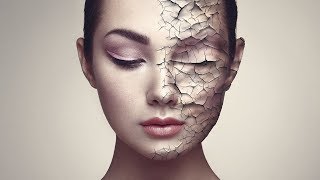
Create Realistic Cracked Skin in Photoshop
Learn to create realistic cracked skin effects using Photoshop's blend modes, Liquify tool, and smart masking techniques. Master advanced texture manipulation and adjustment layers for stunning visual results.
Photoshop on the Web - Features & Limitations
Explore Photoshop's web version: features, limitations, and comparison with Photopea. Learn about UI, tools, adjustments, and potential future updates for this browser-based image editing solution.

How to Apply Beautiful Eye Makeup in Photoshop
Master advanced Photoshop techniques to create stunning digital eye makeup, including liners, shadows, and highlights. Learn to use Pen Tool, Masking, and Adjustment Layers for realistic results.

Battle of A.I. Bokeh - Photoshop vs. Luminar
Comparison of AI-powered bokeh effects in Photoshop and Luminar, analyzing quality, performance, and features to help photographers choose the best tool for creating shallow depth-of-field effects.
Create Masterpieces With Stable Diffusion in Photoshop
Learn to create AI-generated masterpieces using Stable Diffusion plugins in Photoshop. Explore text-to-image, outpainting, inpainting, and ControlNet techniques to enhance your digital art skills.

Affinity Photo - Lasso Tool Explained
Comprehensive guide to Affinity Photo's Lasso Tool, covering modes, techniques, and practical applications for precise selections and photo editing.
Affinity Photo - Awesome Brush Ideas
Discover 5 creative brush techniques in Affinity Photo, including gradient, texture, rainbow, and flower brushes for enhancing digital art and photo editing projects.

Affinity Photo - Slideshow Design Tricks That Are Awesome
Discover 5 quick and creative techniques to design eye-catching vacation slideshows using Affinity Photo, enhancing your photos with unique effects and layouts.

Affinity Photo - Composition Tools - Photo Editing Tutorial
Explore essential composition tools like Golden Ratio, Rule of Thirds, and Diagonal Method to enhance your photo editing skills and create visually striking images in Affinity Photo.

Affinity Photo - 10 Mistakes to Avoid - Photography Tutorial
Discover 10 common mistakes in Affinity Photo and learn how to avoid them, covering topics from image resolution to color adjustments, sharpening techniques, and exposure settings.

Affinity Photo - Make a Planet
Learn to create a realistic planet using Affinity Photo, exploring texture manipulation, effects, and color techniques in this hands-on sci-fi inspired design tutorial.
Affinity Photo - Filters for Landscape Photography
Discover 5 powerful NIK Collection filters for enhancing landscape photos in Affinity Photo, from White Neutralization to Dynamic Contrast, for quick and stunning results.
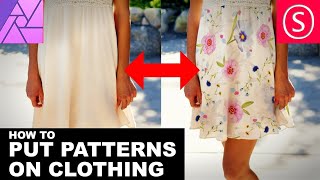
Affinity Photo - How to Put Patterns on Clothing
Learn to apply 2D patterns onto clothing in Affinity Photo using liquefy, masks, and layer blending techniques. Create stunning designs easily with this step-by-step tutorial.
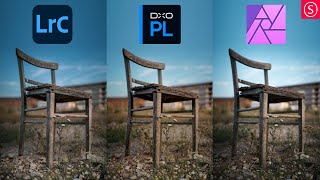
One Photo Edited in Lightroom Classic, DxO Photolab, and Affinity Photo
Comparative editing demonstration using Lightroom Classic, DxO Photolab, and Affinity Photo, showcasing techniques and results for a single image across these popular software tools.