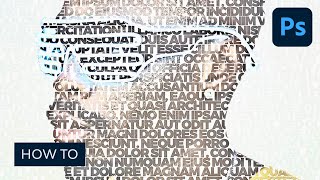
How to Create a Photo to Art Text Effect Photoshop Action
Master Photoshop action creation to transform photos into stunning art text effects. Learn color correction, layer masking, and high pass techniques for eye-catching typography designs.

How to Edit PSD Files Online With Bannersnack
Learn to edit PSD files online using Bannersnack, a browser-based tool. Discover how to create banners and use the Banner Generator without Adobe Photoshop in this quick tutorial.

Easy Fireworks in Blender Tutorial
Create dazzling fireworks displays in Blender 2.9 with this beginner-friendly tutorial. Learn particle systems, color adjustments, and rendering techniques for stunning visual effects.
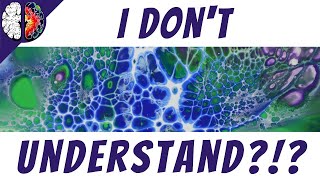
Understanding Acrylic Pour Terminology - Clarifying Common Misconceptions
Clarifies common acrylic pouring terms, techniques, and materials to help beginners understand the art form better. Covers key concepts like pouring mediums, paint types, pigments, and specific techniques.
Create Better Glows in After Effects
Learn advanced techniques for creating stunning, customizable glows in After Effects, offering greater flexibility and control than the built-in effect for more professional-looking results.
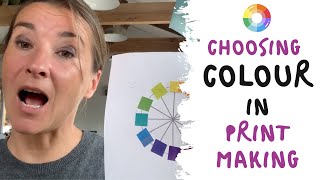
Choosing Colour in Printmaking - Experimental Monoprinting
Explore experimental monoprinting techniques and color selection to create vibrant, abstract prints. Learn to mix inks, arrange design elements, and use multiple printing phases for unique results.
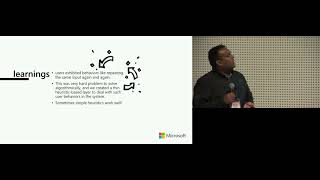
A Case Study on Microsoft's Ruuh.ai - Is User Growth a Peril to Research Progress?
Explore challenges and opportunities in industrial AI research through Microsoft's Ruuh.ai case study, balancing user growth with meaningful research progress in conversational AI development.
3D Printing - Wombot Exilis 3D Printer Review
Comprehensive review of the Wombot Exilis 3D printer, highlighting personal experiences, pros and cons, and practical insights for potential users interested in this Australian-made device.
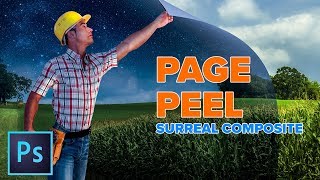
Enhanced Page Curl Photoshop Tutorial - Surreal Composite
Create a surreal composite in Photoshop: learn to combine images, transform day to night, and craft a dynamic page curl effect for a man peeling back reality.
Photoshop Smart Objects Explained Using 7 Hot Tips
Discover 7 powerful Smart Object tips in Photoshop, from scaling and filtering to nested objects, enhancing your workflow and image editing capabilities.
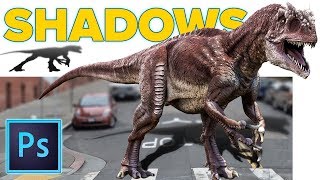
Realistic Cast Shadows in Photoshop - Composite Jurassic World Dinosaur
Learn to create realistic cast shadows in Photoshop for compositing, focusing on a Jurassic World dinosaur example. Master the four qualities of light for authentic shadow effects in image combinations.
How to Make YouTube Channel Art in Photoshop - 2018
Learn to create eye-catching YouTube channel art using Photoshop. Master template usage, image selection, background filling, color choices, and typography for professional-looking headers that fit all layouts.

Create a Magazine Layout Template in Photoshop
Learn to design a reusable magazine layout template in Photoshop, including guides, subheads, placeholder text, and image insertion techniques. Download the free template for practice.
Craziest Photoshop Questions with Matt Kloskowski
Expert Matt Kloskowski addresses challenging Photoshop topics, including fixing blurry photos, logo design, and ethical considerations, offering valuable insights for digital artists and photographers.

How to Remove Large Objects in Photoshop
Learn advanced techniques for seamlessly removing large objects from images using Content-Aware Fill, Cloning, Healing, and color correction in Photoshop. Master professional photo editing skills.
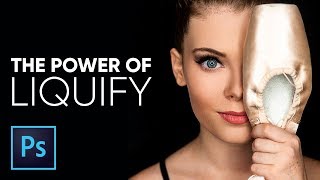
The Amazing Power of Liquify for Portrait Retouching in Photoshop
Master Photoshop's Liquify tool for portrait retouching. Learn basic and advanced techniques, including Face-Aware Liquify, through practical examples and expert tips for professional results.
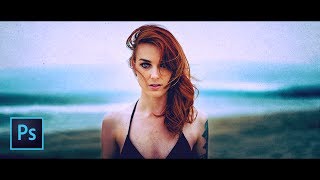
The Ultimate Guide to Cinematic Effect in Photoshop
Learn to create cinematic effects in Photoshop using fading, tinting, aspect ratios, and creative elements. Master four techniques to transform your images into stunning, film-like visuals.

The Right Way to Place Objects on Grass for Photo Manipulation in Photoshop
Learn realistic photo compositing techniques in Photoshop, focusing on placing objects on grass. Master selection refinement, clipping masks, brush manipulation, and shadow creation for seamless integration.

How to Replace Color in Photoshop CC 2017 - Adjust Color Selectively
Learn five powerful techniques for selective color adjustment in Photoshop CC 2017, from global edits to precise local changes, enhancing your ability to manipulate and replace colors effectively.
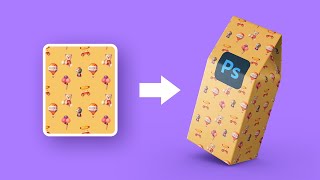
How to Create Mockups with Complex 3D Shapes - Photoshop Tutorial
Learn to create realistic mockups with complex 3D shapes in Photoshop using Perspective Warp, masking, and Smart Objects. Master techniques for wrapping patterns around objects with intricate perspectives.

Color Correction with Easy 4-Point Technique - Photoshop Tutorial
Master Photoshop's "4-Point" color correction technique for precise image enhancement. Learn to locate white, black, and gray points, plus a fourth point for automatic color fixing using Curves.