
Remove People From Group Photos in Photoshop
Master advanced Photoshop techniques to seamlessly remove people from group photos. Learn blending, masking, hair brushes, painting, and compositing for clean, professional results.
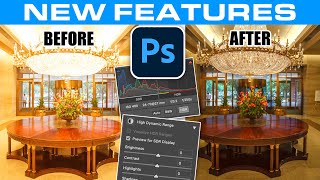
Hidden New HDR Features in Photoshop 2023 in Depth
Explore new HDR features in Photoshop 2023's Camera Raw, including merging, display options, visualization, and tone mapping. Learn to create, enhance, and save true HDR images for stunning results.
Turn Any Image Into an Automated Masterpiece
Explore Photoshop's Style Transfer Neural Filter to transform images using AI. Learn presets, custom styles, and blending techniques for unique artistic results.

Generative AI in Game Development - From Art Assets to Industry Evolution
Explore the future of game development with AI-generated assets, industry changes, and the intersection of generative AI with science, biology, and human evolution.
Perfect Movie Poster Tutorial
Learn advanced Photoshop techniques to recreate a movie poster, covering tools like frequency separation, gradient maps, and Camera RAW filter. Enhance your photo editing and design skills through practical application.

Generative AI for Avatar Animations and Emotes - Democratizing Creation
Explore the future of avatar animations with Kinetix's innovative platform, enabling creators to capture and share character movements through text-to-animation prompts and marketplace integration.
Pianist and Creative Coder - Merging Music with Visual Art through Technology
Explore the fusion of classical piano and live visuals as Larkhall demonstrates how coding and algorithms can create innovative, cinematic art performances.
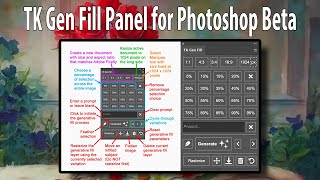
TK GEN FILL Panel for Photoshop Beta's Generative Fill
Streamline your Generative Fill workflow with the TK GEN FILL PANEL for Photoshop Beta. Transform photos into stunning art effortlessly, maximizing efficiency and creativity in photo editing.
Photoshop Beta: Turning Photos into Art with Generative Fill - Tips and Tricks
Transform photos into stunning artwork using Photoshop Beta's Generative Fill feature. Learn tips, tricks, and a time-saving action to elevate your photo editing skills.

Build Your Own Live Music Visualization
Learn to live-code music visualizations using shaders, exploring creative coding techniques, performance tools, and resources for building immersive audio-visual experiences.
Plask AI Video Mocap Clean Up in iClone 8 - Webinar
Explore AI video motion capture cleanup using Plask and iClone 8. Learn techniques to enhance mocap data quality, integrate with other tools, and optimize your animation workflow.
iClone 7 Facial Motion Capture Webinar - Live Demo and Q&A
Explore iClone 7's facial mocap system: cost-effective, markerless tracking for professional character animation. Learn setup, best practices, and live demonstrations for efficient, high-quality facial animation production.
Three PBR Workflows for Sketchfab in iClone 7 - Tutorial
Learn to adapt three PBR workflows from Sketchfab to iClone 7's metallic/roughness system. Covers file conversion, material adjustments, and practical examples using various 3D models.
iClone 7 Tutorial - Using Substance Decals
Learn to apply and manipulate Substance decals in iClone 7, covering base materials, blending, positioning, opacity maps, poster decals, and optimization techniques.
Getting the Best iPhone Mocap in iClone - Advanced Techniques and Features
Learn advanced iPhone facial motion capture techniques for iClone, including live smoothing, multitrack recording, data mapping, and new clip functions to enhance animation quality and efficiency.
Cloth and Hair Simulations in Unreal with iClone - Part 1: Soft Cloth Physics
Learn to create realistic digital human animations using iClone Soft Cloth Physics and Unreal Engine, focusing on character setup, physics adjustments, and live linking for enhanced cloth simulations.
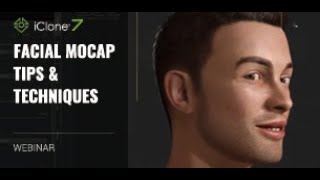
Facial Mocap Tips and Techniques for iClone 7
Learn facial motion capture techniques for iClone 7, including setup, capturing, editing, and reusing animations. Explore combining mocap with traditional lip-sync methods for character monologues.
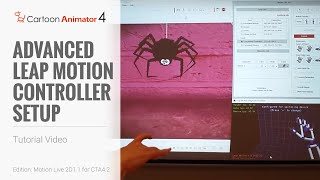
Cartoon Animator 4 Tutorial - Advanced Leap Motion Controller Setup
Learn advanced hand motion capture techniques for Cartoon Animator 4 using Leap Motion controller, including customization, refinement, and application in various character animation scenarios.
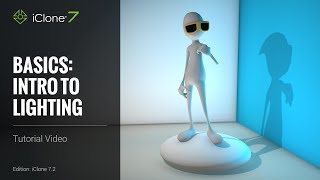
iClone 7 Basics Tutorial - Introduction to Lighting
Learn essential lighting techniques in iClone 7 to transform scenes from drab to visually stunning. Explore image-based, ambient, directional, spotlight, and point lights to set the perfect mood for your 3D projects.
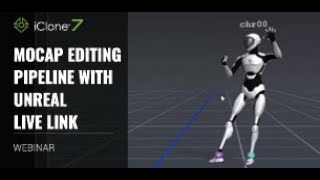
Mocap Editing Pipeline with Unreal Live Link - Webinar
Explore motion capture editing in iClone, from recording to refining and exaggerating motions, with live streaming into Unreal Engine using Live Link. Learn key tips for efficient mocap workflows.
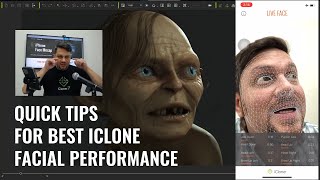
Quick Tips for the Best Facial Animation Performance with iPhone Mocap
Discover essential tips for creating professional facial animations using iPhone mocap, including avoiding common mistakes like dead eyes and jerky neck movements, and improving overall performance quality.