
How to Use Overlays, Textures and Presets in Photoshop
Aprenda técnicas avançadas de edição em Photoshop: sobreposições, texturas e predefinições para aprimorar suas imagens com efeitos profissionais de iluminação, cor e profundidade.

How to Blend Layers in Photoshop
Learn to recreate "The Card Counter" movie poster using advanced Photoshop techniques. Master layer blending, gradients, camera raw, curves, and more for realistic, professional-looking designs.

How to Create a Damaged Bitmap Effect in Photoshop
Learn to recreate the damaged bitmap effect from the Mile 22 poster using Photoshop techniques like mosaic effects, blending modes, gradient maps, masks, grunge textures, and typography.

How to Use Gradient Maps and Curves in Photoshop
Learn to recreate the Mauritanian movie poster using Photoshop tools like gradients, guide layouts, shapes, blending modes, masks, and channel mixer. Enhance your design skills with practical application.

How to Create a Grunge Background in Photoshop
Learn to recreate the 007 No Time to Die movie poster in Photoshop. Master compositing, selection, masking, gradient maps, grunge effects, titling, and color grading techniques in this comprehensive tutorial.

Photoshop Overlays Tutorial
Learn advanced Photoshop techniques to recreate the Chaos Walking movie poster, including overlays, masking, color grading, and text styling for dramatic and cohesive image composites.

How to Create Snow Using Optics in Photoshop
Learn to create realistic snow effects in Photoshop using Optics by Boris FX. Master EZ Mask, intersecting masks, clouds filter, Light Leaks, and Film Stocks to enhance your winter scenes.

How to Turn Day to Night Using Optics by Boris FX in Photoshop
Transform daytime photos into stunning nightscapes using Optics in Photoshop. Learn to apply filters like Day for Night, Lens Flare, Night Sky, and more for realistic night effects.

The Haunting of Bly Manor Fading Portrait Tutorial – Photoshop Live Q&A
Learn to create a faded portrait effect inspired by The Haunting of Bly Manor's opening title. Master compositing techniques, including patch tool, painting, and blending modes in this comprehensive Photoshop tutorial.

Ascension Photoshop Composite Tutorial
Learn to create a stunning astronaut in space composite using Photoshop. Master gradient maps, advanced brushes, blending modes, and color grading techniques in this hands-on tutorial.

Shaft Movie Poster Photoshop Tutorial
Learn to recreate the "Shaft" movie poster in Photoshop, covering vector masks, shapes, gradient maps, and textures. Enhance your design skills with this step-by-step tutorial.
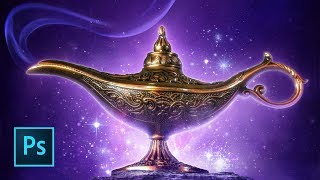
Aladdin Movie Poster Tutorial
Learn to recreate the iconic Aladdin teaser poster using Photoshop techniques like guide layouts, painting, masking, warping, blending modes, and customizing brushes. Master essential skills for stunning movie poster design.
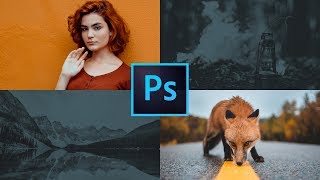
How to Use the Frames Tool in Photoshop
Learn to create reusable homepage design templates using Photoshop's frames tool. Master guide layouts, new type features, gradient maps, threshold, and levels for efficient web design workflows.
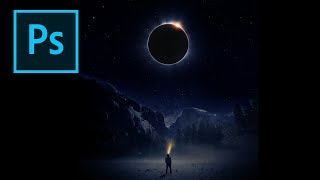
Creating an Eclipse Composite in Photoshop
Learn to create a stunning eclipse composite using Photoshop techniques like noise gradient, Gaussian blur, and color correction for realistic flares and hotspots.
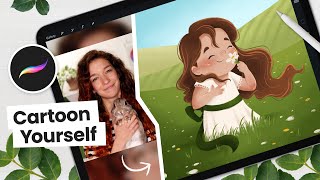
How to Cartoon Yourself, Flower Field Edition - Digital Art Tutorial
Learn to create a cartoon self-portrait in a flower field using Procreate. Master digital art techniques from sketching to shading, with step-by-step guidance for a unique, personalized illustration.
Make Your Photos Pop Using Color Grading in Photoshop
Discover powerful color grading techniques in Photoshop to enhance your photos. Learn about gradient maps, blending modes, and masking to create stunning visual effects and improve image colors.
Introduction to Photoshop for Beginners - Basics on How to Use Photoshop
Learn Photoshop basics: tools, layers, effects, and essential techniques for image editing. Ideal for beginners seeking to master this powerful design software.
Photo Painting Tutorial - Photoshop, Topaz Studio 2, and Luminar 4
Transform photos into stunning paintings using Photoshop, Topaz Studio 2, and Luminar 4. Learn advanced techniques like AI enhancement, object selection, and blending multiple filters for unique artistic results.
Flower Photography Workflow Tutorial - Lightroom, Photoshop, and Topaz Studio 2
Learn to enhance flower photos with a dreamy, ethereal look using Lightroom, Photoshop, and Topaz Studio 2. Master techniques for soft backgrounds, noise reduction, and sharpening in macro photography.

Dodging and Burning Techniques in Topaz Studio 2 and Photoshop
Learn effective dodging and burning techniques in Photoshop and Topaz Studio 2 to enhance landscape images and make them stand out. Discover similar methods in both applications for improved photo editing skills.

Topaz Studio 2 - The Impression Filter Tutorial
Transform photos into digital art with the Impression Filter in Topaz Studio 2. Learn techniques inspired by Bob Ross to create expressive, painterly effects and unleash your creativity.