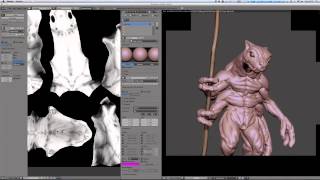
Combining and Creating GLSL Matcap Materials
Learn to combine matcap images for new GLSL materials in Blender, enhancing real-time model display and creating custom matcap images for future use in sculpting and showcasing.

Blender Tutorial - Creating Photorealistic Puddles
Learn to create physically accurate, realistic puddles in Blender with step-by-step guidance. Master advanced techniques for enhancing 3D scenes with lifelike water effects and reflections.

How to Make a Realistic Earth in Blender
Learn to create a photorealistic Earth in Blender using NASA textures. This tutorial covers an easy method to achieve stunning results, perfect for both beginners and experienced 3D artists.

Blender Beginner Tutorial - Creating Floating Particles with Geometry Nodes - Part 12
Learn to create floating particles using geometry nodes in Blender, enhancing your donut scene with lively, dynamic elements in this comprehensive tutorial.

Blender Beginner Tutorial - Rendering
Learn efficient rendering techniques in Blender using Eevee and Cycles, focusing on key settings for optimal results in minimal time.
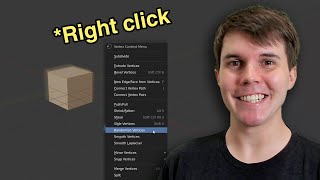
Where Everything Is in Blender 2.8 - Major Functions and Changes
Comprehensive guide to Blender 2.8's interface, showcasing major functions and key changes. Learn essential tools and navigation for efficient 3D modeling and animation workflows.
Realtime Archviz with Blender and Eevee - Part 3
Learn to create stunning real-time architectural visualizations using Blender 2.8's Eevee renderer. Master advanced techniques for realistic lighting, materials, and scene composition in this final tutorial.
Realtime Architectural Visualization with Blender and Eevee - Part 1
Learn to create realistic interior scenes using Blender 2.8's Eevee renderer. Master light bleed fixes, optimal sky lighting techniques, and soft shadow settings for stunning architectural visualizations.
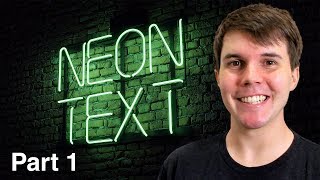
How to Make a Neon Sign in Blender 2.8 - Part 1
Learn to create a striking neon sign using Blender 2.8 in this comprehensive tutorial. Master techniques for designing and modeling illuminated text effects.
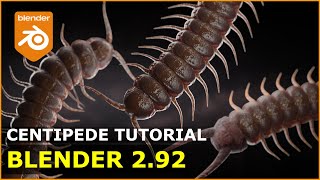
Centipedes - Make It in Blender - Yes, It's Creepy
Create a realistic centipede model using simple techniques in Blender 2.92. Perfect for beginners looking to enhance their 3D modeling skills with a creepy-crawly twist.
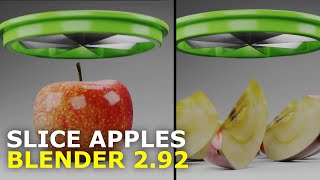
Slice Apples - Blender Tutorial
Learn to create a realistic sliced apple in Blender 2.92, covering modeling, texturing, and lighting techniques in a simple yet effective 3D rendering process.
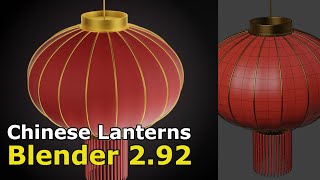
Make a Chinese Lantern - Blender for Beginners
Step-by-step guide to creating a Chinese lantern in Blender, covering modeling, basic lighting, and shaders. Suitable for beginners learning 3D design and CGI techniques.
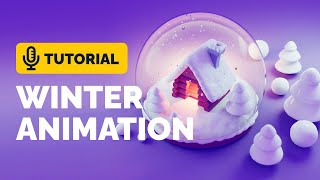
Snow Globe Animation Tutorial in Blender - Polygon Runway
Learn to model and animate a stylized snow globe in Blender using lattice modifier and particle systems. Master techniques for creating charming 3D illustrations with this step-by-step tutorial.
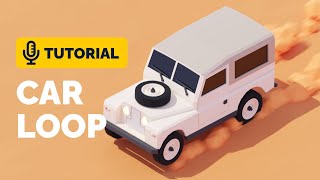
Car Loop Animation Tutorial in Blender - Polygon Runway
Learn to create a captivating car animation loop using Blender 3.1's animation graph and particle systems. Master advanced techniques for dynamic 3D illustrations and enhance your modeling skills.

Blender 3.0 Christmas Tree Tutorial - Polygon Runway
Create a festive Christmas tree illustration using Blender 3.0's addons and particle systems. Learn efficient techniques for quick and stylish 3D modeling in this hands-on tutorial.
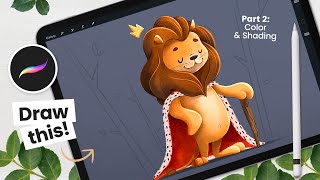
Drawing a Cute Lion - Colors and Basics of Shading
Learn to color and shade a cute lion illustration in Procreate. Master basic coloring techniques, understand shading principles, and refine your digital artwork with step-by-step guidance from an experienced illustrator.
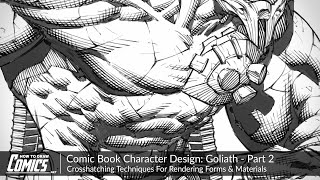
Comic Book Character Design: Goliath - Crosshatching Techniques for Rendering Forms
Explore advanced crosshatching techniques for comic book character rendering. Learn to control tone, create depth, and enhance form using hatch thickness, length, and spacing in Photoshop.

How to Creatively Use the Difference Blending Mode in Photoshop
Explore creative uses of Photoshop's Difference blending mode to recreate the Scream VI poster, incorporating tri-tone color schemes, gradient maps, and efficient group management for striking graphic effects.

Add Graphics or Patterns to Clothes Photoshop Tutorial
Learn to add graphics and patterns to clothing using Photoshop's puppet warp, transform warp, and liquify tools. Master techniques for preparing images, creating templates, and molding designs onto garments.

How to Create Golden Hour in Photoshop Tutorial 2022
Learn to create stunning golden hour effects in Photoshop using sky replacement, color adjustments, and atmospheric elements. Master techniques for landscapes, cityscapes, and portraits.

How to Remove a Background in Photoshop Tutorial 2022
Learn essential techniques for removing backgrounds in Photoshop, including one-click removal, lasso tool tricks, select and mask workspace, and advanced methods like pen and channel selections.