Excel 2016 - Macro Recorder Basics & Copying VBA Code From Internet
Learn to record macros, use absolute and relative references, convert data formats, and implement online VBA code in Excel 2016. Enhance your spreadsheet automation skills with practical examples and techniques.
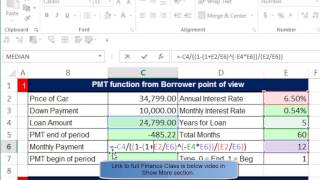
Highline Excel 2016 Class - Financial Functions: PMT, RATE, NPER and FV Examples
Comprehensive guide to Excel's financial functions, covering PMT, RATE, NPER, and FV with practical examples for loans, investments, and retirement planning calculations.
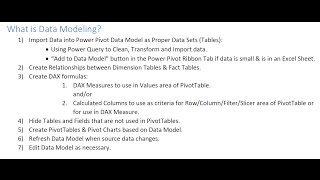
How to Build Data Model and DAX Formulas in Power Pivot
Master data modeling and DAX formulas in Power Pivot for Excel 2016. Learn to create relationships, calculated columns, and measures for powerful data analysis and visualization.
Transform Data Sets Using Advanced Filter - Excel 2016
Master Excel's Advanced Filter with 8 practical examples, from basic AND/OR criteria to complex formulas, unique lists, and professional report creation.
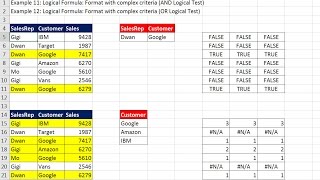
Conditional Formatting to Visualize Data - Built-in and Logical Formulas
Explore advanced Excel data visualization techniques using conditional formatting, including built-in features and logical formulas for effective data analysis and presentation.
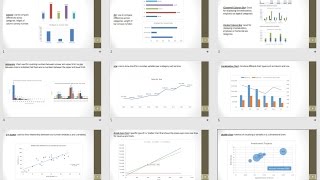
Excel Charts to Visualize Data - Comprehensive Lesson with 11 Chart Examples
Comprehensive guide to creating effective Excel charts, covering 11 types with practical examples and tips for data visualization without unnecessary clutter.
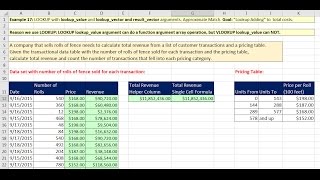
Lookup Functions and Formulas in Excel 2016 - Comprehensive Lessons with 20 Examples
Comprehensive tutorial on Excel lookup functions with 20 practical examples, covering VLOOKUP, HLOOKUP, INDEX, MATCH, and LOOKUP for data retrieval and analysis.
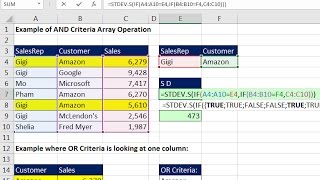
Conditional Calculations with Excel Formulas - Comprehensive Lessons
Comprehensive guide to conditional calculations in Excel, covering AND/OR functions, SUMIFS, array formulas, and more. Ideal for mastering complex data analysis techniques.
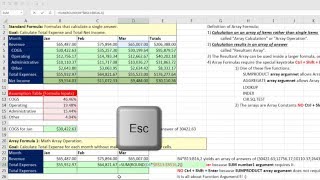
Excel Array Formulas - Comprehensive Lessons with 12 Examples
Comprehensive guide to Excel array formulas, covering 12 practical examples from basic operations to advanced functions like SUMPRODUCT, TRANSPOSE, and FREQUENCY for efficient data analysis.
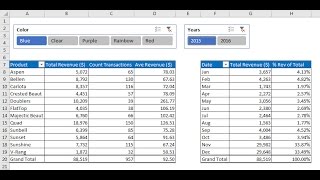
Data Analysis Fundamentals - PivotTables, Power Query & Data Model
Master Excel data analysis with PivotTables, Power Query, and Data Model. Learn sorting, filtering, and advanced techniques to handle large datasets efficiently and create insightful reports.
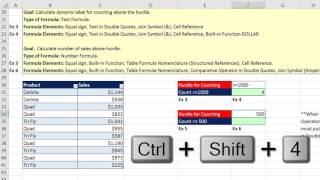
Excel Fundamentals - Comprehensive Formula Lesson
Comprehensive Excel formula tutorial covering 15 examples, including VLOOKUP, IF functions, array formulas, error tracking, and best practices for efficient spreadsheet creation.
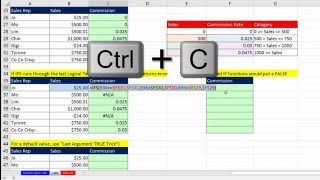
Excel 2016 IFS Functions - Compare and Contrast IF and IFS Functions
Learn to use Excel 2016's IFS function for complex conditional logic, comparing it with IF and VLOOKUP. Explore practical examples and advanced techniques for efficient data analysis and formula creation.
Build Database with Excel Table Feature and VLOOKUP to Get Invoice Detail
Learn to create dynamic databases in Excel using Tables, master VLOOKUP for invoice details, and explore advanced features like structured references and data validation.
Basic Excel Business Analytics - Basic Forecasting Methods & Measures of Forecast Error
Explore essential forecasting techniques and error measures in Excel, including Naïve Method, Moving Average, and Exponential Smoothing. Learn to calculate and interpret forecast accuracy metrics for improved business analytics.
Basic Excel Business Analytics - Forecasting with Linear Regression: Trend & Seasonal Pattern
Learn advanced Excel forecasting techniques using linear regression for trend and seasonal pattern analysis, including FORECAST function and multiple regression with categorical variables.
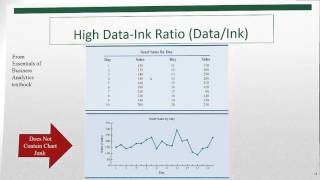
Basic Excel Business Analytics - Visualizing Data: Table & Chart Guidelines
Aprenda diretrizes essenciais para visualização eficaz de dados em Excel, incluindo princípios de design de tabelas, tipos de gráficos e técnicas avançadas como formatação condicional e mapeamento 3D.
Basic Excel Business Analytics - Comprehensive PowerPivot, Data Model, DAX & Reporting Example
Comprehensive guide to PowerPivot: Import big data, build data models, create DAX measures, and generate insightful reports. Master advanced Excel analytics for business intelligence.
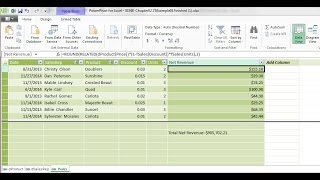
Basic Excel Business Analytics - Introduction to PowerPivot & Data Modeling
Comprehensive introduction to PowerPivot and data modeling in Excel, covering key concepts, DAX functions, and best practices for building efficient and effective data models for business analytics.

Basic Excel Business Analytics - Clean & Transform Data - Formulas, Flash Fill, Power Query, Text To Columns
Aprenda técnicas avançadas para limpar e transformar dados no Excel, incluindo fórmulas, Flash Fill, Power Query e Text to Columns, preparando-os eficientemente para análise.
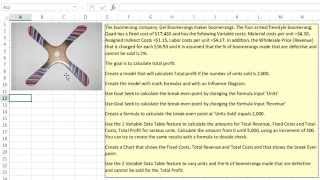
Basic Excel Business Analytics - Good Spreadsheet Model Design, Fixed Variable Cost Example
Learn essential spreadsheet modeling techniques for business analytics, focusing on fixed and variable cost analysis using Excel. Gain practical skills in creating well-designed models for effective decision-making.

Excel XLOOKUP Function – Comprehensive Lessons – 27 Examples
Comprehensive guide to Excel's XLOOKUP function, covering 27 examples from basic usage to advanced techniques like dynamic column retrieval and array formulas.