SharePoint Online Basics Tutorial
Comprehensive introduction to SharePoint Online, covering navigation, collaboration tools, site creation, and customization within the Microsoft 365 ecosystem. Ideal for beginners and teams implementing SharePoint.
EBF Onboarder for Microsoft Intune - Migration and Deployment Tools
Explore Microsoft 365 migration, security consolidation, and EBF onboarder for Intune. Learn about EMS usage, see a demo, and discover top Intune deployment trends in this informative session.
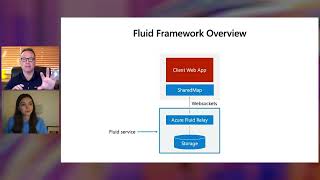
Building Real-Time Collaborative Apps with Azure, Microsoft 365, and Power Platform
Learn to build real-time collaborative apps using Azure, Microsoft 365, and Power Platform. Explore Fluid Framework, Azure Fluid Relay, Power Automate, and Microsoft Graph to enhance business productivity.

Building Employee Experiences with Microsoft Viva Connections and SharePoint Framework
Learn to create engaging employee experiences using Microsoft Viva Connections and SharePoint Framework. Explore dashboard cards, implementation models, and advanced capabilities for tailored enterprise solutions.
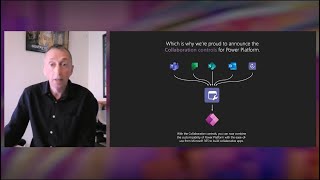
Building Collaborative Apps with Microsoft 365 and Teams Collaboration Controls
Learn to integrate Microsoft 365 and Teams collaboration features into Power Apps, enabling seamless contextual collaboration within business processes and custom experiences surfaced in Teams and other platforms.

Building Great Apps With the Open Platform of Windows
Explore Windows app development with Web, native, cross-platform, and Android capabilities. Learn about Windows App SDK, Windows 11 design, AI features, and Microsoft 365 integration for engaging experiences.
Unlocking the Power of OpenAI for Startups - Microsoft for Startups
Explore Azure OpenAI Service and GitHub Copilot for startups. Learn to deploy GPT-3, fine-tune language models, and leverage AI-powered code suggestions for various use cases in this Microsoft presentation.

Top 10 PowerPoint Animations Tips & Tricks
Learn 10 advanced PowerPoint animation techniques to create dynamic, engaging presentations. Master click, bounce, delayed, and 3D model animations for impactful slides.
How to Use Our Favorite Microsoft 365 Apps - Microsoft To Do, Planner, Power Automate, and More
Explore Microsoft 365's productivity apps: To Do for organization, Forms for feedback, Planner for project management, OneDrive for cloud storage, Power Automate for workflows, and SharePoint for collaboration.
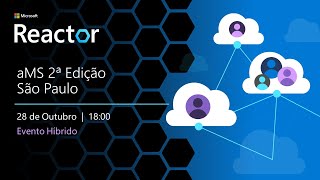
aMS 2nd Edition São Paulo - Microsoft 365 and Power Platform Community Event
Evento da comunidade aMS em São Paulo com palestras sobre Power Platform, Azure DevOps, Microsoft Viva e Power Apps, focando em compartilhamento de conhecimento e experiências na plataforma Microsoft 365.

How to Secure Your Collaboration in 5 Steps
Practical guide for implementing secure collaboration in hybrid workplaces, covering technical, logistical, and cultural aspects to ensure employee communication safety across various work environments.

Embrace a New Way of Work with Microsoft 365
Discover new innovations in Microsoft 365 for enhanced team collaboration, task management, and information organization. Learn about updates to Project, Planner, OneDrive, and Lists for improved productivity.

Realizing Value Through New Intelligent Capabilities for Microsoft 365 Admins
Discover intelligent features for Microsoft 365 admins to enhance user experiences, gain deeper insights, and proactively address issues while maintaining privacy.
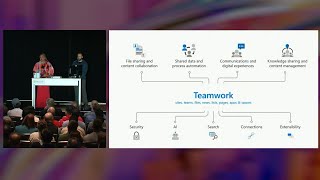
Governance and Security Practices for Microsoft 365 - Including Teams and Viva
Explore frictionless governance for Microsoft 365 Groups, focusing on self-service provisioning, classification, reporting, and lifecycle management. Learn recent updates impacting Teams, Viva, Loop, and Planner.

Unlock New Experiences Across Microsoft 365 to Lower Costs and Empower Employees
Discover new Microsoft 365 capabilities empowering distributed workforces, reducing costs, and enhancing productivity. Learn how integrated cloud solutions enable secure, anywhere work in today's evolving business landscape.
Microsoft 365 Platform Updates for Hybrid Workplace App Development
Explore latest Microsoft 365 platform updates for hybrid workplace app development, including Viva extensibility, Teams integration, and new SDKs for cross-platform collaboration.
Introduction to Exclaimer Cloud for Microsoft 365 Email Signature Management
Discover Exclaimer Cloud for Microsoft 365, a solution that simplifies email signature management, reduces IT strain, and ensures consistency across your organization's communications.

Accelerate Cross-Organization Collaboration with Dynamics 365 and Microsoft 365
Discover new integrations between Dynamics 365 and Microsoft 365 that enhance seamless communication, collaboration, and task management across your organization, enabling improved productivity and efficiency.

Accelerate Cross-Organization Collaboration with Dynamics 365
Discover new integrations between Dynamics 365 and Microsoft 365 that enhance cross-organizational collaboration, enabling seamless communication and task management in the flow of work.
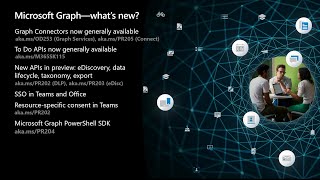
Reimagining Work with the Microsoft 365 Platform
Explore how Microsoft 365 and Teams enhance collaboration, integrate apps with Microsoft Graph, and deliver engaging experiences across devices. Learn about new technologies for building better apps faster.
Microsoft 365 Productivity Tips and Tricks Tutorial
Boost productivity with advanced Microsoft 365 features: keyboard shortcuts, templates, Outlook tools, macros, and more. Learn time-saving techniques to enhance efficiency in Excel, Word, PowerPoint, and other apps.