Google Sheets Advanced Tutorial
Master advanced Google Sheets techniques: data sorting, filtering, charts, pivot tables, functions (IF, VLOOKUP, SUMIF), macros, and more. Enhance your spreadsheet skills for efficient data analysis and visualization.
Cartography
Learn techniques for creating diverse maps, from animated routes to historical visualizations, using various tools like Photoshop, QGIS, and Google Sheets. Explore cartography concepts and unique map styles.
Google Forms Beginner Tutorial
Learn to create, edit, and manage interactive forms, surveys, and quizzes with Google Forms. Master question types, response handling, appearance customization, and integration with other Google Apps.

Research Methodology
Learn essential skills for behavioral science research, from questionnaire design to literature searches and effective presentations.
How to Use Google Drive - Detailed Tutorial
Comprehensive guide to Google Drive: uploading, organizing, sharing, and collaborating on files. Learn essential features and tips for efficient cloud storage and document management.
Google Docs Advanced Tutorial
Master advanced Google Docs features: tables, styles, images, charts, collaboration tools, and more. Enhance your document creation skills with practical tutorials on formatting, organizing, and sharing content effectively.
Google Forms Advanced Tutorial
Master advanced Google Forms techniques for creating interactive surveys, quizzes, and forms. Learn to customize questions, manage responses, integrate multimedia, and utilize advanced features for enhanced functionality.
Google Sheets Tutorial for Beginners 2024 - Step-by-Step
Master Google Sheets essentials: create spreadsheets, import data, format cells, use functions, apply filters, visualize data, and collaborate effectively in this comprehensive beginner's guide.
Conditional Formatting in Excel - Excel Training - Excel Tutorial for Beginners
Learn to enhance Excel data visualization with conditional formatting, including color scales, data bars, and icon sets. Master techniques for highlighting cells based on specific conditions.
How to Use Gmail - Tips and Tricks
Comprehensive tutorial on Gmail usage, covering basics and advanced features like email composition, attachments, confidential mode, custom signatures, and organization tips for efficient email management.
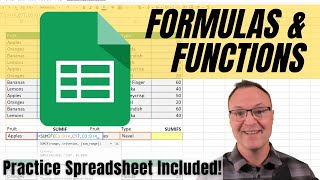
How to Use Formulas and Functions in Google Sheets
Learn essential Google Sheets formulas and functions, from basic math to advanced operations like VLOOKUP and conditional functions, to enhance your data analysis and spreadsheet skills.
How to Use Google Calendar - Tutorial for Beginners
Comprehensive guide to Google Calendar's features, including event creation, task management, and customization options. Learn to efficiently organize your schedule and collaborate with others.

How to Use Google Sites - Tutorial for Beginners
Comprehensive guide to creating and customizing websites using Google Sites, covering layout, content integration, and publishing for educators and beginners.
Google Sheets Tutorial - Designed for Beginners
Comprehensive beginner's guide to Google Sheets, covering layout, formatting, functions, charts, sharing, and protection. Learn essential skills for efficient spreadsheet management and data analysis.

Clickbank for Beginners
Learn effective strategies to promote Clickbank products and generate income using various social media platforms and free traffic methods.

Clickbank Marketing
Learn affiliate marketing strategies for Clickbank, Pinterest, and more. Discover ways to generate income without a website and explore traffic-driving techniques for online success.
OBS
Learn essential OBS Studio techniques, screen recording tips, and video editing hacks for professional-looking content creation across various platforms and applications.

Blogger Tutorials
Comprehensive guide for Blogger platform users, covering widgets, templates, tricks, and tips to enhance blog functionality and appearance. Learn to customize and optimize your Blogger site.
Google Sheets Basics Tutorial - Beginner Course
Comprehensive tutorial covering Google Sheets fundamentals, including spreadsheet creation, formatting, and inserting various elements. Ideal for beginners seeking hands-on practice with downloadable exercise files.
Google Sheets for Excel Users Tutorial
Accelerated training for Excel experts to master Google Sheets, covering advanced features like conditional formatting, real-time collaboration, interactive forms, financial data integration, and automation through macros.
Google Docs Beginner Tutorial
Learn to create, format, and manage documents in Google Docs. Master essential features like text editing, formatting, organization, collaboration, and more for efficient cloud-based word processing.