Excel 365 for Beginners - AutoFill and Flash Fill Techniques - Lecture 21
Explore AutoFill options and Flash Fill in Excel 365 to automate data entry, recognize patterns, and boost productivity. Learn time-saving techniques for efficient spreadsheet management.
Excel 365 for Beginners - Streamline Your Data with Correct Number Format - Part 27
Learn to enhance data readability in Excel 365 by mastering Number Formatting. Explore various formats like currency, dates, and percentages using the Number group on the Home Ribbon.
Excel 365 for Beginners - Formatting Cells, Rows, and Columns Manually - Part 28
Learn to enhance Excel worksheets by manually formatting cells, columns, and rows, exploring various options on the Home Ribbon to create visually appealing and organized data presentations.
Excel 365 for Beginners: Table Creation and Style Customization - Part 35
Learn to convert data into Excel tables, customize styles, rename tables, and efficiently format columns in this tutorial on table creation and customization in Excel 365.
Managing Rows and Columns in Excel 365 - Part 38 of 51
Learn efficient techniques for managing rows and columns in Excel 365, including auto-fitting widths and heights for large datasets, enhancing your spreadsheet organization skills.

How to Use IF, IFS, COUNTIFS, SUMIFS, IFERROR, and IFNA in Excel
Master Excel's logic functions: IF, IFS, COUNTIFS, SUMIFS, IFERROR, and IFNA. Learn to handle complex conditions, streamline formulas, perform conditional counting and summing, and manage errors effectively.
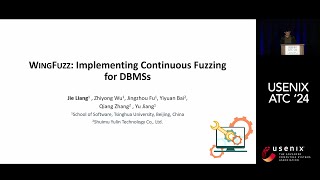
WingFuzz: Implementing Continuous Fuzzing for Database Management Systems
Continuous fuzzing technique for enterprise-level DBMSs, addressing challenges in SQL grammar, codebase evolution, and anomaly analysis. Discovered 236 bugs across 12 major DBMSs.

Interactive Taxi Door Animation in PowerPoint
Learn to create an interactive taxi door animation in PowerPoint using triggers, spin animation, and rotation centers. Enhance your presentations with this engaging and unique visual effect.

Creating a PowerPoint Template with Section Zooms - Tutorial
Learn to create an interactive PowerPoint template with section zooms, including slide design, glass effects, transitions, and more. Enhance your presentation skills with this step-by-step tutorial.

Creating a Dynamic Product Slider in PowerPoint - Step-by-Step Tutorial
Learn to create an interactive, animated product slider in PowerPoint using Morph transitions, clickable buttons, fade effects, and dynamic titles for impressive presentations.

5 Genius PowerPoint Animation Ideas - Step-by-Step Tutorial
Learn five innovative PowerPoint animation techniques with step-by-step instructions. Enhance your presentations with custom, eye-catching animations that will captivate your audience.
Automating Excel, CSV, and Google Sheets with Claude AI
Discover how to automate Excel, CSV, and Google Sheets tasks using Claude AI. Learn to categorize comments, translate languages, generate descriptions, and perform sentiment analysis effortlessly.

Training a PowerPoint AI to Play Tic Tac Toe
Demystifying machine learning by building a Tic Tac Toe AI in PowerPoint, showcasing basic principles and proving that AI concepts are accessible to everyone, not just math experts.

What's New in Google Cloud and Google Workspace
Discover the latest tools and updates for developers to enhance productivity and capabilities on Google Cloud and Workspace platforms.
Contract Tests in the Enterprise
Explore enterprise contract testing strategies with Marcin Grzejszczak. Learn best practices, tools, and techniques for implementing effective contract tests in large-scale software systems.
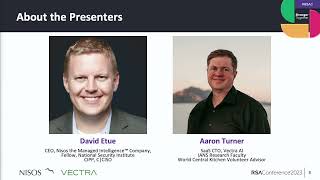
M365 Adversary ROI - Microsoft Cloud Attack Insights
Insights from Adversary ROI research and M365 attack data to build effective security plans, reducing cloud attack risks and improving Microsoft 365 tenant protection.
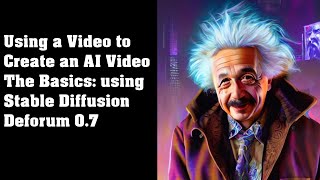
Use a Video to Create an AI Video - The Basics Using Stable Diffusion Deforum
Learn to transform videos using AI with Stable Diffusion Deforum 0.7. Step-by-step guide covers input selection, settings optimization, and rendering techniques for creating unique AI-generated videos.
Outlook Unleashing RCE Chaos: Exploiting CVE-2024-30103
Dive into the critical Outlook security vulnerabilities, exploring remote code execution exploits through COM objects, NTLM leaks, and essential mitigation strategies for enterprise protection.

Google Sheets - From Basics to Advanced Features Tutorial
Master spreadsheet essentials with hands-on practice in data entry, formulas, charts, pivot tables, and collaboration features. Transform raw data into meaningful insights using practical functions and visualization tools.

Building Chatbots with Microsoft Power Virtual Agents - A Step-by-Step Tutorial
Master no-code chatbot development with Microsoft Power Virtual Agents through hands-on guidance in building intelligent conversational bots, automating tasks, and managing customer interactions effectively.

How to Build a Website with Squarespace - Complete Tutorial 2024
Master the complete website creation process with Squarespace, from selecting templates to customizing designs, adding content, and launching a professional site - no coding required.