
Apparating a Platform with InnerSource
Discover how an unfunded web deployment platform idea at Nike grew to support 88% of web projects through community-driven InnerSource development.

Automation and SecOps Integration in Google Cloud Armor
Enhance security delivery and visibility using Infrastructure as Code automation and SecOps integrations in Google Cloud Armor. Learn to expand policy reach and keep your organization safe.

Generative AI and Google Workspace in Under 10 Minutes
Discover how Generative AI in Google Workspace can revolutionize your daily work, boosting creativity, communication, and productivity across various business scales.
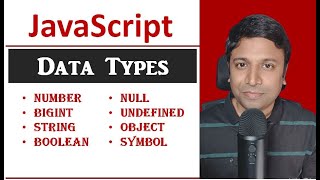
Data Types in JavaScript
Master JavaScript data types: numbers, BigInt, strings, booleans, null, undefined, objects, and symbols. Gain essential knowledge for effective coding and data manipulation.
Grew Up with FOSS in Timor-Leste
Explore the journey of growing up with Free and Open Source Software in Timor-Leste, highlighting its impact and significance in the region.
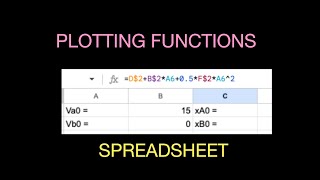
Calculating and Plotting Mathematical Functions with a Spreadsheet - Intro Tutorial
Learn to harness spreadsheet power for plotting equations efficiently. Master quick techniques to visualize mathematical functions graphically.
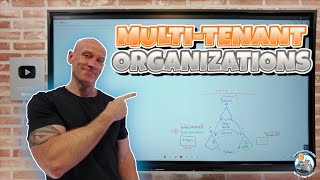
Understanding Multi-Tenant Organizations for Enhanced Collaboration
Enhance collaboration by implementing multi-tenant organizations, streamlining user interactions and improving external federation experiences in Teams.

What's Next for React Native for Desktop - New Architecture and Future Developments
Explore the future of React Native for Desktop, focusing on the new architecture's benefits for desktop development and its potential impact on 1.5+ billion devices.

Solving Optimization Problems with Near Term Quantum Hardware - QHack 2023
Explore quantum approximation optimization, cost functions, and industry applications with insights from a Strangeworks quantum scientist.
Creating and Managing Multilevel Lists in Microsoft Word
Master multilevel lists in Word: Create, customize, and manage hierarchical structures for organized and professional documents. Enhance your formatting skills efficiently.
Creating PivotTables and PivotCharts Dashboards with Slicers in Excel
Learn to create interactive Excel dashboards using PivotTables, PivotCharts, and Slicers. Master data visualization techniques, customize slicer appearance, and integrate timeline slicers for date-based filtering.
The Excel Help Tab and Ribbon in Depth
Explore Excel's Help Tab and Ribbon for comprehensive support, training resources, and community connections. Enhance your skills and stay updated on the latest Excel features.
Excel View Tab and Ribbon in Depth
Explore Excel's View tab features like zoom, freeze panes, and Page Break Preview to enhance productivity and streamline your workflow in this comprehensive tutorial.
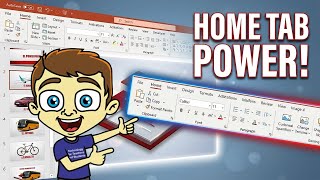
The PowerPoint Home Tab and Ribbon In Depth - Comprehensive Tutorial
Explore essential PowerPoint Home Tab features to enhance graphic design and streamline slide management. Learn to use ribbon tools effectively for improved presentations and workflow.
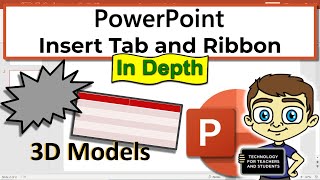
The PowerPoint Insert Tab and Ribbon In Depth
Master PowerPoint's Insert Tab: Add graphics, images, tables, and 3D models to create engaging presentations. Learn to enhance your slides with various multimedia elements for impactful visual communication.

How to Use VLOOKUP in Google Sheets - Beginner's Tutorial
Master VLOOKUP in Google Sheets: Find and match data efficiently. Step-by-step examples cover basics to advanced techniques, including multiple criteria and error handling.

How to Make Videos Using Only PowerPoint - No Extra Software Needed
Transform PowerPoint presentations into professional videos with animations, transitions, and voiceovers. Learn to create engaging content without extra software, perfect for educators and businesses.

Getting Started with Microsoft OneNote - Organize Your Life, Work, and Study
Comprehensive guide to Microsoft OneNote: Learn to create notebooks, organize content, use tags, and collaborate effectively for improved productivity in work, study, and personal life.

LibreOffice - A Powerful Open Source Alternative to Microsoft Office
Explore LibreOffice: a powerful, free alternative to Microsoft Office. Learn installation, features, customization, and collaborative editing in this comprehensive overview.
Excel 365 for Beginners - Navigating Workbooks and Ribbons - Lecture 5
Learn to navigate Excel 365's interface, create workbooks, and understand key elements like ribbons, tabs, and toolbars. Master the basics of Excel's structure for efficient spreadsheet management.
How to Use the PMT Function to Calculate Loan Repayments in Excel
Learn to calculate loan repayments using Excel's PMT function. Master What-If Analysis tools, build amortization schedules, and enhance financial analysis skills for efficient loan management.