
Portrait Retouching in Lightroom and Photoshop - Tips and Techniques
Learn professional portrait retouching techniques using Lightroom Classic and Photoshop. Master adjustments, blemish removal, dodging and burning, and cutting out subjects to elevate your photo editing skills.
Lightroom and Photoshop Workflows - Advanced Editing Techniques - Part 2
Learn advanced Lightroom and Photoshop techniques with Matt Kloskowski. Discover best practices, custom presets, and efficient workflows to enhance your photo editing skills.

Photography Masterclass: Getting Started in Lightroom Classic - Part 2
Learn Lightroom Classic essentials: importing, organizing, and editing images. Master the Library Module, explore new features, and discover best practices for efficient photo management.
How to Get Started in Lightroom Classic - Photography Masterclass Part 1
Learn to set up and organize your photo library in Lightroom Classic. Master catalog creation, file management, importing, and smart collections for efficient workflow and complete control over your images.
Ricoh Theta Z1 HDR with Photomatix and Exposure Blending - Upload on Facebook and Oculus as a 360° Photo
Learn advanced HDR techniques for Ricoh Theta Z1, including Photomatix editing, exposure blending, and uploading 360° photos to Facebook and Oculus. Enhance your virtual tour creation skills.
Tips and Tricks for Editing in Lightroom with Tamer Ghoneim
Discover expert Lightroom editing techniques from photographer Tamer Ghoneim. Learn to enhance photos using tools like histogram, gradient, and HSL for stunning results.

Editing Photos in Lightroom Like a Boss - Sliders + Order Explained in Plain English
Master Lightroom photo editing: Learn slider adjustments, optimal order, and techniques to enhance your images effectively. Understand key tools for impactful results.
Lightroom Classic - Post Processing Masterclass
Comprehensive Lightroom Classic tutorial covering essential post-processing techniques, from basic adjustments to advanced editing, empowering photographers to enhance their images and express their creative vision.
Photographic Futures - Technological Developments in Digital Imaging
Explore technological advancements in photography, from film to digital, and their impact on image-making. Gain insights into sensor technology, mirrorless cameras, and modern imaging techniques.
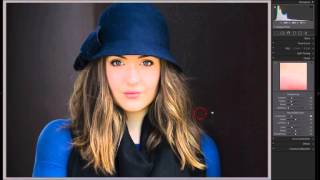
Tethered Capture Using Adobe Lightroom
Enhance your photography workflow with tethered capture techniques in Adobe Lightroom, covering custom profiles, white balance, and advanced capture methods.

Adobe Lightroom CC Course for Beginners - Photo Editing Tutorial
Comprehensive photo editing tutorial covering Lightroom Classic and CC Mobile, from importing and organizing to advanced editing techniques for enhancing light, color, and detail.
Lightroom Classic Full Edit - Bringing Back the Mood
Comprehensive Lightroom Classic tutorial for enhancing mood in photos. Covers advanced techniques like masking, local adjustments, and linear profiles to recreate original scene ambiance.

Grand Canyon Photo Editing Tutorial - Topaz, Luminar 4, and Photoshop
Learn advanced photo editing techniques for stunning Grand Canyon images using Topaz, Luminar 4, and Photoshop. Enhance colors, remove distractions, and create breathtaking landscapes with expert guidance.

Flower Photography Workflow Tutorial - Lightroom, Photoshop, and Topaz Studio 2
Learn to enhance flower photos with a dreamy, ethereal look using Lightroom, Photoshop, and Topaz Studio 2. Master techniques for soft backgrounds, noise reduction, and sharpening in macro photography.

Lightroom Mobile Tutorial for Beginners
Master Lightroom Mobile: shoot RAW, edit on-the-go, create presets, and share high-quality images directly from your phone or tablet. Learn essential techniques for professional mobile photography.
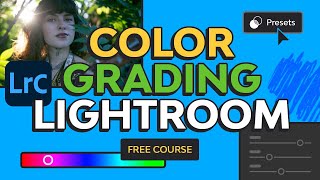
Creative Color Grading in Lightroom Classic - Color Grading Lightroom Tutorial
Master color grading in Lightroom Classic: Learn adjustment presets, custom color grades, toolkit presets, masking techniques for portraits and skies, and advanced range masking for creative emphasis.

Background Repair: Using Topaz and Photoshop for Ugly Backgrounds
Learn to repair unsightly backgrounds using Topaz Mask AI and Photoshop. This tutorial covers a complete editing workflow from Lightroom to Photoshop, utilizing various Topaz plugins for optimal results.
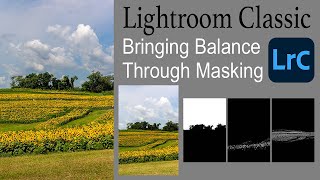
Lightroom Classic: Bringing Balance Through Masking
Learn to enhance image balance using Lightroom Classic's new masking tools. This tutorial demonstrates techniques to improve your photos through advanced editing features.
Lightroom Classic 11.0.1 - Precise Local Brushing with Intersect Masking
Learn precise local brushing adjustments in Lightroom Classic using intersect masking with luminance range, color range, and sky selection masks for enhanced photo editing capabilities.
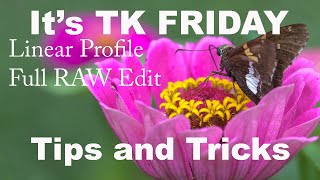
Working with Linear Profiles - Full RAW Edit Tips and Tricks
Comprehensive tutorial on using Linear Profiles in Lightroom Classic for RAW editing, offering tips and tricks to maximize their benefits for enhanced photo processing.
The LINEAR PROFILE - A New Beginning in Lightroom and Camera RAW
Discover the power of Linear Profiles in Lightroom and Camera RAW. Learn installation, usage, and benefits for enhancing your photo editing workflow and achieving superior results.