
Retouching Photos and GIFs for Social Media - Part 1
Learn photo and GIF retouching techniques for social media with Weekend Creative. Master Lightroom and Photoshop editing, create cohesive looks, and gain insights on running a creative business.

Photography Masterclass: Syncing Across Desktop, Cloud, and Mobile in Lightroom
Explore Lightroom syncing across desktop, cloud, and mobile platforms. Learn to manage photo collections, troubleshoot sync issues, and optimize workflow in this comprehensive masterclass.
Cinematic Photo Editing in Lightroom Classic and Photoshop - Part 1
Learn cinematic photo editing techniques in Lightroom and Photoshop with photographer Idara Ekpoh. Master color grading, dodging and burning, selective adjustments, and creative effects to elevate your images.
Photography Masterclass - New Features in Lightroom and Lightroom Classic - Fall 2021
Explore new Lightroom features: advanced masking tools, auto upright, metadata customization, and mobile enhancements. Enhance your photo editing skills with expert guidance.

Photography Masterclass - Lightroom vs. Lightroom Classic Comparison
Explore the differences between Lightroom and Lightroom Classic with Adobe expert Terry White. Learn about cloud syncing, features, and advantages to choose the best option for your photography workflow.

Self Portraits and Visual Storytelling - Editing Techniques in Lightroom and Photoshop - Part 1
Learn advanced self-portrait techniques and visual storytelling with photographer Idara Ekpoh. Master Lightroom Classic and Photoshop for stunning edits, including skin retouching, color grading, and creative effects.

Photography Masterclass: Photoshop for Lightroom Users
Learn to enhance your photo editing skills with Photoshop techniques tailored for Lightroom users. Discover when to use Photoshop, prepare images for social media, and add text to your photos.

Portrait Retouching in Lightroom and Photoshop - Tips and Techniques
Learn professional portrait retouching techniques using Lightroom Classic and Photoshop. Master adjustments, blemish removal, dodging and burning, and cutting out subjects to elevate your photo editing skills.

Photography Masterclass: Getting Started in Lightroom Classic - Part 2
Learn Lightroom Classic essentials: importing, organizing, and editing images. Master the Library Module, explore new features, and discover best practices for efficient photo management.
How to Get Started in Lightroom Classic - Photography Masterclass Part 1
Learn to set up and organize your photo library in Lightroom Classic. Master catalog creation, file management, importing, and smart collections for efficient workflow and complete control over your images.

Editing Photos in Lightroom Like a Boss - Sliders + Order Explained in Plain English
Master Lightroom photo editing: Learn slider adjustments, optimal order, and techniques to enhance your images effectively. Understand key tools for impactful results.
Lightroom Classic - Post Processing Masterclass
Comprehensive Lightroom Classic tutorial covering essential post-processing techniques, from basic adjustments to advanced editing, empowering photographers to enhance their images and express their creative vision.
Lightroom Classic Full Edit - Bringing Back the Mood
Comprehensive Lightroom Classic tutorial for enhancing mood in photos. Covers advanced techniques like masking, local adjustments, and linear profiles to recreate original scene ambiance.
Creative Color Grading in Lightroom Classic - Color Grading Lightroom Tutorial
Master color grading in Lightroom Classic: Learn adjustment presets, custom color grades, toolkit presets, masking techniques for portraits and skies, and advanced range masking for creative emphasis.
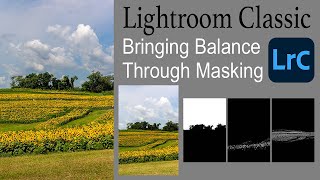
Lightroom Classic: Bringing Balance Through Masking
Learn to enhance image balance using Lightroom Classic's new masking tools. This tutorial demonstrates techniques to improve your photos through advanced editing features.
Lightroom Classic 11.0.1 - Precise Local Brushing with Intersect Masking
Learn precise local brushing adjustments in Lightroom Classic using intersect masking with luminance range, color range, and sky selection masks for enhanced photo editing capabilities.
Working with Linear Profiles - Full RAW Edit Tips and Tricks
Comprehensive tutorial on using Linear Profiles in Lightroom Classic for RAW editing, offering tips and tricks to maximize their benefits for enhanced photo processing.
Image Enlargement and Sky Replacement - Lightroom, Topaz AI, and Photoshop Tutorial
Aggressive image cropping, upsizing, and sky replacement using Lightroom, Topaz AI tools, and Photoshop for enhanced photo editing results.
Lightroom 12 and ACR Update - One-Click Beauty Retouching with New Selection Tools
Discover new masking tools in Lightroom Classic and Adobe Camera Raw for effortless one-click beauty retouching, enhancing portraits with precision selections for hair, eyes, skin, and lips.
Select Anything with One Click in Lightroom and Adobe Camera RAW
Discover the new Select Objects tool in Lightroom and Adobe Camera RAW, enabling one-click selection of any item. Learn how this powerful feature simplifies photo editing workflows.
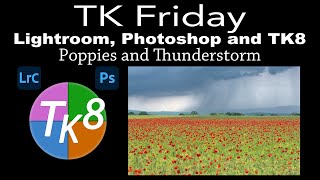
Lightroom Classic, Photoshop, and TK8 Editing Tutorial - Poppies and Thunderstorm Image
Comprehensive tutorial on enhancing a poppy and thunderstorm image using Lightroom Classic, Photoshop, and TK8 plugin, featuring advanced techniques like Saturation Painting for stunning results.