Learn Fusion 360 or Die Trying - Introduction Tutorial for Absolute Beginners
Comprehensive introduction to Fusion 360 for beginners, covering basic concepts, sketching techniques, and essential tools to overcome common frustrations and build a solid foundation.
Learn Fusion 360 - Fastest Fusion 360 Quickstart Tutorial
Comprehensive quickstart guide for Fusion 360, covering essential 3D modeling skills from sketching to exporting. Ideal for beginners seeking rapid proficiency in CAD for 3D printing projects.
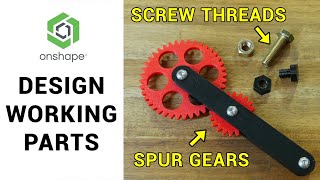
Designing and Assembling Parts with Screw Threads and Gears - 3D Design for 3D Printing
Learn to design 3D-printable parts with screw threads and gears using Onshape's FeatureScript tools. Create a working fidget toy mechanism while exploring advanced CAD techniques for improved 3D printing results.
STL File Editing is Finally Easy with Fusion 360's New Parametric Mesh Workspace
Discover Fusion 360's new parametric mesh workspace for easy STL file editing, mesh repair, and conversion to solid bodies. Learn advanced techniques for seamless integration of engineered features with existing mesh bodies.

Shining Light on the Pipe Command
Learn to create complex geometry using the Pipe command in Autodesk Fusion 360. Master techniques for designing a patio light, including modeling, material application, and rendering for realistic product visualization.

Introduction to Unreal Studio - Webinar - Unreal Engine
Explore Unreal Studio's time-saving features for architectural visualization, engineering, and product design. Learn workflow benefits, installation, and key tools like Datasmith for efficient 3D content creation.
Derive-ing Lessons
Explore Autodesk's Derive command to create interconnected parts, use User Parameters for dynamic modeling, and learn efficient design techniques for LED wall art creation.
Meshing Around - How Fusion 360's Parametric Mesh Workspace Sets the Bar for Mesh Editing
Explore Fusion 360's parametric mesh workspace for advanced mesh editing, repair, and conversion. Learn to modify STL files, hollow meshes, and seamlessly integrate engineered features with existing mesh bodies.
How Would You Model That
Learn to model curved surfaces, use Mirror, rearrange timelines, and simplify sketches in Autodesk Fusion 360. Gain practical tips for creating complex parts with efficient techniques and constraints.
Intermediate Surface Modeling for Fusion 360
Intermediate surface modeling techniques in Fusion 360, featuring real-life examples from FXR Racing. Learn new tools and apply them to practical problems, with insights on rapid prototyping using 3D printing.
Electromechanical Workflows Using Fusion 360 Electronics
Comprehensive overview of Fusion 360's electronic design capabilities, covering schematic creation, PCB layout, 3D integration, and collaboration features for electromechanical projects.
Creating Wire Baskets with Fusion 360
Learn to create parametric wire baskets efficiently using Fusion 360's powerful tools. Explore techniques for loops, symmetry, and custom forms in this step-by-step tutorial.
Fusion Academy Refresher - Surface Modeling Under the Hood
Explore advanced surface modeling techniques in Fusion 360, focusing on splines, sweeps, lofts, and patches. Learn robust solutions for common challenges and gain in-depth knowledge of the underlying technology.
Using 2D DWG-DXF to Create 3D Model
Learn to transform 2D DWG/DXF files into 3D models using Autodesk tools. This tutorial covers importing, exporting, sketching, extruding, and utilizing various features to create detailed 3D designs from 2D drawings.
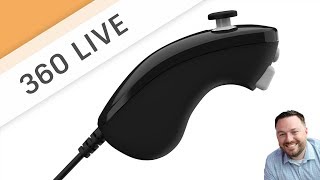
Sculpt a Nunchuck Controller
Learn to model a Nunchuck Controller using t-splines in Fusion 360. This live stream covers techniques like canvas usage, calibration, editing, manipulations, and solid modeling for creating detailed 3D designs.

Using T-Splines to Convert a Mesh to a Solid
Learn to convert meshes into solids using T-Splines in Autodesk Fusion 360. Master techniques like sculpting, adjusting shapes, and troubleshooting for efficient 3D modeling workflows.

Sculpting Generative Results
Learn to modify generative design results using t-splines in Fusion 360. Master techniques like edge manipulation, work plane creation, and symmetry tools to refine and optimize your 3D models.
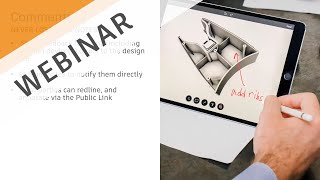
Working from Home - Collaboration Made Easy
Discover cloud-based tools in Fusion 360 for seamless remote collaboration, real-time communication, and easy sharing of 3D models and drawings with stakeholders, enhancing productivity while working from home.

Organic Meshes in Fusion 360
Learn to create organic-looking objects in Fusion 360 using the Pipe command. Discover tips for quickly designing unique shapes like glass vases and cylinders with mesh-based techniques.
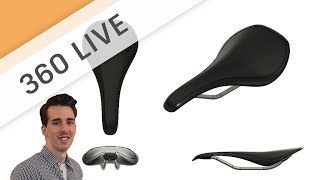
Sketch to 3D Concept - Designing a Bicycle Saddle
Learn freeform sculpt modeling for conceptual design, focusing on techniques like creating forms, adding details, and modifying shapes using various tools in a bicycle saddle design project.
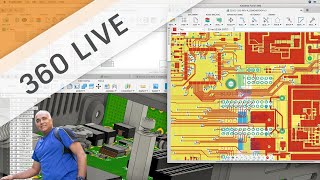
Getting Started with Fusion 360 Electronics
Introduction to Fusion 360's electronic workspace, covering schematic and circuit board editing. Learn to access libraries, add components, use commands, and create board layouts for electronic design projects.