
Create 3D Animations Using HTML, CSS & JS - Scrolling Animation Using Canvas
Learn to create captivating 3D scrolling animations using HTML, CSS, and JavaScript with canvas. Master techniques for manipulating movement, rotation, and facial expressions in interactive web animations.

VPython for Beginners - Trails and Arrows - Lecture 33
Learn to enhance 3D animations in VPython by adding trails and arrows to objects, improving visualization and clarity. Ideal for beginners exploring this free animation library based on Python.

VPython for Beginners - Widgets - Lesson 54
Learn to enhance VPython animations with interactive widgets like buttons and sliders, adding engagement and accessibility to your 3D visualizations.
The Friction of Web Standards - CSS Implementation Challenges
Exploring challenges in web standards implementation, focusing on specification interaction friction and ways to maintain web interoperability while accelerating new feature debuts.

VFX Graph Smoke Portal Sample Breakdown - Unity Tutorial
Comprehensive tutorial on creating a VFX smoke portal in Unity, covering Houdini simulation, integration, effects, optimization, and lighting for stunning visual results.

CSS-Only Particle Animations
Learn to create stunning 3D particle animations using only CSS. Master techniques for laser effects, spark generation, and dynamic scene creation in this hands-on tutorial.
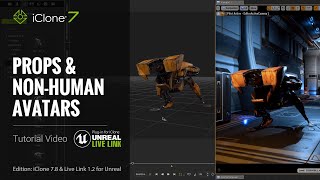
Unreal Live Link Plug-in Tutorial - Transferring Props and Non-human Avatars to Unreal Engine
Learn to import basic and animatable props, non-human characters from iClone to Unreal Engine using the Unreal Live Link plug-in. Covers real-time animation in Unreal and tips for choosing between Live Link and FBX pipeline.

Enhanced Camera Operation with Python Free Plug-ins for iClone 7
Learn to enhance iClone 7 workflow using Python API plug-ins. Explore hand gestures puppeteering, smooth camera follow, auto focus, and dolly zoom techniques to boost creativity and productivity in 3D animation.
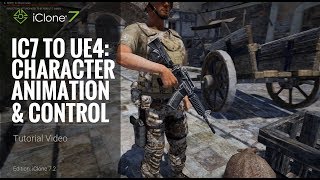
iClone 7 to Unreal 4 - Character Animation and Control - Part 2
Learn to export custom skeletons with animations from iClone to Unreal Engine, create animation blueprints, and implement character controls for seamless integration in game development projects.

Character Creator 3 Tutorial - Creating NPCs for Unity 3D with Game Base Optimization
Learn to create optimized game-ready characters using Character Creator 3, including converting to Game Base, reducing polygon count, and importing into Unity with a specialized script.
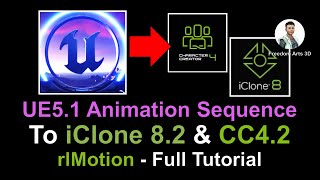
Export Unreal Engine 5.1 Animation Sequence to iClone and Character Creator as rlMotion
Learn to transfer animation sequences from Unreal Engine 5.1 to iClone 8.22 and Character Creator 4.22 using rlMotion format, streamlining your workflow for game development and virtual production projects.
How to Convert iClone 8 Motion to Unreal Engine 5.2 and Retarget on Any 3D Avatar - Tutorial
Learn to convert iClone 8 motion to Unreal Engine 5.2 and retarget it on any 3D avatar using Freedom Animation Pipeline V8.5 Plugin. Master FBX export, import, and animation sequence creation for game projects.
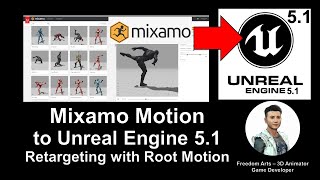
Mixamo Motion to Unreal Engine 5.1 - Retargeting 3D Avatars with Root Motion
Learn to import and retarget Mixamo animations onto custom 3D avatars in Unreal Engine 5.1, including those with and without root bones. Essential skill for game developers with step-by-step guidance.
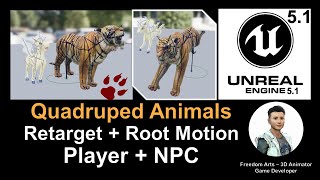
Retarget Quadruped Four-Leg Animal in Unreal Engine 5.1 with Root Motion - Full Tutorial
Learn to retarget quadruped animal models with root motion in Unreal Engine 5.1. Step-by-step guide for creating controllable avatars or NPCs for your game projects.
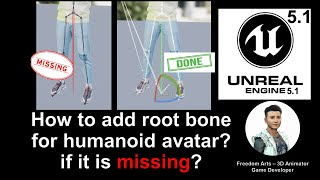
Adding a Root Bone for Humanoid Avatar in Unreal Engine - Tutorial
Step-by-step guide to adding a root bone for humanoid avatars in Unreal Engine 5.1, focusing on solutions using Character Creator 4 or Maya for improved retargeting and root motion.
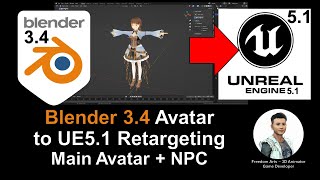
Blender Rigged 3D Avatar to Unreal Engine 5.1 - Retargeting, Main Avatar, and NPC Creation
Learn to export rigged 3D avatars from Blender to Unreal Engine 5.1, retarget them, and use them as main characters or NPCs in your game projects with this comprehensive step-by-step guide.
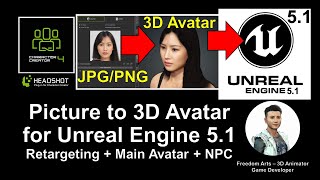
Picture to 3D Avatar in Unreal Engine 5.1 - Main Character and NPC Creation
Generate lifelike 3D avatars from a single photo using Character Creator 4.1, then import into Unreal Engine 5.1 with facial morphs and skeleton for use as main characters or NPCs in game projects.
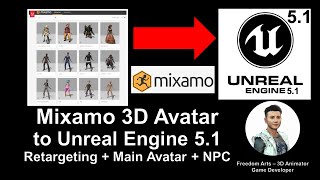
Importing Mixamo 3D Avatar to Unreal Engine 5.1 - Retargeting, Main Avatar, and NPC Tutorial
Learn to import, retarget, and utilize Mixamo 3D avatars in Unreal Engine 5.1 for creating main characters and NPCs in your game projects. Step-by-step guide with real-time demonstrations.
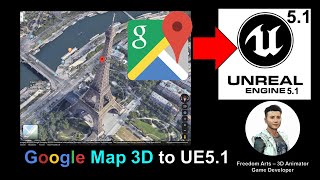
Google Map 3D to Unreal Engine 5.1 - Full Tutorial
Step-by-step guide to import Google Map 3D cities, buildings, and terrain into Unreal Engine 5.1 for game projects. Learn to transform real-world locations into immersive virtual environments.
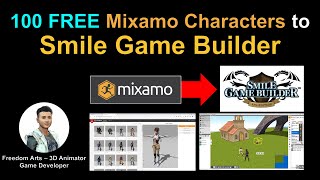
Importing 100 Mixamo Characters into Smile Game Builder
Learn to import 100 free Mixamo characters into Smile Game Builder using 3DXchange and Simplygon. Step-by-step tutorial covers workflow and software integration for game development.
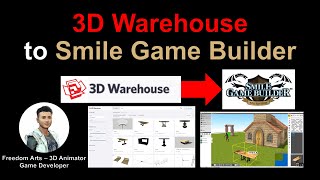
Importing 3D Models from 3D Warehouse to Smile Game Builder
Learn to import free 3D models from 3D Warehouse into Smile Game Builder for creating games without coding. Covers SketchUp Pro, 3DXchange, and Simplygon to prepare models for game development.