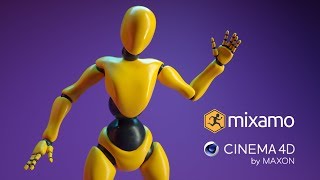
Cinema 4D & Mixamo Tutorial - Fast & Easy 3D Character Rigging & Animation
Learn to easily rig and animate 3D characters using Mixamo and Cinema 4D R21's Mixamo Control Rig. This tutorial covers model preparation, Mixamo basics, importing rigged files, and using control rig features for efficient animation.
Mixamo Character Animation in Cinema 4D - Enhanced with R21
Learn to enhance Mixamo character animations in Cinema 4D R21 using the new control rig, enabling powerful customization and control over mocap animations for your motion design projects.

Modeling for Animation - Retopologizing the Face
Learn to retopologize a 3D face model, from initial edge flow analysis to final details. Master techniques for creating realistic facial features and prepare your model for animation.

Mixamo and FaceIt: Easy Full Character Rigging and Motion Capture
Learn to easily rig and animate full characters using Mixamo and FaceIt in Blender. Create expressive facial animations with motion capture, even without technical expertise.
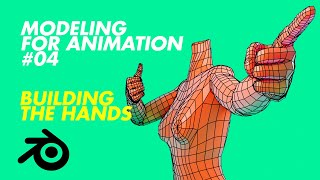
Modeling for Animation - Building the Hands - Part 4
Learn to model realistic hands for animation, from palm and finger construction to thumb modeling and rigging. Includes testing with Rigify and integration with Mixamo.

How to Use Free Motion Capture Files, Animation Retargeting Tools and Rigs in Blender
Learn to utilize free motion capture files, animation retargeting tools, and rigs in Blender. Discover techniques for importing, retargeting, and cleaning up animations using various tools and resources.
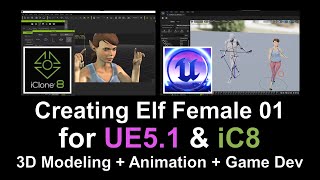
Creating an Interactive Elf Female Avatar - From Fuse to Unreal Engine 5.1 and iClone 8
Learn to create an interactive Elf Female Avatar using Fuse, Maya, Mixamo, Unreal Engine 5.1, and iClone 8. Master character design, rigging, facial morphing, and animation setup for game development.
Create and Animate a 3D Female Zombie Character Using Multiple Software Tools
Learn to design, rig, and animate a 3D female zombie character using multiple software platforms, from initial creation to final testing in game engines and animation tools.
Fuse to Unreal Engine 5 - Full Tutorial for Character Creation and Import
Step-by-step guide to create 3D characters with Fuse and import them into Unreal Engine 5, covering installation, avatar creation, skeleton setup, exporting, and importing using Retarget Manager.
Photo to FBX with Rig - 3D Modeling Animation and Game Dev Tutorial Using PIFuHD
Generate 3D human avatars from photos using PIFuHD and export as rigged FBX files for use in various 3D software. Learn to create unlimited characters for animation and game development projects.

Recreating a 3D Scene with Animation in Cartoon Animator
Learn to recreate 3D scenes in Cartoon Animator 4, using Motion Link, 3D Motion Converter, and 2D motion tools. Explore 3D character motions, camera movements, and scene assembly in a 2D environment.
Easy Rigging and Animation Using AccuRig & Mixamo
Learn to rig and animate 3D characters using AccuRig and Mixamo. Covers rigging, importing to Blender, downloading animations, retargeting, and tweaking for professional results.
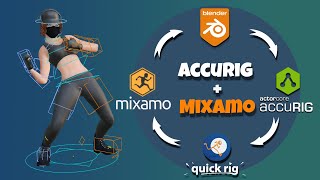
Fast Rigging and Animation - AccuRig, Mixamo & Quick Rig - Blender Workflow
Learn efficient character rigging and animation techniques using AccuRig, Mixamo, and Quick Rig in Blender. Master the workflow for fast, professional-quality character setups and animations.
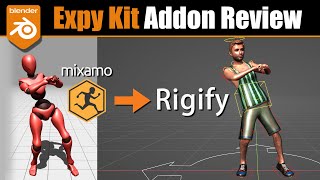
Blender Expy Kit Addon - Mixamo to Rigify
Learn to convert Mixamo rigs to Rigify in Blender using the Expy Kit addon. Explore workflows for retargeting animations, batch renaming, and efficiently working with Mixamo animation packs.
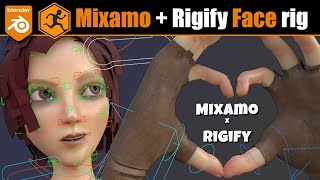
Blender - Mixamo Control Rig + Rigify Face Rig
Learn to add a Rigify face rig to Mixamo-rigged characters in Blender. Covers mesh prep, bone alignment, weight assignment, and animation retargeting for enhanced character facial expressions and game exports.
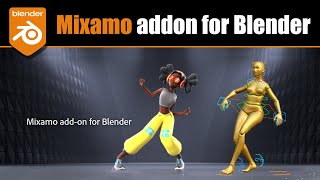
Mixamo Addon for Blender
Learn to use the Mixamo addon in Blender for creating control rigs, importing mocap data, and combining animations. Explore features like IK/FK switching and discover tips for a stable workflow.
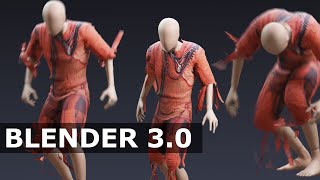
MoCap Cloth Sims - Blender & Mixamo
Learn to create realistic cloth simulations in Blender using Adobe Mixamo characters. Master techniques for importing, modifying meshes, applying textures, and rendering stunning animations with cloth dynamics.
How to Animate CC4 Avatar in Blender - Motion, Lip Sync, and Facial Animation
Learn to animate Character Creator 4 avatars in Blender: retarget body animations, create path constraints, generate lip sync, and more. Master essential techniques for 3D character animation.

Mixamo Animation Secrets - Practical Techniques for Blender
Discover practical techniques to enhance Mixamo character animations in Blender, including looping, combining, and remixing animations, as well as fixing common issues like teleporting and sliding.
Mixamo Motion to Unreal Engine 5.1 - Retargeting 3D Avatars with Root Motion
Learn to import and retarget Mixamo animations onto custom 3D avatars in Unreal Engine 5.1, including those with and without root bones. Essential skill for game developers with step-by-step guidance.
Importing Mixamo 3D Avatar to Unreal Engine 5.1 - Retargeting, Main Avatar, and NPC Tutorial
Learn to import, retarget, and utilize Mixamo 3D avatars in Unreal Engine 5.1 for creating main characters and NPCs in your game projects. Step-by-step guide with real-time demonstrations.