Using ActorCore and Python Plug-ins to Speed Up Your Workflow
Enhance 3D animation workflow using ActorCore's motion library and iClone's Python API plugins. Learn to combine pre-made assets with custom scripts for efficient, high-quality scene creation.
Creating Character Models from Concept Art - Part 1
Learn to create game character models from concept art using Character Creator, ZBrush, and GoZ. Master body proportions, facial features, and sculpting techniques for realistic 3D characters.
The Powerful Facial System for LipSync, Smart Hair, and ARKit Facial Mocap in iClone 7.9
Explore iClone 7.9's advanced facial animation features, including enhanced lip sync, ARKit mocap, and improved hair system for creating customized characters with realistic facial expressions.
Multipass Recording with Face Puppet and Mastering Face Key
Learn advanced facial animation techniques using Face Puppet and Face Key in iClone 7. Master multipass recording, ARKit profiles, and timeline editing for creating realistic and expressive character animations.
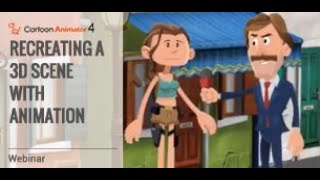
Recreating a 3D Scene with Animation in Cartoon Animator
Learn to recreate 3D scenes in Cartoon Animator 4, using Motion Link, 3D Motion Converter, and 2D motion tools. Explore 3D character motions, camera movements, and scene assembly in a 2D environment.

Enhanced Camera Operation and Python Plug-ins for iClone
Learn to enhance iClone 7 camera operations using Python plug-ins. Explore hand gesture puppeteering, smooth camera follow, auto-focus, and dolly zoom techniques for improved 3D animation workflows.
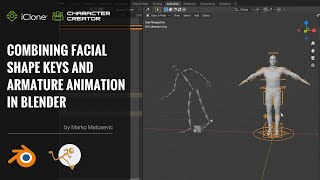
Combining Facial Shape Keys and Armature Animation in Blender with Auto-Rig Pro - Part 4
Learn to combine facial shape keys and armature animation in Blender using Auto-Rig Pro. This tutorial covers exporting, importing, rigging with Auto-Rig Pro, merging armatures, and applying motions for efficient character animation.

Character Creator to Blender Pipeline with Auto-Rig Pro - Part 1
Learn to export characters from Character Creator to Blender, set up materials, and rig with Auto-Rig Pro. Reduce animation production time significantly with expert tips and techniques.

Facial Motion Capture Tips and Techniques for iClone 7
Learn facial motion capture techniques for iClone 7, including setup, capturing, editing, and reusing animations. Explore combining mocap with traditional lip-sync methods for character monologues.
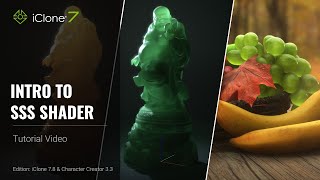
Introduction to SSS Shader in iClone 7.8 and Character Creator 3.3
Learn to enhance character visuals using Sub-surface Scattering (SSS) Shader in iClone 7.8 & CC 3.3. Explore light settings, texture adjustments, and shader conversion for more realistic skin rendering.
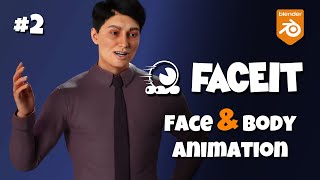
FaceIt Tutorial - Body Rigs + FaceIt Mocap - Blender
Comprehensive tutorial on integrating FaceIt with body rigs in Blender, covering setup, expressions, mocap, and compatibility with various character creation tools. Ideal for 3D animators and riggers.
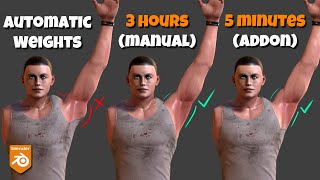
Corrective Smooth Baker, Blender Addon - AKA Delta Mush
Learn to bake smooth corrective modifier effects to vertex weights in Blender, enabling export of rigged meshes with improved deformations. Explore workflows for complex rigs and efficient addon usage.

FaceIt Tutorial - Facial Mocap & ShapeKeys Addon - Blender
Learn to create facial shape keys and apply motion capture in Blender using FaceIt addon. Covers setup, rigging, expressions, baking, shape creation, control, and mocap integration for versatile character animation.
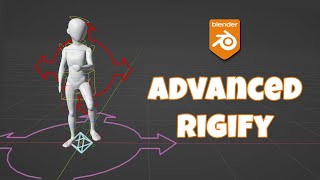
Advanced Rigify - Custom Root and Multiple Root Controls
Learn advanced Rigify techniques for custom root controls and multiple root setups in Blender. Enhance your character rigging skills with practical solutions and time-saving scripts for complex rig structures.
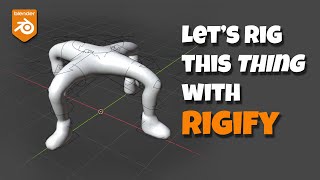
Let's Rig Something Weird With Rigify - Blender Tutorial
Learn to rig unconventional characters in Blender using Rigify. Master techniques like aligning bones, copying limbs, fixing misalignments, and adding body controls for efficient and flexible character rigging.
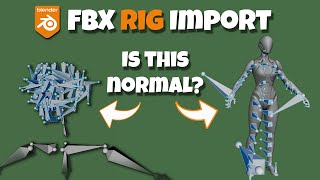
Fix Wrong Bone Length - Orientation of Imported Rigs
Learn to fix incorrect bone length and orientation issues when importing rigs into Blender. Understand bone representation, FBX import quirks, and solutions for common problems in 3D character rigging.
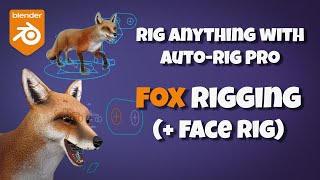
Auto-Rig Pro Tutorial - Rigging a Fox With Face
Learn to rig a fox character with Auto-Rig Pro, including facial rigging. Master model preparation, bone alignment, weight painting, and fixing common issues for a complete character setup.
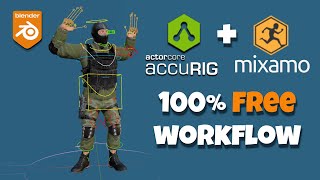
Easy Rigging and Animation Using AccuRig & Mixamo
Learn to rig and animate 3D characters using AccuRig and Mixamo. Covers rigging, importing to Blender, downloading animations, retargeting, and tweaking for professional results.
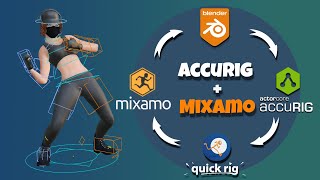
Fast Rigging and Animation - AccuRig, Mixamo & Quick Rig - Blender Workflow
Learn efficient character rigging and animation techniques using AccuRig, Mixamo, and Quick Rig in Blender. Master the workflow for fast, professional-quality character setups and animations.
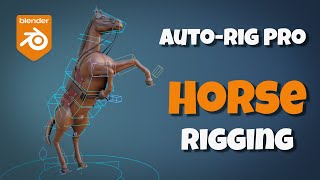
Auto-Rig Pro Tutorial - Rigging a Horse
Learn to rig a horse model using Auto-Rig Pro in Blender. Master bone alignment, weight painting, and advanced techniques for quadruped rigging, including cloth and prop integration.
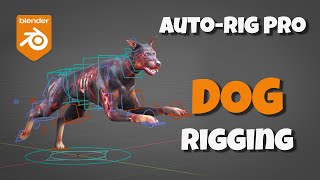
Auto-Rig Pro Tutorial - Rigging a Dog
Learn to rig a dog model using Auto-Rig Pro in Blender. Master spine and leg alignment, weight binding, and control setup for realistic quadruped animation.