Rigging an Advanced Cartoony Spine Rig for Game Engines - Spline IK System
Learn to create an advanced spline IK rig with infinite twist, cartoony deformation, and FK/IK interoperability, suitable for export to game engines.
Character Rigging in Blender 4b - Creating a Stretchy Spine Rig with Bendy Bones
Learn to create a flexible, stretchy spine rig for cartoon characters using Bendy Bones in Blender, enabling exaggerated poses and dynamic animations.
Character Rigging in Blender - Creating a Simple FK Spine Rig
Learn to create a simple FK spine rig in Blender, including control bone setup, connection to the deform rig, and creation of control shapes for efficient character animation.
Character Rigging in Blender - Blocking Out the Armature - Part 3
Learn to create an effective armature from scratch in Blender, including bone structure orientation and quick articulation tests for character rigging.
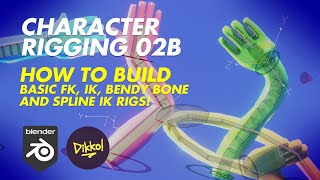
Building Basic FK, IK, Bendy Bone and Spline IK Rigs - Character Rigging Fundamentals
Step-by-step guide to creating essential character rigging components: FK, IK, Bendy Bone, and Spline IK. Learn to build flexible and versatile rigs for your 3D characters using these fundamental techniques.
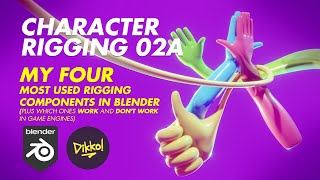
My Four Most Used Rigging Components in Blender - Character Rigging
Explore four essential rigging components for character animation in Blender, focusing on techniques suitable for game engines and their practical applications.
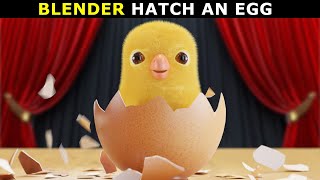
Blender - Make a 3D Chick Hatching Animation
Create a charming 3D chick hatching animation using Blender. Master modeling, texturing, and animation techniques to bring this adorable scene to life in just 35 minutes.
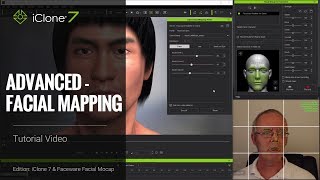
iClone Faceware Facial Mocap Tutorial - Advanced Facial Mapping
Advanced tutorial on customizing facial motion capture in iClone, covering static and live expression editing, mapping parameters, and different json approaches for optimal facial animation results.

CrazyTalk 8 - Easy to Create a Talking Avatars
Learn to create and animate 2D and 3D talking avatars using CrazyTalk 8's enhanced face-fitting technology. Explore techniques for customizing eyes, teeth, and facial animations for realistic character expressions.
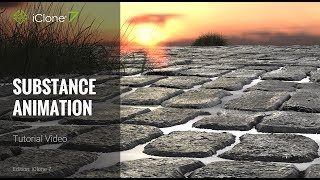
iClone 7 Tutorial - Animating Substance Materials
Learn to animate Substance materials in iClone 7, customizing cobblestone streets, enhancing scene atmosphere, and creating dynamic water effects between tiles using keyframes and parameter adjustments.
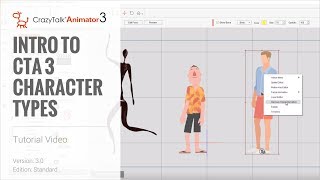
Cartoon Animator 4 Tutorial - Introduction to Character Types
Explore different character types in Cartoon Animator 4, from G1 & G2 to advanced G3 free bone characters. Learn their unique features and applications in animation projects.

3DXchange 6.5 Tutorial - Importing Daz Genesis 3 Characters to iClone
Learn to import and customize Daz Genesis 3 characters in iClone using 3DXchange 6.5. Master material refinement, foot contact adjustments, and facial expressions for enhanced 3D character animation.
iClone 6.5 Tutorial - Converting iProps to iAvatars
Learn to convert iProps to iAvatars in iClone 6.5, enabling custom motions, bone scaling, and physics properties. Enhance your 3D animations with advanced dinosaur model techniques.
iClone 6.5 Tutorial - Animating Dinosaurs
Learn to animate dinosaur herds in iClone 6.5, from creating models to customizing motions. Master techniques for realistic prehistoric scenes with efficient workflow and high-quality results.
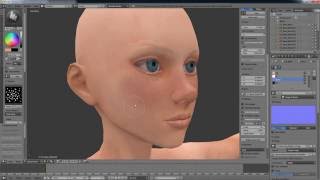
Character Creator Master Series - Pirate Creation - Customizing 3D Body in ZBrush and Blender - Part 2
Learn to customize 3D character bodies using ZBrush and Blender, from low-res editing to high-poly sculpting, UV mapping, and texture creation. Apply changes in Character Creator for animation.
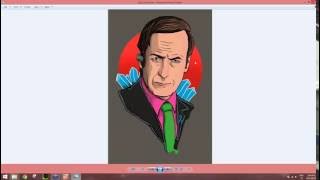
CrazyTalk 8 - Easy to Create a Talking Avatars
Learn to create and animate 2D and 3D talking avatars using CrazyTalk 8. Master face-fitting technology, eye and teeth customization, and facial animation techniques for realistic character animations.
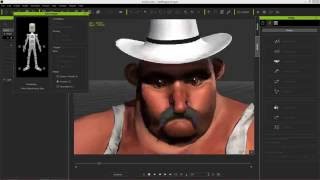
CrazyTalk 8.1 Tutorial - Advanced Accessory Import
Learn advanced techniques for importing custom accessories in CrazyTalk 8.1, including using Google Sketchup files and preserving spring effects from iClone, to enhance character customization.
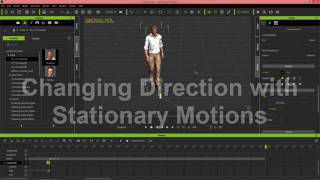
iClone 6.5 Tutorial - Walking and Changing Direction
Learn various methods for character locomotion in iClone 6.5, including path following, direction changes, and combining motion clips for natural movement in 3D scenes.

Creating and Animating a Character Scene in iClone
Learn to create engaging 3D scenes in iClone, from basic setup to character animation and camerawork. Master scene construction, lighting, dialogue, and filming techniques for storytelling.
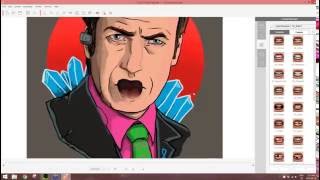
CrazyTalk 8 - Easy to Create Talking Avatars
Learn to create and animate realistic 2D and 3D talking avatars using CrazyTalk 8. Master face-fitting, eye and teeth customization, auto motion, and facial animation techniques for engaging character designs.
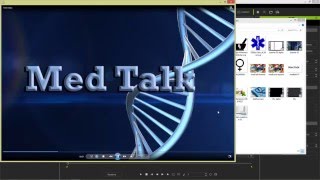
iClone 6 Tutorial - Creating a Title Sequence for TV
Learn to create a TV title sequence using iClone 6 and image editing tools. Covers layer manipulation, animation, and 3D effects for professional-looking results.