
UI Rendering in Game Programming - Episode 115
Explore UI rendering techniques for game development, focusing on efficient methods to create dynamic and responsive user interfaces in real-time environments.

User Interface (UI) in Game Programming - Episode 114
Learn to create a UIManager for game programming, enhancing your skills in developing user interfaces for interactive gaming experiences.

Rendering Strings of Text in Game Programming - Episode 110
Learn to render text strings in game programming, enhancing your ability to display dynamic information and create user interfaces in your game projects.

Game Programming - Creating a Window - Episode 4
Learn to create a game window in Java, exploring essential concepts for building the foundation of your game's visual interface.

ImGui Docking and Viewports - Game Engine Series
Learn to implement ImGui docking and viewports in game engine development, enhancing UI flexibility and multi-window support for improved user experience.

ImGui Events in Game Engine Development
Learn to implement ImGui events in game engine development, enhancing user interface functionality and interactivity for a more polished and responsive gaming experience.

Window Events in Game Engine Development - Game Engine Series
Learn to handle window events in game engine development, focusing on key techniques for creating responsive and interactive user interfaces.
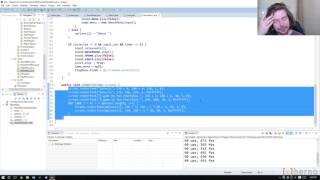
Menus - Genesis Episode 6 - Reviewing and Fixing Old Ludum Dare Games
Explore game development as The Cherno reviews and fixes old Ludum Dare projects, focusing on menu implementation and improvement techniques in this insightful video tutorial.

Images in Buttons - Game Programming - Episode 122
Learn to enhance game buttons with images and implement image brightening techniques in this practical game programming tutorial.

Polishing the UIButton in Game Programming - Episode 121
Learn to enhance UIButton functionality and fix bugs, improving its behavior to closely resemble a real button in game development.

Shining Light on the Shadow DOM - Styling Web Components
Explore styling Web Components, focusing on Shadow DOM, encapsulation, and CSS techniques. Learn to build consistent design libraries and navigate browser inconsistencies.

This Talk Is Under Construction - A Love Letter to the Personal Website
A nostalgic journey through personal websites, from Geocities to modern CSS, inspiring creativity and self-expression online. Encourages building unique, fun sites as alternatives to social media profiles.

Dialog Dilemmas and Modal Mischief - A Deep Dive into Popovers
Explore building tooltips, date pickers, and menus with new web platform features. Learn about dialogs, the 'popover' attribute, modality, and using the top layer for easier component creation.

Learn HTML Basics
Master HTML fundamentals in 48 minutes: elements, tags, attributes, and create your first web page. Essential foundation for aspiring web designers to build upon for future projects.

How to Create a Loader Icon With SVG Animations
Create a simple loader icon using SVG animations, exploring syntax, SMIL, and complex examples while comparing pros and cons of this technique.

Designing an eCommerce Portfolio - Header and Hero
Learn to create an effective eCommerce site header with navigation, logo, and cart, plus a hero section showcasing the latest theme with call-to-action buttons.

Create Advanced Layouts Using Webflow's Grid Layout Tools and Flexbox
Learn to create complex multi-column layouts using Webflow's grid and flexbox features. Master advanced techniques for positioning and structuring web designs efficiently in this hands-on tutorial.
Webflow Responsive Design for Total Beginners
Learn to create responsive websites using Webflow's tools without coding. Master breakpoints, preview modes, and grid systems to ensure your site looks great on any device.

How to Use Gradients in Web Design
Learn to create visually appealing websites using gradients. Master CSS techniques, explore color theory, and discover advanced methods to add depth and interest to your web designs.

Understanding the CSS -has Selector
Explore the powerful CSS :has selector with Adi Purdila. Learn its syntax and practical applications through examples to enhance your web design skills and create more dynamic layouts.
Learn Figma Auto Layout in 30 Minutes
Master Figma Auto Layout in 30 minutes: Learn spacing, padding, alignment, and resizing techniques to streamline your UI design workflow and boost efficiency tenfold.