Magento 2 Theme - Building a Custom Theme
Learn to create custom Magento 2 themes, modify fonts, add Font Awesome, display discounts, and compile LESS using Grunt. Practical lessons cover top bar, header, banner slider, and more.

HTML and CSS Tutorial for Beginners
Learn to build responsive websites from scratch using HTML, CSS, and JavaScript, covering layout techniques, icons, hover effects, and advanced features like dark mode.

Responsive Navigation With an Animated Dropdown Using CSS Clip-Path
Learn to create a responsive navigation menu with an animated dropdown using CSS clip-path, jQuery, and custom hamburger menu animation for enhanced user experience.

Python Blog Tutorial - Liking Posts
Learn to implement post liking functionality in a Flask-based blog, including database modeling, UI design with Font Awesome, and dynamic updates using JavaScript.

Mobile First Responsive Contact Form Featuring Grid CSS
Learn to create a responsive, mobile-first contact form using HTML, CSS Grid, and Font Awesome icons, with an entry animation for a polished user interface.
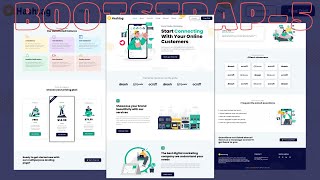
Responsive Digital Marketing Agency Website Using Bootstrap 5
Learn to create a responsive digital marketing agency website using Bootstrap 5, covering key sections like About, Features, Pricing, and Free Trial with HTML, CSS, and media queries.

Setting Up Font Awesome Icons as Pseudo-Elements
Learn to efficiently use Font Awesome icons as pseudo-elements in web design, enhancing decorative elements without cluttering HTML. Explore different approaches and practical applications.
Essential CSS Libraries for Web Designers
Learn to enhance web design with eight essential CSS libraries, covering resets, animations, typography, and responsive design techniques for improved functionality and aesthetics.
Installing Visual Studio 2019 and MS SQL Express 2017 - Setting up Bootstrap, Fontawesome and Datatables
Step-by-step guide for installing Visual Studio 2019, MS SQL Express 2017, and setting up Bootstrap, Fontawesome, and Datatables for ASP.NET web development with C#.
Mac Tips and Tricks
Discover hidden gems, productivity boosters, and performance enhancers for your Mac. Learn about built-in features, cool apps, and tricks to make your Mac experience more enjoyable and efficient.