How to Make an iPhone Calculator App
Learn to build a complete iPhone Calculator app in under an hour, covering essential iOS development skills for creating various applications.

Kivy Tutorial - Widgets and Switching Screens - Part 5
Learn to implement various Kivy widgets, handle events, and switch screens in this comprehensive tutorial covering checkboxes, radio buttons, popups, tabbed panels, and more.

Mega Drop Down Menu Tutorial - Responsive and Fluid Design
Create a responsive and fluid mega drop down menu inspired by the Boston Globe website, with step-by-step guidance on implementation and best practices.
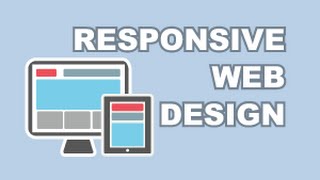
Responsive Web Design Tutorial - Creating Optimized Sites for Multiple Devices
Learn to create websites that adapt seamlessly to any device. Master techniques for optimizing layouts, images, and content for various screen sizes, ensuring a consistent user experience across platforms.
How to Make Android Apps - Google Maps and Multiple Markers
Learn to set multiple markers, retrieve latitude/longitude data, and display directions between locations on Google Maps in Android apps.
How to Make Android Apps - Creating a Conversion App
Learn to create a complete Android conversion app, covering interface design, backend development, and essential concepts like use cases, activity diagrams, and dynamic class manipulation.
How to Make Android Apps - Multiple Android Activities
Learn to create multiple Android Activities, pass data between them, and understand Intents. Covers layout creation, manifest setup, data sending/retrieval, and Intent basics.
How to Make Android Apps: Android ListViews - Part 3
Learn to create dynamic ListViews in Android using ArrayAdapters, custom adapters, and LayoutInflator. Explore key concepts and terminology for efficient list-based UI development.
How to Make Android Apps - Part 2
Learn Android app development essentials: XML, layouts, user input, event handling, and more. Hands-on tutorial for beginners to create interactive mobile applications.
Android Development for Beginners - Building a Paddle Ball Game
Learn to create a simple paddle ball game using App Inventor, covering image sprites, animation, and built-in features for Android game development.
Android Development for Beginners - Paint App Tutorial
Create a paint app with App Inventor, exploring canvas features like drawing shapes and text, color palettes, and database integration for saving and loading files.
Android Development for Beginners - Sharing Databases Across Screens - Part 16
Learn to share databases across multiple screens in App Inventor, including adding, updating, and removing data. Ideal for beginners seeking to enhance their Android app development skills.
Android Development for Beginners - Part 13: Creating a Dynamic Weather App
Learn to create a dynamic Android weather app using App Inventor, covering web service data retrieval, interface design, color manipulation, and logic implementation.
Android Development for Beginners - Creating App Inventor Interfaces
Learn to create App Inventor interfaces using vector art, with techniques applicable to regular Android interfaces. Covers setup, Photoshop, margins, stacking, text bars, labels, and more.
Android Development for Beginners - Parsing JSON Data in App Inventor
Learn to parse JSON data in App Inventor, create a weather app, and add padding to components in this step-by-step Android development tutorial.

Android Development for Beginners - Creating a Beat Box App
Learn to create a Beat Box app with Android, covering SoundRecorder, Player, lists, and incremental programming techniques.

Android Development for Beginners - Weather and Camera Apps Tutorial
Learn to create Android apps with dynamic weather maps, camera integration, and image handling using App Inventor. Covers image display, TinyDB storage, and device-responsive design.

Android Development for Beginners - Part 4
Learn to create Android apps with event handling, sliders, notifiers, and integrations. Explore opening other apps, browsers, email, maps, and YouTube in App Inventor.

Android Development for Beginners - Part 3
Learn to use App Inventor's ActivityStarter, handle events, work with lists, and integrate various components to create interactive Android applications.

Android Development for Beginners - Part 2: App Inventor Blocks Editor
Learn to build Android apps using App Inventor Blocks Editor. Covers sensors, variables, event handling, text-to-speech, vibration, accelerometers, and more. Includes practical examples and visual aids.
Android Development Tutorial - Dialog Boxes and Date Handling
Learn to create and use Android Dialog Boxes, design layouts, open dialogs, and transfer data between fragments and activities. Explore Date, Calendar, and GregorianCalendar classes.