
HTML5 Website Project for Beginners - First HTML Project Tutorial
Build a complete HTML5 website from scratch, covering navigation, images, page structure, and essential sections like About, Menu, and Contact Us. Practical tutorial for beginners.

Ionic 2 Full App - The Basics - Ionic 2 + Angular to Build a Full Mobile Application
Learn to build a mobile app using Ionic 2 and Angular. Covers installation, pages, buttons, forms, services, and more. Part 1 of a series focusing on the basics of app development.
Write Clean Code with React Suspense - React Error Boundaries Explained
Learn to enhance React apps with Suspense and Error Boundaries, improving user experience through efficient loading states and error handling while writing cleaner, more maintainable code.
Drag and Drop in React with React Query and React-Beautiful-Dnd
Implement drag-and-drop functionality in React using React Query and react-beautiful-dnd, including state management, persistence, and CRUD operations for a todo list application.
Animated Hamburger Icon, Mobile Menu & Responsive Navbar with Tailwind CSS
Learn to create an animated hamburger icon and responsive mobile menu using Tailwind CSS, enhancing your web design skills with practical, interactive UI elements.
Build a Website with Tailwind CSS - Project Tutorial
Learn to build a responsive website using Tailwind CSS, covering media queries, light/dark mode, and various CSS styles through class names. Hands-on project tutorial for practical implementation.

CSS Complete Project for Beginners
Comprehensive tutorial on modern CSS and responsive web design, covering HTML structure, styling, layout techniques, and advanced features like dark mode for a taco shop website.
CSS Animated Responsive Navbar - CSS Animations for Beginners
Learn to create an animated responsive navbar using CSS transforms, transitions, and animations. Covers pseudo-selectors, menu icon design, and dropdown functionality.
Build a Website with Tailwind CSS Tutorial
Hands-on tutorial for building a responsive website using Tailwind CSS, covering setup, navbar creation, hero section design, and JavaScript integration.
Make a React Website with Animations - Responsive React Project Real Estate Design
Create a responsive React website with animations for a real estate design using hooks, styled components, and React Router. Learn to build a navbar, hero image slider, dropdown menu, and info section.
How to Make a Website Using Editor X
Learn to create a responsive travel website using Editor X's advanced design tools, including stacking, grids, and animations, without coding. Explore business solutions and custom features.
How to Make a Website from Scratch Using Webflow
Build a professional website without coding using Webflow. Learn to create navbars, logos, hero sections, image galleries, contact forms, and more in this step-by-step tutorial for beginners.
Build a React Website Using Styled Components - Responsive Ecommerce Restaurant Design
Create a responsive React restaurant website with styled components, covering navbar, hero section, sidebar, products, and footer components in a beginner-friendly tutorial.

Build a Responsive Website Using HTML & SASS-SCSS Tutorial
Create a responsive website homepage using HTML and SASS/SCSS. Learn to structure content, style with SASS, and implement a navbar and hero section for an attractive, mobile-friendly design.

React Modal Tutorial Using Hooks and Styled Components
Create a simple React Modal Popup using Hooks and styled components, with click-outside and ESC key closing functionality.
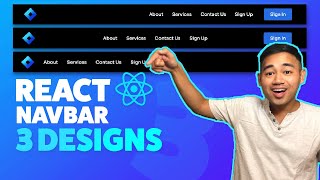
React Navbar Tutorial Responsive - 3 Designs
Create responsive React navbars with three customizable designs. Learn step-by-step implementation, including mobile dropdown menus, for seamless integration into your projects.
Responsive HTML CSS Portfolio Website Using Flexbox and Grid
Build a responsive portfolio website using HTML, CSS Flexbox, and Grid. Learn to create and style hero, about, services, portfolio, contact, and footer sections for a professional online presence.

React Website Using Styled Components and Smooth Scroll - Beginner Project Fully Responsive
Build a responsive React website with styled components, smooth scroll, and reusable sections. Learn React Hooks, Router, and advanced styling techniques for a modern web development project.

HTML CSS Javascript Website Tutorial - Responsive Beginner JS Project with Smooth Scroll
Build a responsive website with HTML, CSS, and JavaScript, featuring smooth scroll and dynamic navbar. Learn step-by-step from setup to advanced features in this comprehensive tutorial.

HTML, CSS, and Javascript Website Design Tutorial - Beginner Project Fully Responsive
Step-by-step tutorial for building a responsive website using HTML, CSS, and JavaScript. Covers navbar, hero section, services, footer, and navigation between pages.
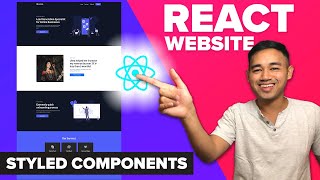
React Website Using Styled Components - Beginner React JS Project Fully Responsive
Build a responsive React website using Styled Components, React Hooks, and React Router. Learn to create reusable components and implement essential features like navigation, routing, and scrolling effects.