Quant UX - Open Source, Self Hosted Mock-up and Prototyping Tool That Can Give You User Feedback
Learn to install, use, and create prototypes with Quant UX, an open-source mockup tool. Explore its features, Docker installation, and user feedback capabilities for effective UX design and testing.

Building an Auth Experience for Humans - Best Practices and User-Friendly Design
Discover best practices for designing secure and user-friendly authentication experiences. Learn industry tips, pitfalls to avoid, and insights into human psychology to create top-notch app security.
Variables Fonts and Text Effects - Learn With Jason
Explore creative typography with Mandy Michael: learn variable fonts, text effects, gradients, and advanced CSS techniques to enhance web design and create visually stunning text.
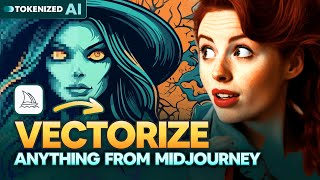
From Pixels to Vectors - Enhance Your Midjourney Images
Learn to vectorize Midjourney images using Tracejourney, enhancing quality for print-on-demand designs. Explore image importing, vectorization techniques, mockup creation, and pricing details.
How I Design for Impact With Figma
Learn to create high-impact website designs in Figma with expert tips on grids, color balance, typography, layout rhythm, and advanced animation techniques for stunning, user-friendly interfaces.
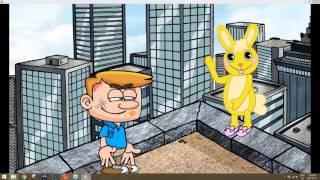
Creating a Complete Animated Scene with CrazyTalk Animator 3 - Day 1: Introduction and Scene Setup
Learn to create animated scenes using CrazyTalk Animator 3. Covers UI basics, prop customization, environment creation, animation techniques, and sound integration for beginners in animation production.
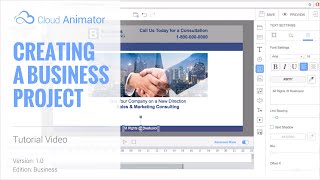
Cloud Animator Tutorial - Creating a Business Project
Learn to create professional animated business presentations using Cloud Animator. Master shapes, images, motion effects, and timeline adjustments for impactful, shareable projects across devices.
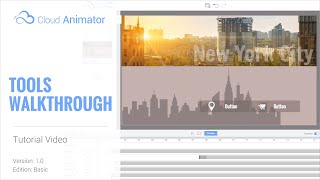
Cloud Animator Tutorial - Walkthrough of Tools and Features
Explore Reallusion's Cloud Animator: create interactive animations for promotions, invitations, and more. Learn about scenes, assets, and features in this comprehensive walkthrough.
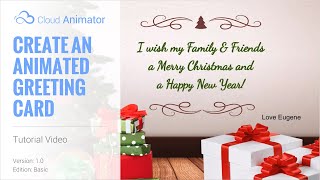
Cloud Animator Tutorial - Create an Animated Holiday Greeting Card
Learn to create interactive animated holiday greetings using Cloud Animator. Customize templates, add images, edit text, and apply motion effects for engaging, shareable projects across multiple devices.
Cartoon Animator from A-Z - Setting the Scene - Day 1
Learn Cartoon Animator 4 basics: UI, scene setup, prop importing and animation, background creation, and adding music. Hands-on demo covers essential tools for 2D animation beginners.
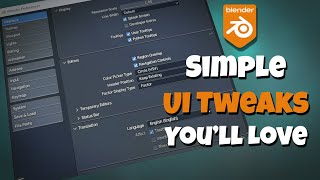
Blender - Simple UI Tweaks You'll Love
Learn safe and effective UI customizations in Blender to enhance your workflow. Discover preferences, themes, navigation settings, keymaps, and add-ons to optimize your Blender experience.
Blender 3D - Mac Illustration Design - Beginner Guide
Learn to create a 3D Mac illustration in Blender. Perfect for web pages, application designs, or other projects. Ideal for beginners looking to enhance their digital design skills.
3D Website Illustration Tutorial - Blender 3D Beginner Tutorial
Learn to create stunning 3D website illustrations using Blender in this beginner-friendly tutorial. Enhance your web design skills and bring your digital projects to life with eye-catching visuals.
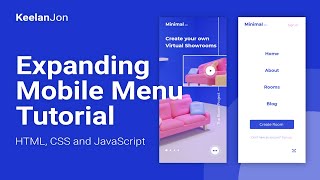
Expanding Mobile Menu Using HTML, CSS, and JavaScript - Web Development Beginner Tutorial
Learn to create an expanding mobile menu with HTML, CSS, and JavaScript in this beginner-friendly tutorial. Enhance your web development skills and improve user experience on mobile devices.
How to Use the Figma to Webflow Plugin
Learn to transform Figma designs into functional websites using the Figma to Webflow plugin. Covers installation, working with existing designs, creating new designs, and plugin limitations.
FOLDERS for Your Midjourney Prompts - Organizing and Managing AI-Generated Content
Learn to organize Midjourney prompts efficiently with folders, manage style codes, and explore new features in Promptalot for improved AI image generation workflows.

Figma Basics - Tutorial 52
Learn essential Figma skills for web design: interface, tools, components, and prototyping. Master the basics to create stunning UI/UX designs efficiently.
Procreate Dreams: The 2D Animation Revolution for Digital Artists
Explore the journey of Procreate Dreams, a revolutionary 2D animation app, with insights from its creators on development, design philosophy, and impact on digital artistry.
Ways to Fix the ZBrush User Interface
Discover 10 ways to enhance ZBrush's interface, improving workflow for beginners and experienced users. Learn to customize menus, navigate efficiently, and optimize your digital sculpting experience.
Adobe XD Prototyping Interactions Overview
Comprehensive guide to Adobe XD prototyping interactions, covering various techniques from basic button states to complex animations and transitions for creating realistic user interfaces.
Prototyping With Framer - Combining No-Code and Custom Code
Learn to combine no-code and custom code in Framer for powerful prototyping. Amy Dutton demonstrates how to build interactive prototypes using design components and custom code, enhancing your design workflow.