Design a To-Do App for Creatives - Part 2
Explore mobile app design with Kate Kassab as she creates a to-do app for creatives using Adobe XD, showcasing new features and pro-tips for building engaging user experiences.
Designing a To-Do App for Creatives in Adobe XD - Part 1
Watch Kate Kassab design a creative to-do app using Adobe XD, featuring Content Aware Layout and tips for building engaging user experiences with gamification elements.

Adobe XD Masterclass - Creating a Landing Page with Hover Effects and Animations
Learn to create an engaging landing page with hover effects and animated elements using Adobe XD. Master layout techniques and design principles in this hands-on tutorial.
Adobe XD Masterclass - Creating Advanced Micro-Interactions with Component States - Episode 2
Learn advanced micro-interactions in Adobe XD with Howard Pinsky. Master component states, hover effects, and animated elements to enhance your UI/UX design skills.

Creating a Movie Recommendation App in Adobe XD - Part 1
Learn to design a movie recommendation app in Adobe XD, covering login screens, user experience, plugins, and profile pages. Gain insights on information architecture, components, and effective use of icons.

Designing a Squeeze Page - Email Collection in Figma
Learn to design an effective email collection page in Figma, covering layout, interactive prototyping, and mobile optimization for building a strong subscriber base and launching products or services.
Design a Website in Under 1 Hour With Figma
Learn to design a complete website in Figma, covering tools, layout, navigation, logo creation, and prototyping. Gain practical skills for creating visually appealing and functional web designs efficiently.
Everything You Need to Create a Brand Identity with Melinda Livsey
Learn to create impactful brand identities with expert Melinda Livsey. Discover fundamental concepts, visual language techniques, and practical tips to elevate your design skills beyond pixel pushing.
Adobe Figma to Editor X Tutorial
Learn to convert Figma designs to Editor X without coding, covering typography, colors, and design elements for seamless migration in the Adobe ecosystem.
Adobe XD to Editor X Tutorial
Learn to convert an Adobe XD design to Editor X, covering layout, assets import, and responsive design techniques. Gain practical insights into no-code web development and site creation.

Convert Adobe XD to Responsive HTML and CSS Website
Learn to transform Adobe XD designs into responsive HTML and CSS websites, with practical implementation of UI/UX concepts, animations, and WordPress integration for a complete web development experience.
Adobe XD to HTML CSS
Learn to convert Adobe XD designs into HTML and CSS, following proper markup standards and coding processes for effective web design implementation.

Spatial Design: Creating Useful and Beautiful Environments
Explore spatial design principles with Matt Howard, learning how to create functional and aesthetically pleasing environments through practical demonstrations and expert insights.

Introduction to Figma for Developers
Explore Figma's powerful design and collaboration features with Ryan Warner. Learn fundamentals and get a comprehensive feature tour to enhance your design workflow.
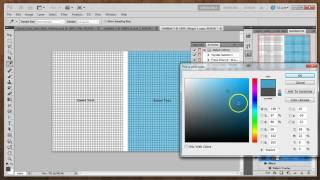
Create Your Own Web Background Patterns - Part 1: Pattern Basics
Learn to create seamless web background patterns using Photoshop, including grid, crosshatch, and tongue-tied designs. Explore color variations and texture additions for unique visual effects.

Education, Architecture and The Trojan Horse - Navigating Challenges in the Creative World
Inspiring talk on improving access to architecture and creative industries for marginalized groups, highlighting initiatives to empower students and navigate challenges in the field.

2024 UI/UX Design Crash Course in Figma
Learn UI/UX design in Figma: create layouts, use components, auto layout, and design key sections for a fictional business. Gain practical skills in modern interface design.

Build and Deploy a Figma Clone with Real-Time Collaboration
Create a Figma clone with real-time collaboration features including cursor chat, comments, reactions, and design tools using Fabric.js and Liveblocks. Learn to build and deploy a complex web application with modern technologies.

Figma Tutorial for Beginners - 2024 Crash Course in Web Design
Comprehensive beginner's guide to Figma for web designers, covering interface, setup, libraries, styles, and key webpage sections in a hands-on tutorial format.

Beyond Code and Clicks: UX Insights to Security Software
Explore UX-centric insights for enhancing security software effectiveness, drawing from real-world experiences in building and maintaining security tools and processes.
Cartoon Animator from A-Z - Setting the Scene - Day 1
Learn Cartoon Animator 4 basics: UI, scene setup, prop importing/editing, animation, and adding music/sound effects. Hands-on demo covers background creation, custom props, and simple animations.