Designing an App in 30 Minutes Using Figma - Challenge
Watch a designer create a concept app in 30 minutes, from wireframing to prototyping. Learn rapid design techniques, color and font selection, and see the final reveal of this time-constrained challenge.
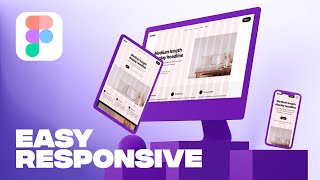
Responsive Website in Figma
Learn to create responsive layouts in Figma using columns for different breakpoints. Master layout grids, understand responsive design principles, and apply them to convert desktop designs to tablet and mobile.

Designing a Conceptual Brand - Graphic Design Portfolio
Step-by-step guide to developing a conceptual brand identity, from strategy and mood boards to logo refinement, color testing, and final presentation, enhancing your graphic design portfolio.
How to Choose Fonts - Step by Step
Step-by-step guide to selecting fonts for web design projects, covering identification of needs, exploring options, pairing, and testing to ensure the best choice for your design goals.

How to Select Colors - Step by Step
Learn a step-by-step process for confidently selecting colors in design, including demos, examples, and practical tips to enhance your color selection skills and create visually appealing designs.

Figma to Webflow - Complete Website Tutorial
Learn to transform Figma designs into fully functional Webflow websites. Master layout, navigation, animations, and responsive design techniques in this comprehensive tutorial.

Figma Tutorial for Beginners - Complete Website from Start to Finish
Learn to create a complete website in Figma, covering interface basics, layout setup, design elements, advanced techniques like masking and gradients, and essential components like navigation and forms.

How to Design a Landing Page - Designing a Landing Page for a New Course
Live design session demonstrating landing page creation for a new course using Figma, covering copywriting, design techniques, and practical implementation over nearly two hours.

Client Onboarding - Complete Walkthrough
Comprehensive walkthrough of client onboarding and off-boarding processes, covering tools, project management, communication, contracts, and best practices for successful client relationships.

Content Strategy and Information Architecture Workshop
Comprehensive guide to content strategy and information architecture, covering site structure, web components, and practical tips for effective content development and organization.
How to Create a Theme Switcher With HTML & CSS
Learn to create a theme switcher using HTML, CSS, and JavaScript, with custom properties, :has() selector, and localStorage for user preferences and fallback options.

Recreating Stripe's Text Effect
Recreate Stripe's eye-catching text effect with CSS. Learn gradient animations, positioning techniques, and custom properties to enhance readability and visual appeal.

Creating Netflix's Video Carousel with CSS Only
Learn to create Netflix's video carousel using only CSS, exploring advanced techniques for layout, scrolling, and interactive elements without relying on JavaScript.

Creating a Tricky Orbiting Icon Animation
Learn to create an orbiting icon animation with CSS, covering HTML structure, color generation, styling, rotation, hover effects, and throbbing animation techniques.
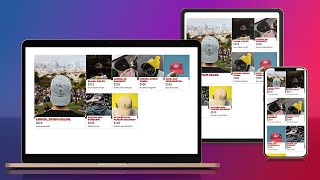
Learn How to Create a Responsive CSS Grid Layout
Create a dynamic, responsive CSS grid layout using properties like aspect-ratio and object-fit. Learn to style cards, make grids adaptive, and design featured elements for various screen sizes.
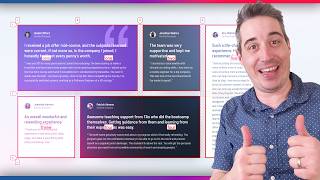
Learn CSS Grid the Easy Way
Simplify CSS Grid with practical tips on layout creation, column spanning, element placement, and responsive design using grid-template-areas and media queries.
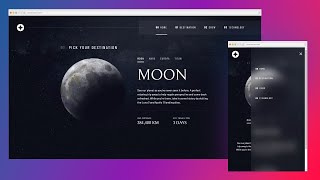
Responsive Navbar Tutorial Using HTML, CSS & JS
Learn to create a responsive navbar using HTML, CSS, and JavaScript, covering mobile and desktop layouts, styling, animations, and browser compatibility.
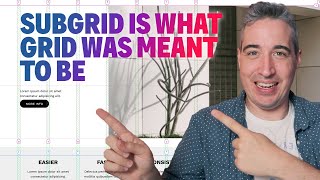
Creating a Robust Grid System Using Subgrid
Learn to build a powerful and flexible grid system using CSS subgrid, enhancing layout control and responsiveness for web designs. Explore advanced techniques for creating custom sections and breaking out of containers.
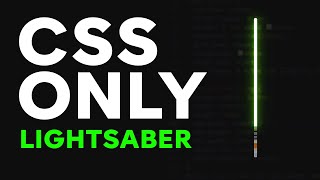
CSS Only Lightsaber - With Sound
Learn to create an interactive lightsaber using only CSS, including styling, animation, color changes, and even sound effects. Perfect for Star Wars fans and CSS enthusiasts alike!

Responsive Design Made Easy
Learn to create responsive layouts easily with custom properties, basic styling, and layout techniques for a pain-free approach to building adaptable websites.
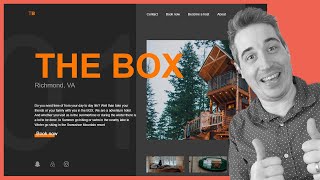
Creating a Responsive, Asymmetrical Design with HTML & CSS
Learn to create responsive, asymmetrical designs using modern CSS tools like grid, subgrid, flexbox, and clamp(). Master mobile-first approach and adapt layouts for larger screens.