
Microsoft Copilot: A Comprehensive Guide to AI-Powered Productivity in Windows and Microsoft 365
Master Microsoft's AI assistant across Windows and Microsoft 365 apps, from generating text and images to managing emails, creating presentations, and analyzing data - all through hands-on demonstrations and practical examples.
Microsoft PowerPoint Tutorial - From Basics to Professional Presentations
Master Microsoft PowerPoint's essential features to create engaging presentations - from basic slide creation to advanced animations, transitions, and recording capabilities for professional-quality results.
PowerPoint Slide Zoom Tutorial - Creating Interactive Section Zooms and Effects
Master advanced PowerPoint techniques for creating dynamic slide zooms, including section transitions, morphing effects, and glass morphism - complete with downloadable template and step-by-step guidance.
The PowerPoint Home Tab and Ribbon In Depth - Comprehensive Tutorial
Explore essential PowerPoint Home Tab features to enhance graphic design and streamline slide management. Learn to use ribbon tools effectively for improved presentations and workflow.
The PowerPoint Insert Tab and Ribbon In Depth
Master PowerPoint's Insert Tab: Add graphics, images, tables, and 3D models to create engaging presentations. Learn to enhance your slides with various multimedia elements for impactful visual communication.

How to Make Videos Using Only PowerPoint - No Extra Software Needed
Transform PowerPoint presentations into professional videos with animations, transitions, and voiceovers. Learn to create engaging content without extra software, perfect for educators and businesses.
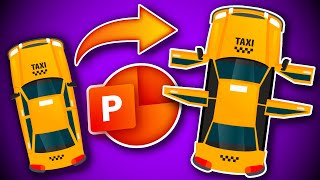
Interactive Taxi Door Animation in PowerPoint
Learn to create an interactive taxi door animation in PowerPoint using triggers, spin animation, and rotation centers. Enhance your presentations with this engaging and unique visual effect.

Creating a PowerPoint Template with Section Zooms - Tutorial
Learn to create an interactive PowerPoint template with section zooms, including slide design, glass effects, transitions, and more. Enhance your presentation skills with this step-by-step tutorial.

Creating a Dynamic Product Slider in PowerPoint - Step-by-Step Tutorial
Learn to create an interactive, animated product slider in PowerPoint using Morph transitions, clickable buttons, fade effects, and dynamic titles for impressive presentations.

5 Genius PowerPoint Animation Ideas - Step-by-Step Tutorial
Learn five innovative PowerPoint animation techniques with step-by-step instructions. Enhance your presentations with custom, eye-catching animations that will captivate your audience.

Training a PowerPoint AI to Play Tic Tac Toe
Demystifying machine learning by building a Tic Tac Toe AI in PowerPoint, showcasing basic principles and proving that AI concepts are accessible to everyone, not just math experts.

140+ ChatGPT Tips and Tricks with Demo in 2024
Discover 140+ ChatGPT tips for effective prompts, coding, Excel, PowerPoint, marketing, finance, and more. Master advanced techniques and unlock AI's potential across various domains.

Advanced PowerPoint Animation Tutorial - Book Flip Animation
Master realistic book flip animations in PowerPoint using Morph transitions and 3D rotation techniques to create engaging, professional-looking presentation effects.

Converting PowerPoint Presentations into YouTube Videos - A Step-by-Step Tutorial
Master the process of transforming PowerPoint presentations into engaging YouTube content using Cameo feature, recording techniques, and proper upload methods for enhanced content sharing.